
Eric777s - Minecraft Skins & Skin History
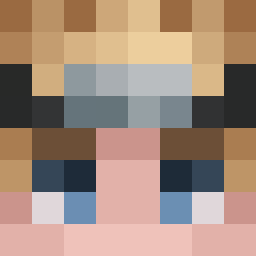
Current Minecraft skin of the player Eric777s, loaded from the official Mojang API. Rotate the 3D model with your mouse or finger, then download the skin as a PNG file and use it in Minecraft: Bedrock Edition or Java Edition for free. When Eric777s changes their skin, this page updates automatically and the old skin stays in the history below.

Other players with this skin (14335)
Eric777s was the 3736th player we have seen with this skin, first spotted on 25.08.2026. The same skin was seen on these players. Open a nickname to see their current skin and skin history.
 mac_n_cheeze_
 VictoriaForge
 ZA_Gamer_1983
 THE_MR_PI3R_10 wichajster_ haktamar Hydrakss Dr_dvora bentzen05 yFabriiciio_ Yul0423 MrSommer83 cqmx DarknesLD jiwoojang Thijsmasterpro pps Exceptioner megeulyang JAMESISBOSSSSS Deltardivement VincentDpt AIpha300 KaitoEarly bamp4 Aluli_2009 Alessssandro11 Prodige23
 minesbigger93
 unservable ElBanditoMS CrisssV07 Truusin FishingRodqod Paper_OVO lemawxddd thomas121820 Alarge MarkCollapsed
 FUNKYdin0 Chocolade21 _M83_ elplblue Unfusible Junox Zahide_Gooner ayj1898 Streptococcal malangcongddeok FantasticFishYT
 vaflha Thetipadis Delusiqn_ tennen1 KindKnife Rares71 calvadooo Wimaxs69 GrandmaLidia Kornel_2001
How to install the Eric777s skin
- Press the Download button above to save the skin as a PNG file.
- Minecraft: Bedrock Edition (PE): open the Dressing Room from the main menu (or tap your character → Edit Character), go to Classic Skins → Owned, press the + (new skin) button, choose the downloaded PNG and pick the Classic (Steve) model. Works on PC and mobile; consoles cannot import custom skins.
- Minecraft: Java Edition: open the Minecraft Launcher, go to the Skins tab, click New Skin, load the PNG, pick the Classic (Steve) model and press Save & Use. You can also upload it at minecraft.net → Profile → Change Skin.
The skin does not show up after import - what should I do?
Restart Minecraft and open the Dressing Room again - imported skins sometimes appear only after a restart. Also make sure you selected the imported skin and picked the Classic (Steve) model.
Which model should I choose, Classic or Slim?
This skin is designed for the Classic (Steve) model. If you pick the wrong model, the arms of the skin will look stretched or squeezed.
Is the skin of Eric777s free to download?
Yes. Press Download, save the PNG file and use it in Minecraft: Bedrock Edition or Java Edition - no payment or registration needed. The skin also works on multiplayer servers and Realms.
More skins
Looking for more? Go back to all Minecraft skins and check the top skins of the week, month and all time, or find any player's skin by nickname.