
EpicSerf - Minecraft Skins & Skin History
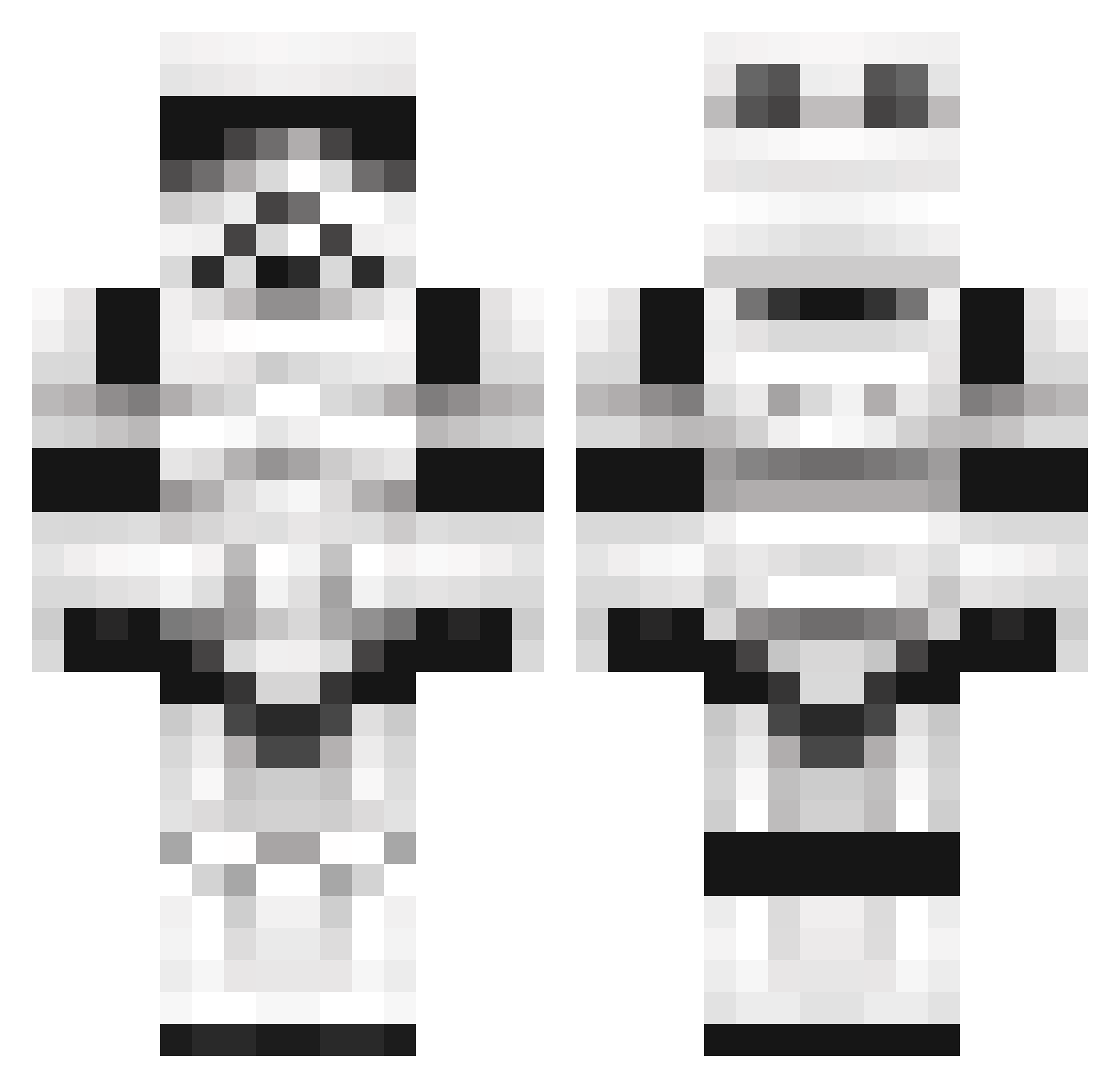
Current Minecraft skin of the player EpicSerf, loaded from the official Mojang API. Rotate the 3D model with your mouse or finger, then download the skin as a PNG file and use it in Minecraft: Bedrock Edition or Java Edition for free. When EpicSerf changes their skin, this page updates automatically and the old skin stays in the history below.
Other players with this skin (1377)
EpicSerf was the 1166th player we have seen with this skin, first spotted on 05.11.2026. The same skin was seen on these players. Open a nickname to see their current skin and skin history.
 V_O_V melchi27 no_nic Benjiwood DAKILLTA benemrich skynet2071 dustinttu2003 bnjimator97 newkili kylezyl Bernzzii darkassence Blackwars2001 Bowks1 WikSier Strew_ HitAngry wercraft Hydro_nft Redfox4242 tom22122001 shoutist DaHuntha molke91 5destroyer35 Chrtok PretorianWarrior Waffelschris Day7_chrisy R_Crazy CRin007 StormdoesMC Ryanboro99 TheMightyTea JICKLE Autopsyyy Malacath_ creepo66 Schmausbaer markoshhh brookeside ap0lly0n1990 primejack iaBandit Azkabann Killa_Ape Balzan1 bigpapasj FUPCAKE1 SycoraxTempest Darien219 pontouxgeek39170 Cooliobananas Jonasusiatusinus Ciro0 InfectiousDark United4Tacos Mud_Cruncher torrez1234567890
More Trooper Minecraft skins
How to install the EpicSerf skin
- Press the Download button above to save the skin as a PNG file.
- Minecraft: Bedrock Edition (PE): open the Dressing Room from the main menu (or tap your character → Edit Character), go to Classic Skins → Owned, press the + (new skin) button, choose the downloaded PNG and pick the Classic (Steve) model. Works on PC and mobile; consoles cannot import custom skins.
- Minecraft: Java Edition: open the Minecraft Launcher, go to the Skins tab, click New Skin, load the PNG, pick the Classic (Steve) model and press Save & Use. You can also upload it at minecraft.net → Profile → Change Skin.
The skin does not show up after import - what should I do?
Restart Minecraft and open the Dressing Room again - imported skins sometimes appear only after a restart. Also make sure you selected the imported skin and picked the Classic (Steve) model.
Which model should I choose, Classic or Slim?
This skin is designed for the Classic (Steve) model. If you pick the wrong model, the arms of the skin will look stretched or squeezed.
Is the skin of EpicSerf free to download?
Yes. Press Download, save the PNG file and use it in Minecraft: Bedrock Edition or Java Edition - no payment or registration needed. The skin also works on multiplayer servers and Realms.
More skins
Looking for more? Go back to all Minecraft skins and check the top skins of the week, month and all time, or find any player's skin by nickname.