
Eosphory - Minecraft Skins & Skin History
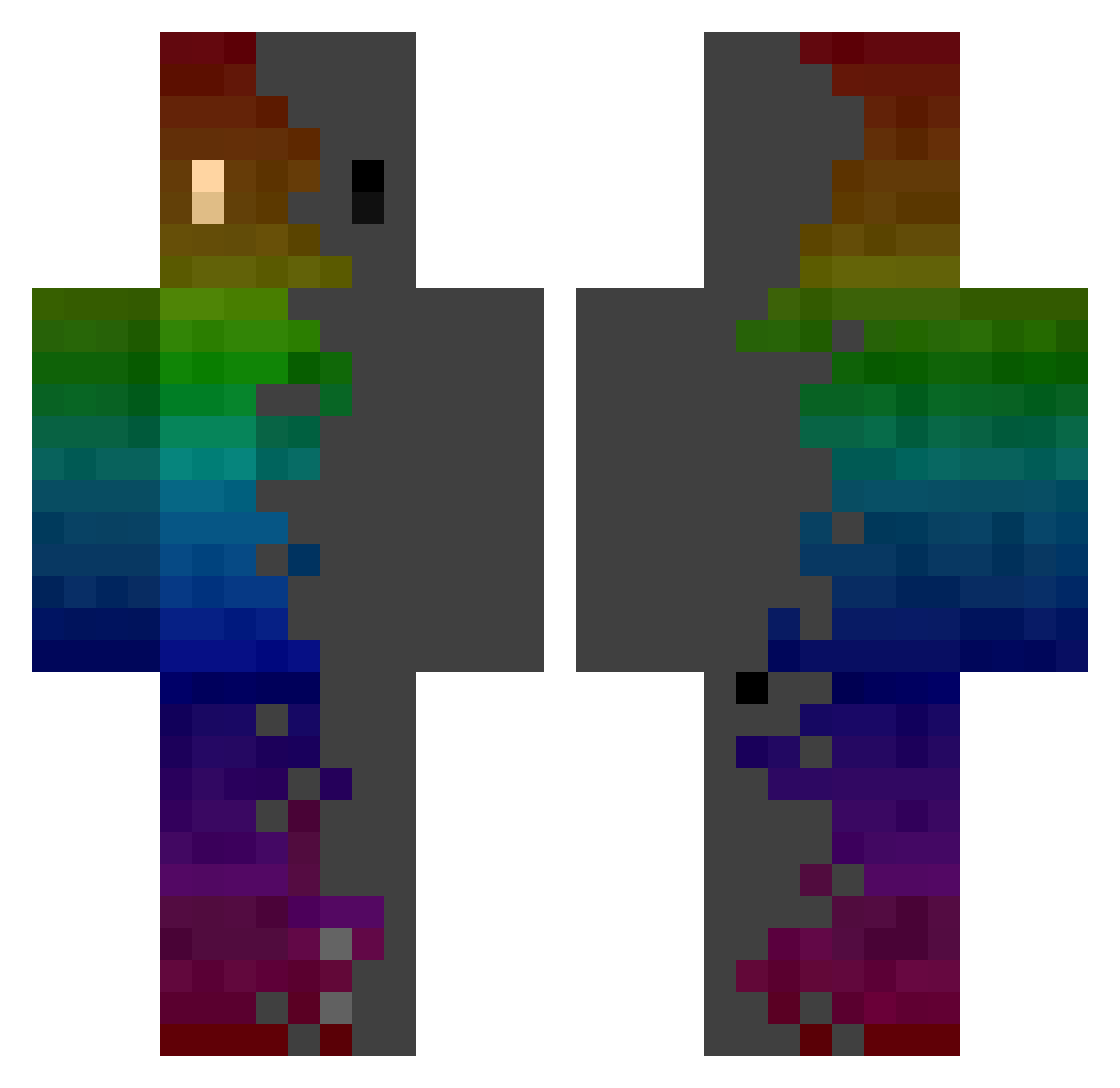
Current Minecraft skin of the player Eosphory, loaded from the official Mojang API. Rotate the 3D model with your mouse or finger, then download the skin as a PNG file and use it in Minecraft: Bedrock Edition or Java Edition for free. When Eosphory changes their skin, this page updates automatically and the old skin stays in the history below.
Other players with this skin (276)
Eosphory was the 154th player we have seen with this skin, first spotted on 16.09.2026. The same skin was seen on these players. Open a nickname to see their current skin and skin history.
 OJP42 nimadalanpa123 Noah200713 Junclient humangacksung Cryptic__Shadow bi8bo_ A_n00dle Pato000 JuanitoLPB TheSamePersonBC jonastyyy milzlettingro CakezaX2 ZiangZhao smash121 Lucatonni96 IditM Artemis_xXx Saiko911 K_Dwarf LE_SATURNIN LaBluur SpeedyGlez01 Garibiz Scout1505 zv35 GodWatter Mathis980 Anton_FR06 NoDeT kennyyang456 Swift_ay_on Ema03 udonman14139 DirtySnail Fraanek Ginkel5 creeperkiller132 InFuSe_TaZzEr RIWOO_1126 blackhold_41 Baukiii SangCeu SHARMAN IIClimaxII dani7813 point1729 EPSILON19 14xx Deddynox_ NicoMinecraft06 Blueskins30
 Flame5944 garygame supanate15 CrispyDyl JIMI_Z GEORGBOT2 Roubloxe
How to install the Eosphory skin
- Press the Download button above to save the skin as a PNG file.
- Minecraft: Bedrock Edition (PE): open the Dressing Room from the main menu (or tap your character → Edit Character), go to Classic Skins → Owned, press the + (new skin) button, choose the downloaded PNG and pick the Classic (Steve) model. Works on PC and mobile; consoles cannot import custom skins.
- Minecraft: Java Edition: open the Minecraft Launcher, go to the Skins tab, click New Skin, load the PNG, pick the Classic (Steve) model and press Save & Use. You can also upload it at minecraft.net → Profile → Change Skin.
The skin does not show up after import - what should I do?
Restart Minecraft and open the Dressing Room again - imported skins sometimes appear only after a restart. Also make sure you selected the imported skin and picked the Classic (Steve) model.
Which model should I choose, Classic or Slim?
This skin is designed for the Classic (Steve) model. If you pick the wrong model, the arms of the skin will look stretched or squeezed.
Is the skin of Eosphory free to download?
Yes. Press Download, save the PNG file and use it in Minecraft: Bedrock Edition or Java Edition - no payment or registration needed. The skin also works on multiplayer servers and Realms.
More skins
Looking for more? Go back to all Minecraft skins and check the top skins of the week, month and all time, or find any player's skin by nickname.