
Envioxy - Minecraft Skins & Skin History
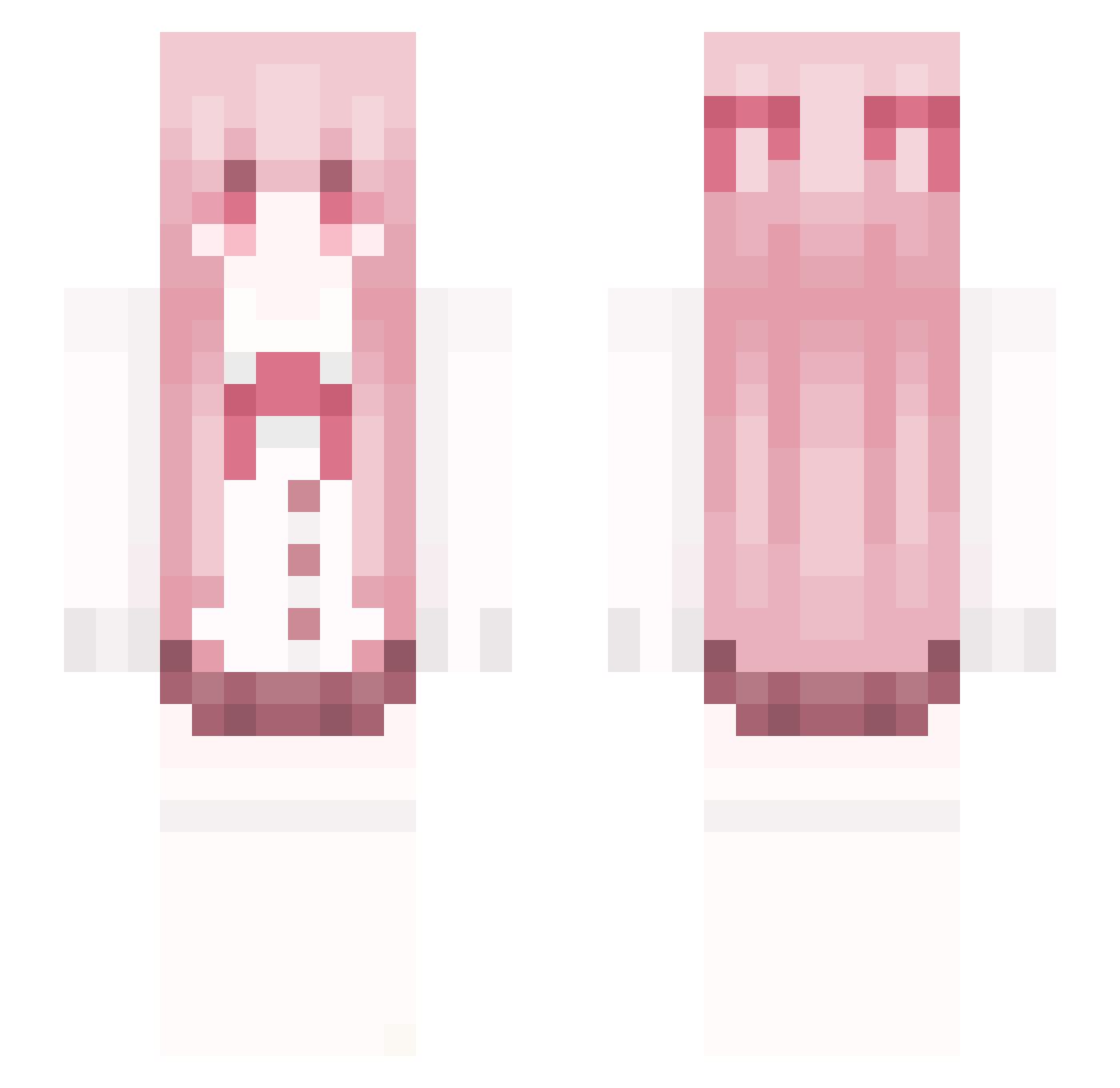
Current Minecraft skin of the player Envioxy, loaded from the official Mojang API. Rotate the 3D model with your mouse or finger, then download the skin as a PNG file and use it in Minecraft: Bedrock Edition or Java Edition for free. When Envioxy changes their skin, this page updates automatically and the old skin stays in the history below.
Other players with this skin (49)
Envioxy was the 15th player we have seen with this skin, first spotted on 10.09.2026. The same skin was seen on these players. Open a nickname to see their current skin and skin history.
 Lowlava sdcx Akch00 AnisPig MijnHondIsDik Artyom013
 baddo23_ Momoya8463 _Tleax
 xcv_055
 Danwaeir khangdz CyprelAque JYYYY1 zJu4nn wusuowei2 Mironchik812
 Gina mevchu Koreabin0502 JennyMaude OFCRuddem Ghostlein hwh12370 Underatives19x Edelweiss_06 haohao0523 EmptyL1fe Bye_Snake Litshka CENOURA1234 leonexee icythekinh Shz1ee ItsTrapped Hyra__ I_am_person _Jiyn VCPvP MrZeRoo_ readyforthehouse sharkiyo p3rcyxd_ Tunax_TheReal Pokiemaine Styx4037 Nogomi CN_Cypariss mekoru
More School Uniform Minecraft skins
See all 6632 School Uniform skins
How to install the Envioxy skin
- Press the Download button above to save the skin as a PNG file.
- Minecraft: Bedrock Edition (PE): open the Dressing Room from the main menu (or tap your character → Edit Character), go to Classic Skins → Owned, press the + (new skin) button, choose the downloaded PNG and pick the Slim (Alex) model. Works on PC and mobile; consoles cannot import custom skins.
- Minecraft: Java Edition: open the Minecraft Launcher, go to the Skins tab, click New Skin, load the PNG, pick the Slim (Alex) model and press Save & Use. You can also upload it at minecraft.net → Profile → Change Skin.
The skin does not show up after import - what should I do?
Restart Minecraft and open the Dressing Room again - imported skins sometimes appear only after a restart. Also make sure you selected the imported skin and picked the Slim (Alex) model.
Which model should I choose, Classic or Slim?
This skin is designed for the Slim (Alex) model. If you pick the wrong model, the arms of the skin will look stretched or squeezed.
Is the skin of Envioxy free to download?
Yes. Press Download, save the PNG file and use it in Minecraft: Bedrock Edition or Java Edition - no payment or registration needed. The skin also works on multiplayer servers and Realms.
More skins
Looking for more? Go back to all Minecraft skins and check the top skins of the week, month and all time, or find any player's skin by nickname.