
Entoni_Limpurra - Minecraft Skins & Skin History
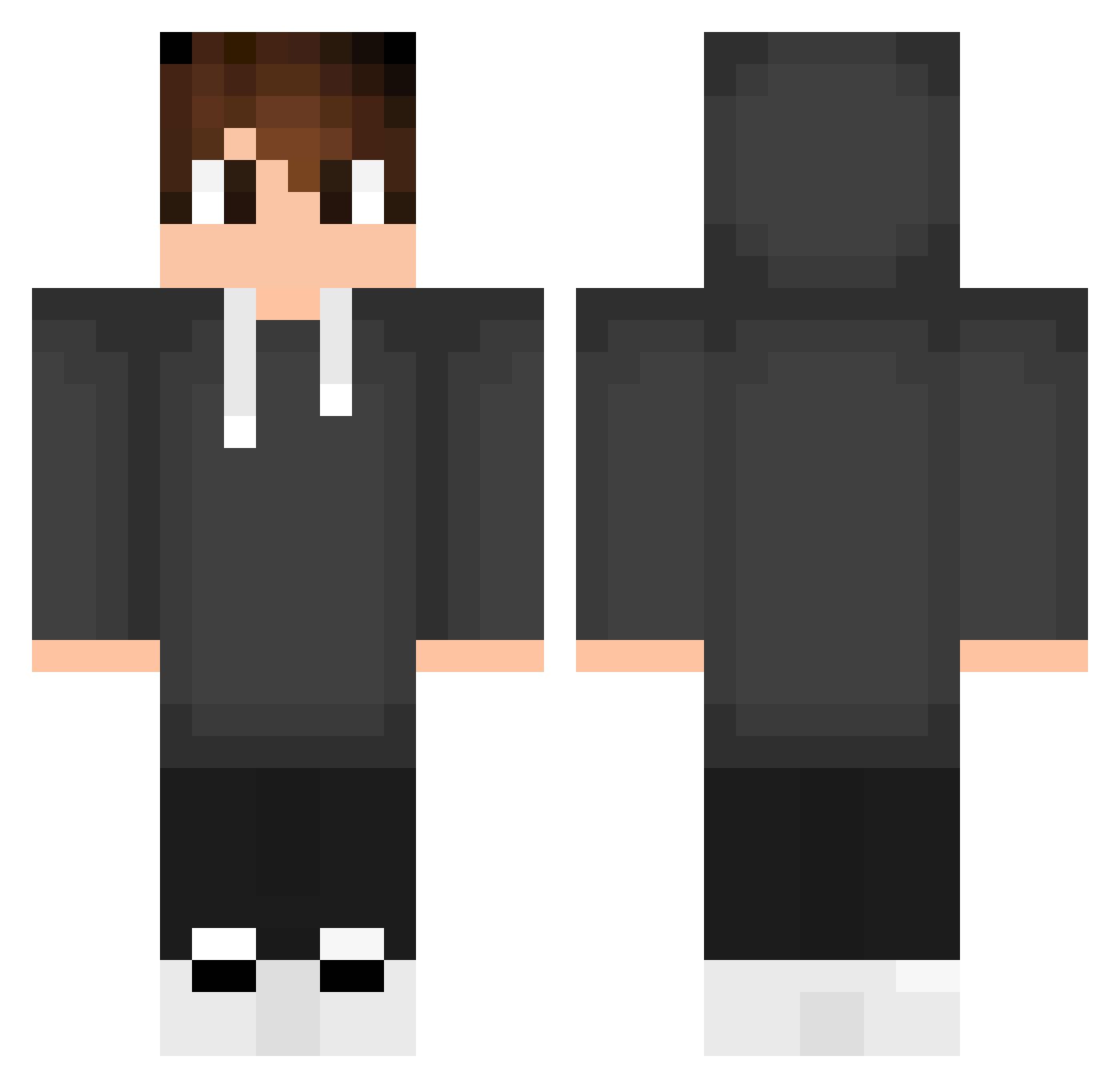
Current Minecraft skin of the player Entoni_Limpurra, loaded from the official Mojang API. Rotate the 3D model with your mouse or finger, then download the skin as a PNG file and use it in Minecraft: Bedrock Edition or Java Edition for free. When Entoni_Limpurra changes their skin, this page updates automatically and the old skin stays in the history below.
Other players with this skin (553)
Entoni_Limpurra was the 477th player we have seen with this skin, first spotted on 21.10.2026. The same skin was seen on these players. Open a nickname to see their current skin and skin history.
 sSeiran MinikAslan37 dellzin_ BrLokin Marcojml Blobbin_ Tuzim12 arcane_cinder Plebeu0 HazyBonsai23 NutKing69 RAFAELTA FleecyFlea46057 r3SP4WN1 edugamer4304 Angello6368 pedromanicaca WayneLSR LegitCodex hugoinsider CaioAlves14 Smudlo007 Zaikiy Rocky555_M aps2304 badbrian_ Pracus11 SlaynSin kinray621 Attesz_ Tushargamer _R0SS ArgonGG__ MrVilela IchsanR imlegendx NichtDerDenny Mystic_Knight69 Cameron5171 kaz_art Xertork JPEDR09 JoueurLambda578 NxRdZaa RomanovZ Torbendaddy EUMESMO136 Ma3str00 S4MU005 icebeer871 49o49o aiz420 siLakembrek ismylzade Mostriks krish_0012 maestrijz Nama115 JarodKnight BogdanTgb
How to install the Entoni_Limpurra skin
- Press the Download button above to save the skin as a PNG file.
- Minecraft: Bedrock Edition (PE): open the Dressing Room from the main menu (or tap your character → Edit Character), go to Classic Skins → Owned, press the + (new skin) button, choose the downloaded PNG and pick the Classic (Steve) model. Works on PC and mobile; consoles cannot import custom skins.
- Minecraft: Java Edition: open the Minecraft Launcher, go to the Skins tab, click New Skin, load the PNG, pick the Classic (Steve) model and press Save & Use. You can also upload it at minecraft.net → Profile → Change Skin.
The skin does not show up after import - what should I do?
Restart Minecraft and open the Dressing Room again - imported skins sometimes appear only after a restart. Also make sure you selected the imported skin and picked the Classic (Steve) model.
Which model should I choose, Classic or Slim?
This skin is designed for the Classic (Steve) model. If you pick the wrong model, the arms of the skin will look stretched or squeezed.
Is the skin of Entoni_Limpurra free to download?
Yes. Press Download, save the PNG file and use it in Minecraft: Bedrock Edition or Java Edition - no payment or registration needed. The skin also works on multiplayer servers and Realms.
More skins
Looking for more? Go back to all Minecraft skins and check the top skins of the week, month and all time, or find any player's skin by nickname.