
Enigmatiko - Minecraft Skins & Skin History
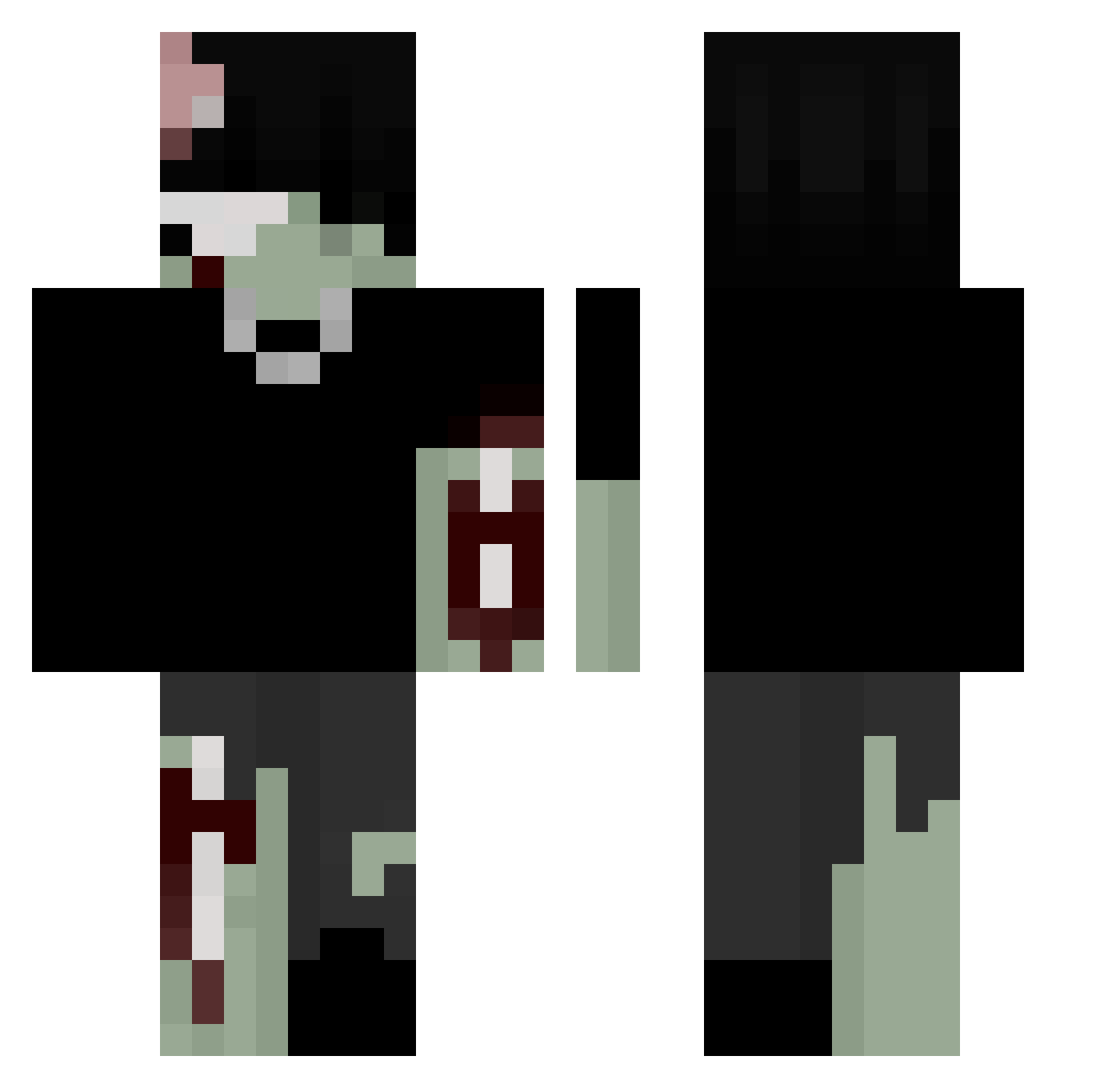
Current Minecraft skin of the player Enigmatiko, loaded from the official Mojang API. Rotate the 3D model with your mouse or finger, then download the skin as a PNG file and use it in Minecraft: Bedrock Edition or Java Edition for free. When Enigmatiko changes their skin, this page updates automatically and the old skin stays in the history below.
Other players with this skin (219)
Enigmatiko was the 124th player we have seen with this skin, first spotted on 26.09.2026. The same skin was seen on these players. Open a nickname to see their current skin and skin history.
 Ioap sirachachickun Teasyyx0 Kvngslump Milanezie GhostOfKitsune1 samirek67 nakoksa mystuke_ vxs_ lucyw3 Powie717 Nocnaa_Sowa Manjuuu2 Poyshee ijvltq Buttah daniaoao InsanityBoost FRANCHIISE _good_night_ BoomsCouch Buckketer MemeMachine417 NKbubby FwDuckk z0mbi3k_ Palootz Akashiiz Escer_ Dunkler_Krieger_ RXDI0 Da_montez Baumer9806 frickbat KodaWodaYoda EverythingAzure mariosthegamer2 BlixoYT L4z owcoloR Zellover lovinq_Ab3l gbc_beny ASATRAsq vinnie66 Mayrdl anonymosse2 ColtXDD proxxmox dejectedion paradoxve Ma5h_ nekalah realegodeath aveaveave EPOW73 Butterxham levinchillig superCooking55
More Undead Minecraft skins
How to install the Enigmatiko skin
- Press the Download button above to save the skin as a PNG file.
- Minecraft: Bedrock Edition (PE): open the Dressing Room from the main menu (or tap your character → Edit Character), go to Classic Skins → Owned, press the + (new skin) button, choose the downloaded PNG and pick the Classic (Steve) model. Works on PC and mobile; consoles cannot import custom skins.
- Minecraft: Java Edition: open the Minecraft Launcher, go to the Skins tab, click New Skin, load the PNG, pick the Classic (Steve) model and press Save & Use. You can also upload it at minecraft.net → Profile → Change Skin.
The skin does not show up after import - what should I do?
Restart Minecraft and open the Dressing Room again - imported skins sometimes appear only after a restart. Also make sure you selected the imported skin and picked the Classic (Steve) model.
Which model should I choose, Classic or Slim?
This skin is designed for the Classic (Steve) model. If you pick the wrong model, the arms of the skin will look stretched or squeezed.
Is the skin of Enigmatiko free to download?
Yes. Press Download, save the PNG file and use it in Minecraft: Bedrock Edition or Java Edition - no payment or registration needed. The skin also works on multiplayer servers and Realms.
More skins
Looking for more? Go back to all Minecraft skins and check the top skins of the week, month and all time, or find any player's skin by nickname.