
EmyRose04 - Minecraft Skins & Skin History
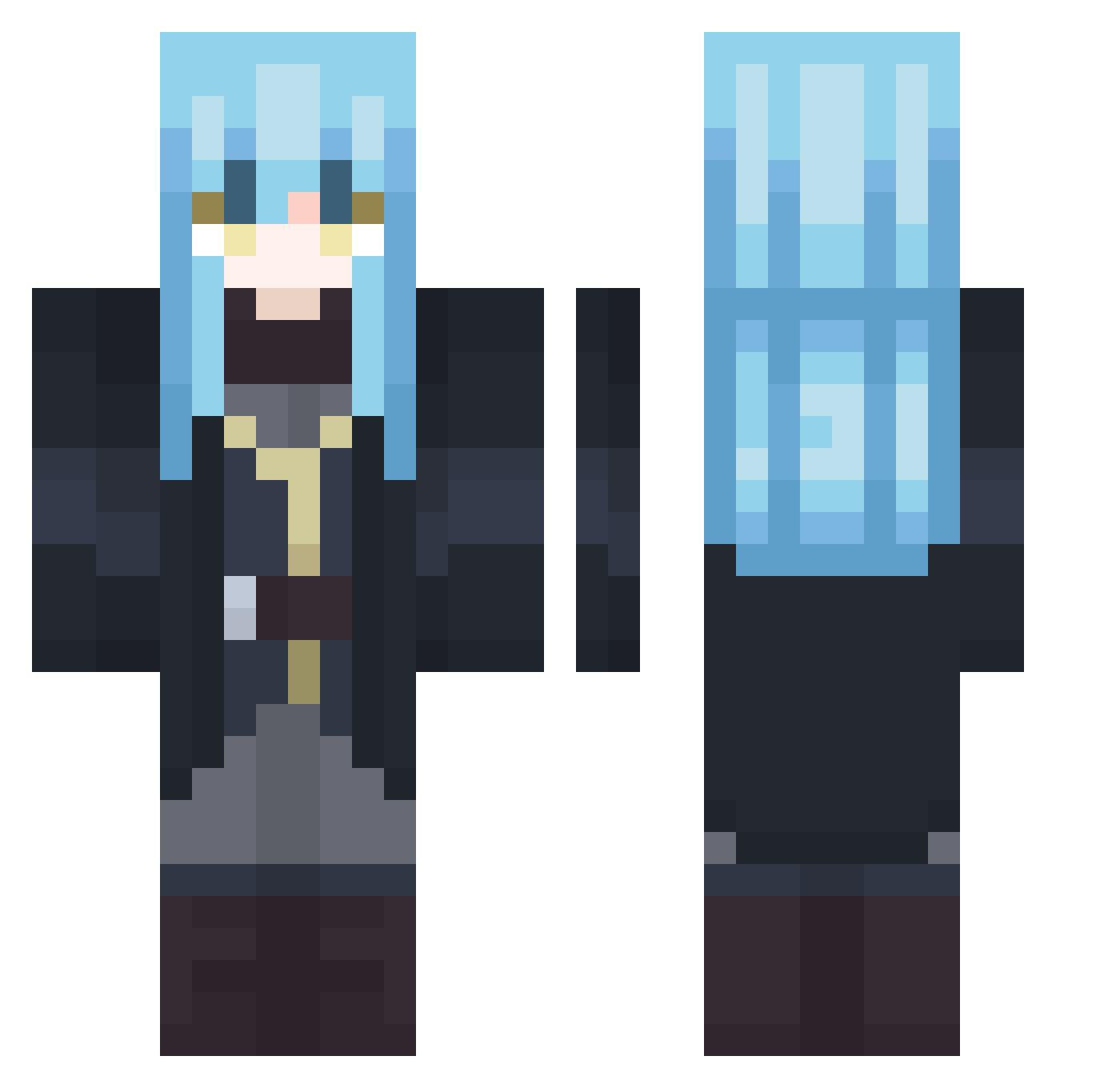
Current Minecraft skin of the player EmyRose04, loaded from the official Mojang API. Rotate the 3D model with your mouse or finger, then download the skin as a PNG file and use it in Minecraft: Bedrock Edition or Java Edition for free. When EmyRose04 changes their skin, this page updates automatically and the old skin stays in the history below.
Other players with this skin (407)
EmyRose04 was the 320th player we have seen with this skin, first spotted on 14.10.2026. The same skin was seen on these players. Open a nickname to see their current skin and skin history.
 QuadrupleTrouble SlimeHeroZX Corbin9223 Shiba2711 tarengales ShadowXlight BonnieDiane Saiseong XenobladeFanBoy ptt1455 AndFlam_Dragon40 SIW2003 Luke6496 TinyFusion5 Anime_Lord90 mansen179 Greed_E Cheetah3233 DemonLordCharles Danxer47 The_Retro_MaJe RudyTempest matheusdes MRMATTSON ookouloo AstralBlade07 qwxv Kuzoi kinodaze kxro_ Judgiy Feeruh cacho26_ MIKE753951 Wow_Blake NaturedRhyme625 Sm0k3yMcP0t99 Ruby_0125 theofty Fuet132 MCHR2112 Lucifer_21232 MHH98 polypites HI_Lincoln Valsej7 Ywus ibesubmissive SawaAniki Endy95 CF_FIRE mattun_18 KingLazyX tlqkf1027 iTensura Madara2094 Kuhakusora starlightelysium MerkH2O reeeeeeem
More Rimuru Tempest Minecraft skins
See all 251 Rimuru Tempest skins
How to install the EmyRose04 skin
- Press the Download button above to save the skin as a PNG file.
- Minecraft: Bedrock Edition (PE): open the Dressing Room from the main menu (or tap your character → Edit Character), go to Classic Skins → Owned, press the + (new skin) button, choose the downloaded PNG and pick the Classic (Steve) model. Works on PC and mobile; consoles cannot import custom skins.
- Minecraft: Java Edition: open the Minecraft Launcher, go to the Skins tab, click New Skin, load the PNG, pick the Classic (Steve) model and press Save & Use. You can also upload it at minecraft.net → Profile → Change Skin.
The skin does not show up after import - what should I do?
Restart Minecraft and open the Dressing Room again - imported skins sometimes appear only after a restart. Also make sure you selected the imported skin and picked the Classic (Steve) model.
Which model should I choose, Classic or Slim?
This skin is designed for the Classic (Steve) model. If you pick the wrong model, the arms of the skin will look stretched or squeezed.
Is the skin of EmyRose04 free to download?
Yes. Press Download, save the PNG file and use it in Minecraft: Bedrock Edition or Java Edition - no payment or registration needed. The skin also works on multiplayer servers and Realms.
More skins
Looking for more? Go back to all Minecraft skins and check the top skins of the week, month and all time, or find any player's skin by nickname.