
Emily_AX - Minecraft Skins & Skin History
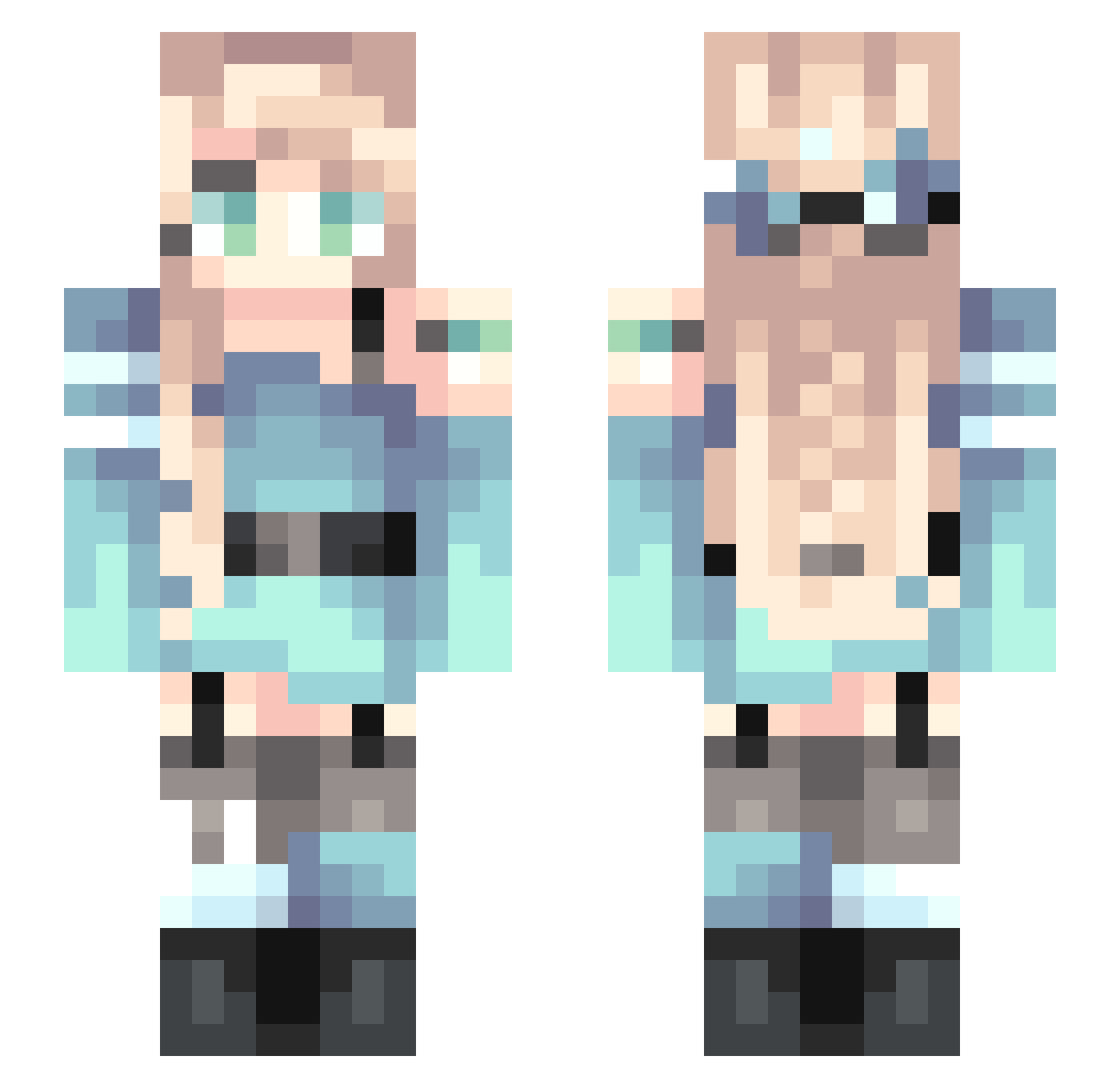
Current Minecraft skin of the player Emily_AX, loaded from the official Mojang API. Rotate the 3D model with your mouse or finger, then download the skin as a PNG file and use it in Minecraft: Bedrock Edition or Java Edition for free. When Emily_AX changes their skin, this page updates automatically and the old skin stays in the history below.
Other players with this skin (113)
Emily_AX was the 68th player we have seen with this skin, first spotted on 04.10.2026. The same skin was seen on these players. Open a nickname to see their current skin and skin history.
 wa_no anori0515 SquirrleyGurl Berta__ Apothecary10 ha_lu0427 Ling_Duuuu KP1106 juju2204 mabihua AshtonKaito yz_1 Heta_lia kanchan1234 nito25 OJISAN_JP Elialda xkotka Lenin1986 honeymlk Vion0929 AniaKos Fireheart234567 Masuna_ Izzie96 pancakes00 Hanaemaru SherryDawn Ex_Tempore Asiimoviet BreakingDawn ProbablyLouisa Timmienation Munki2 yu_na_z kittannie_ 1heartforhard G_G_IZUMI Pusia69 Lizzayanna xemilkax1207 SL0179 KuriClaire T3xi MiAmorCdenza Masawell Kohh_Y Luminous2398 suzaaku Niorris Sunohara_Shun Sigmund_Highwind _Eriri ansonxlyy AnimeWeebAccount LemonCattail linm7 Akinotsu gomato Tsuki_Tenshi
More Braid Minecraft skins
How to install the Emily_AX skin
- Press the Download button above to save the skin as a PNG file.
- Minecraft: Bedrock Edition (PE): open the Dressing Room from the main menu (or tap your character → Edit Character), go to Classic Skins → Owned, press the + (new skin) button, choose the downloaded PNG and pick the Slim (Alex) model. Works on PC and mobile; consoles cannot import custom skins.
- Minecraft: Java Edition: open the Minecraft Launcher, go to the Skins tab, click New Skin, load the PNG, pick the Slim (Alex) model and press Save & Use. You can also upload it at minecraft.net → Profile → Change Skin.
The skin does not show up after import - what should I do?
Restart Minecraft and open the Dressing Room again - imported skins sometimes appear only after a restart. Also make sure you selected the imported skin and picked the Slim (Alex) model.
Which model should I choose, Classic or Slim?
This skin is designed for the Slim (Alex) model. If you pick the wrong model, the arms of the skin will look stretched or squeezed.
Is the skin of Emily_AX free to download?
Yes. Press Download, save the PNG file and use it in Minecraft: Bedrock Edition or Java Edition - no payment or registration needed. The skin also works on multiplayer servers and Realms.
More skins
Looking for more? Go back to all Minecraft skins and check the top skins of the week, month and all time, or find any player's skin by nickname.