
Emiel456 - Minecraft Skins & Skin History
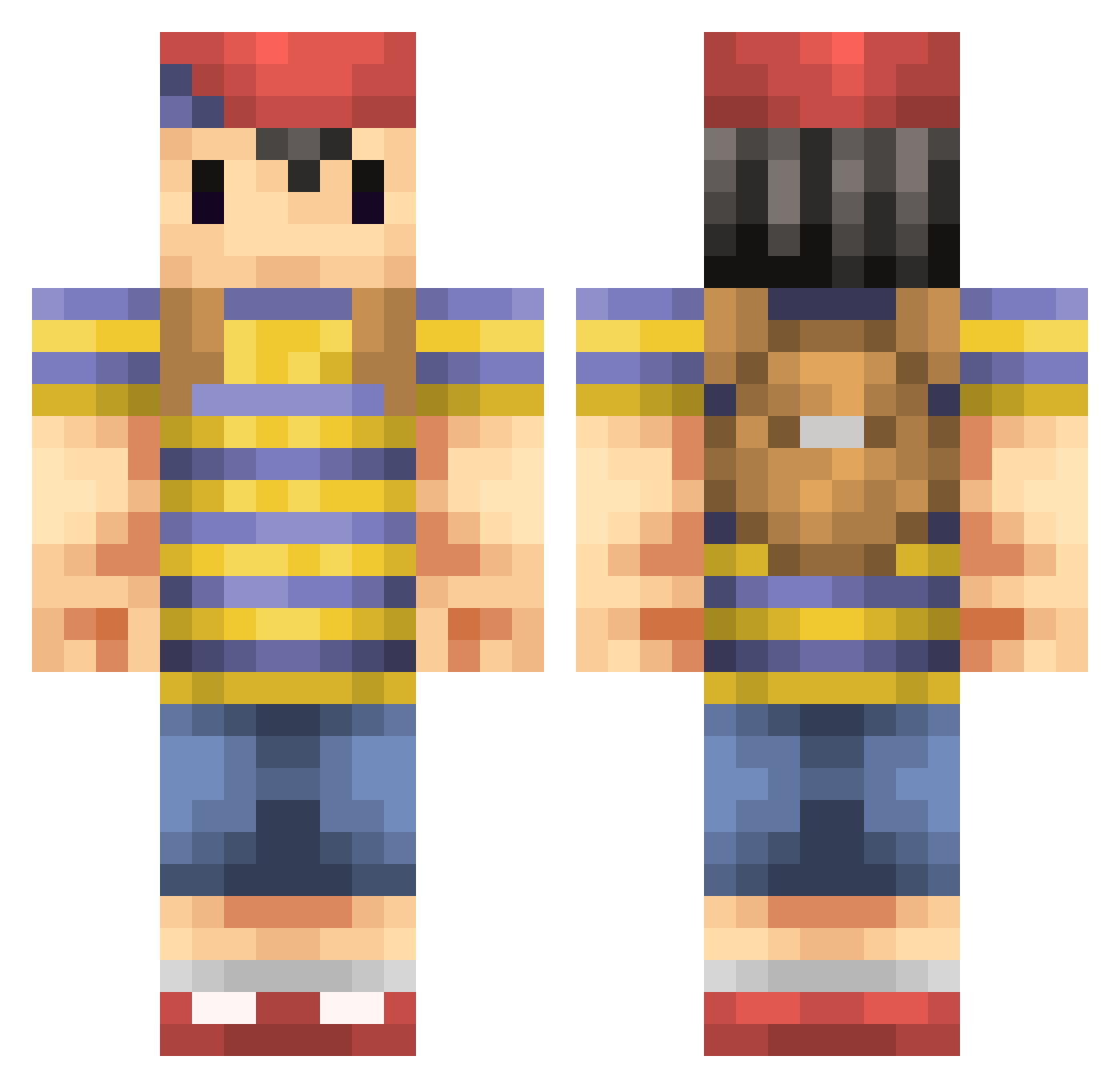
Current Minecraft skin of the player Emiel456, loaded from the official Mojang API. Rotate the 3D model with your mouse or finger, then download the skin as a PNG file and use it in Minecraft: Bedrock Edition or Java Edition for free. When Emiel456 changes their skin, this page updates automatically and the old skin stays in the history below.
Other players with this skin (235)
Emiel456 was the 56th player we have seen with this skin, first spotted on 15.08.2026. The same skin was seen on these players. Open a nickname to see their current skin and skin history.
 Stefanbroek12 DerpHippo Silkay razoo Vesuviate fuulpod fastskittles Push1925 luckytyphlosion Phichael GariBM Quadrants DandyMomo Eravlad xXJohnPlayZXx PZAPXRTY caffienecrazy BagPipeBoy bunny_flipps dr_boom Saria_100 Ymirrrr 0dd_ Tundra155 FrosHandle AliceN0 Savordez 163g Z0tt qwertaz890 PK_Firee Dugan_Nash Sam11803 Guernsey_ sombat0624 Sam_Wow 2to BicMag xPepeGod MakoHNM Berk0S J_Caesar3 Ninjanigans KAOHSS kyuuur1 Alimente1 EVIL_NOVEL SiomaiRice CheesyBRE101 Callumbowyer14 tomasamado sheened myfootisatoaster KingDok24 NiggiMode amagi1977 Viismo buterson hevyd FritzLang
More Smash Bros Minecraft skins
How to install the Emiel456 skin
- Press the Download button above to save the skin as a PNG file.
- Minecraft: Bedrock Edition (PE): open the Dressing Room from the main menu (or tap your character → Edit Character), go to Classic Skins → Owned, press the + (new skin) button, choose the downloaded PNG and pick the Classic (Steve) model. Works on PC and mobile; consoles cannot import custom skins.
- Minecraft: Java Edition: open the Minecraft Launcher, go to the Skins tab, click New Skin, load the PNG, pick the Classic (Steve) model and press Save & Use. You can also upload it at minecraft.net → Profile → Change Skin.
The skin does not show up after import - what should I do?
Restart Minecraft and open the Dressing Room again - imported skins sometimes appear only after a restart. Also make sure you selected the imported skin and picked the Classic (Steve) model.
Which model should I choose, Classic or Slim?
This skin is designed for the Classic (Steve) model. If you pick the wrong model, the arms of the skin will look stretched or squeezed.
Is the skin of Emiel456 free to download?
Yes. Press Download, save the PNG file and use it in Minecraft: Bedrock Edition or Java Edition - no payment or registration needed. The skin also works on multiplayer servers and Realms.
More skins
Looking for more? Go back to all Minecraft skins and check the top skins of the week, month and all time, or find any player's skin by nickname.