
EmerladElf - Minecraft Skins & Skin History
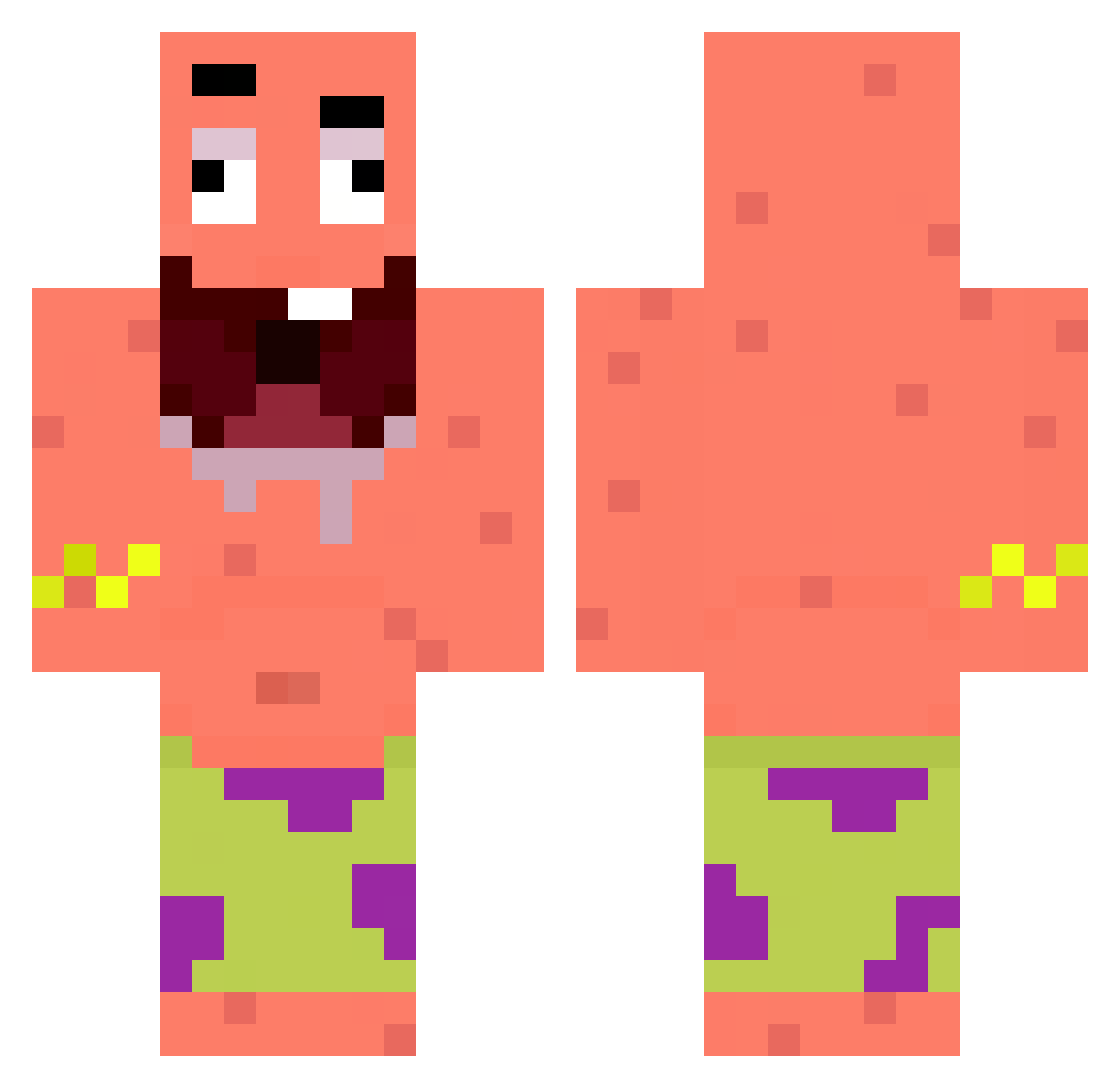
Current Minecraft skin of the player EmerladElf, loaded from the official Mojang API. Rotate the 3D model with your mouse or finger, then download the skin as a PNG file and use it in Minecraft: Bedrock Edition or Java Edition for free. When EmerladElf changes their skin, this page updates automatically and the old skin stays in the history below.
Other players with this skin (57)
EmerladElf was the 34th player we have seen with this skin, first spotted on 15.09.2026. The same skin was seen on these players. Open a nickname to see their current skin and skin history.
 alpha_vr Bautista_0 MrFatSheep rafklet Palborealis casxtone SimplementEne Not_Tayko lil_88 Teakboo VenomTrash _MunnyMan_ sergiuszbox kkko2 1Laurens itssar Kalechip19 xDissapeaRx Tipitwiit Jasper147 PaulHDH babezy LSFuSioN TieuDuongLoai2
 ItsJedX Tal_Yaha Unreif_Toast dombez Chiquipepa VitorHugo ItIsBadger Okeh12 ztupiid caiobas123 Deniselpro
 guigalovee ThexHyper Vxide1337 Exii404 CABECOT asierdenizbora Linusmator Aysberg Da_Hoppl snowdragon2222 NotTeHa realkasti begg3754 Leito2524 Lewiej_1 Buzers gurvlar tigozzz01 Andre_0708 sipusumit mxt1n_ Tho_xayanlays
Previous skins of EmerladElf
Skins that EmerladElf wore before, newest first. Click a skin to open its page and download it.
More Patrick Star Minecraft skins
See all 612 Patrick Star skins
How to install the EmerladElf skin
- Press the Download button above to save the skin as a PNG file.
- Minecraft: Bedrock Edition (PE): open the Dressing Room from the main menu (or tap your character → Edit Character), go to Classic Skins → Owned, press the + (new skin) button, choose the downloaded PNG and pick the Classic (Steve) model. Works on PC and mobile; consoles cannot import custom skins.
- Minecraft: Java Edition: open the Minecraft Launcher, go to the Skins tab, click New Skin, load the PNG, pick the Classic (Steve) model and press Save & Use. You can also upload it at minecraft.net → Profile → Change Skin.
The skin does not show up after import - what should I do?
Restart Minecraft and open the Dressing Room again - imported skins sometimes appear only after a restart. Also make sure you selected the imported skin and picked the Classic (Steve) model.
Which model should I choose, Classic or Slim?
This skin is designed for the Classic (Steve) model. If you pick the wrong model, the arms of the skin will look stretched or squeezed.
Is the skin of EmerladElf free to download?
Yes. Press Download, save the PNG file and use it in Minecraft: Bedrock Edition or Java Edition - no payment or registration needed. The skin also works on multiplayer servers and Realms.
More skins
Looking for more? Go back to all Minecraft skins and check the top skins of the week, month and all time, or find any player's skin by nickname.