
Embrue - Minecraft Skins & Skin History
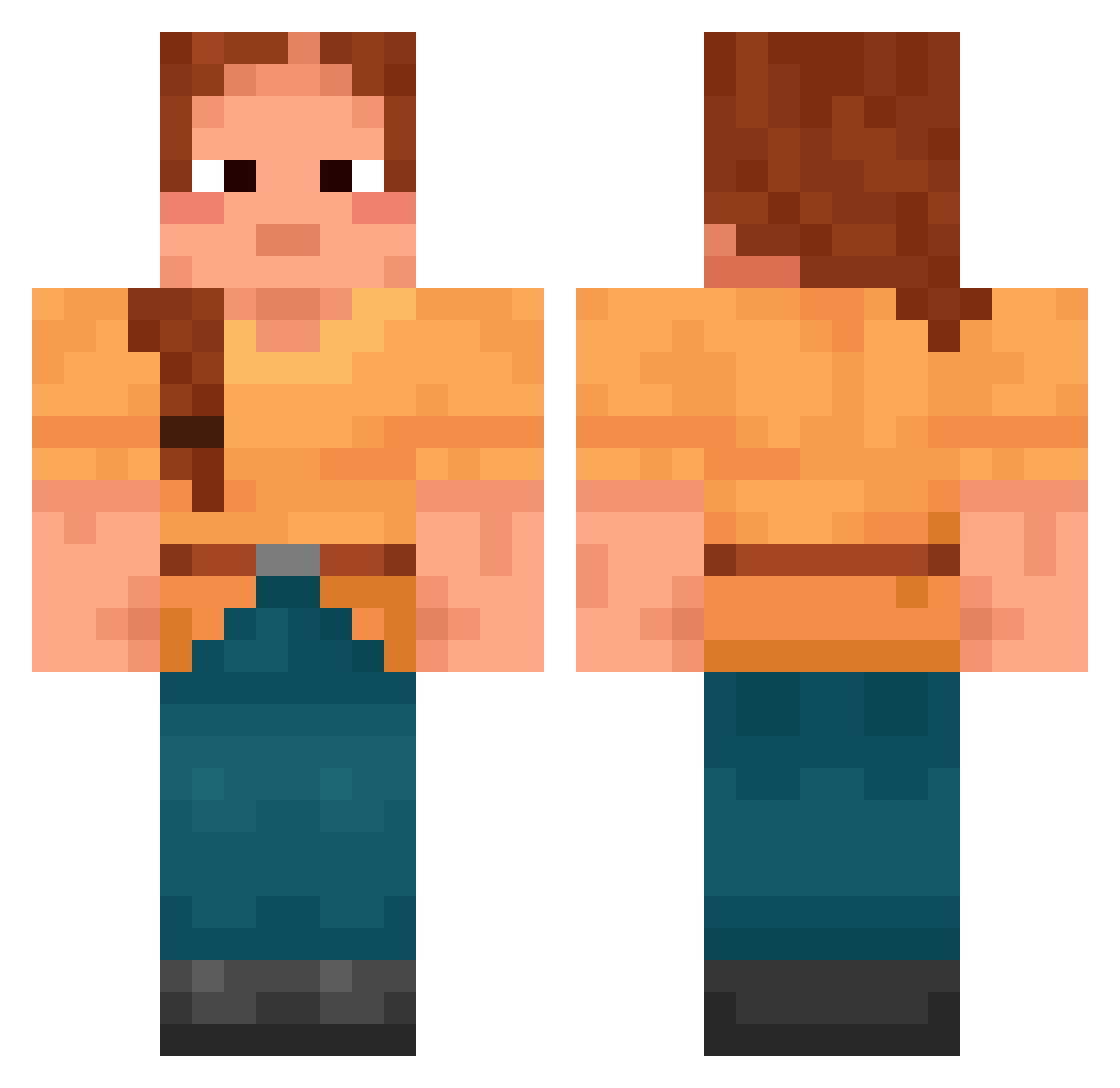
Current Minecraft skin of the player Embrue, loaded from the official Mojang API. Rotate the 3D model with your mouse or finger, then download the skin as a PNG file and use it in Minecraft: Bedrock Edition or Java Edition for free. When Embrue changes their skin, this page updates automatically and the old skin stays in the history below.
Other players with this skin (1698)
Embrue was the 1459th player we have seen with this skin, first spotted on 21.10.2026. The same skin was seen on these players. Open a nickname to see their current skin and skin history.
 AILS lcjjj Chungki dragoncreeper armenians Xylograph Prow Egbert Duriga Ferreous Resetting M4RGOT10 Tireder Bodaciously pingwin2014 Doukeni macleaya zibets Tymonox kleptomaniacs 00Trinity00 Paigephx _RaCle Bilologa bifidu berryless 1028kah Rawinsonde Edentata Srikanth tsukushiii BABYSH16 SlapDashery Thrifts Bricker Paperplane2357 Emilie_3004 sohaiboo devillike GodlessPest Driver_8D Compressed fuzja00 Alice_648 FoxyThis SabineS Eduardoyh Jonnech By_Mehmet Mineralist siez3 blknoir lispelpanzer ichbindeutchefe Butter_BL coffe_overdose Epileptics ody____ Cornada Matriller
More Cottagecore Minecraft skins
See all 6465 Cottagecore skins
How to install the Embrue skin
- Press the Download button above to save the skin as a PNG file.
- Minecraft: Bedrock Edition (PE): open the Dressing Room from the main menu (or tap your character → Edit Character), go to Classic Skins → Owned, press the + (new skin) button, choose the downloaded PNG and pick the Classic (Steve) model. Works on PC and mobile; consoles cannot import custom skins.
- Minecraft: Java Edition: open the Minecraft Launcher, go to the Skins tab, click New Skin, load the PNG, pick the Classic (Steve) model and press Save & Use. You can also upload it at minecraft.net → Profile → Change Skin.
The skin does not show up after import - what should I do?
Restart Minecraft and open the Dressing Room again - imported skins sometimes appear only after a restart. Also make sure you selected the imported skin and picked the Classic (Steve) model.
Which model should I choose, Classic or Slim?
This skin is designed for the Classic (Steve) model. If you pick the wrong model, the arms of the skin will look stretched or squeezed.
Is the skin of Embrue free to download?
Yes. Press Download, save the PNG file and use it in Minecraft: Bedrock Edition or Java Edition - no payment or registration needed. The skin also works on multiplayer servers and Realms.
More skins
Looking for more? Go back to all Minecraft skins and check the top skins of the week, month and all time, or find any player's skin by nickname.