
EmanuelQM - Minecraft Skins & Skin History
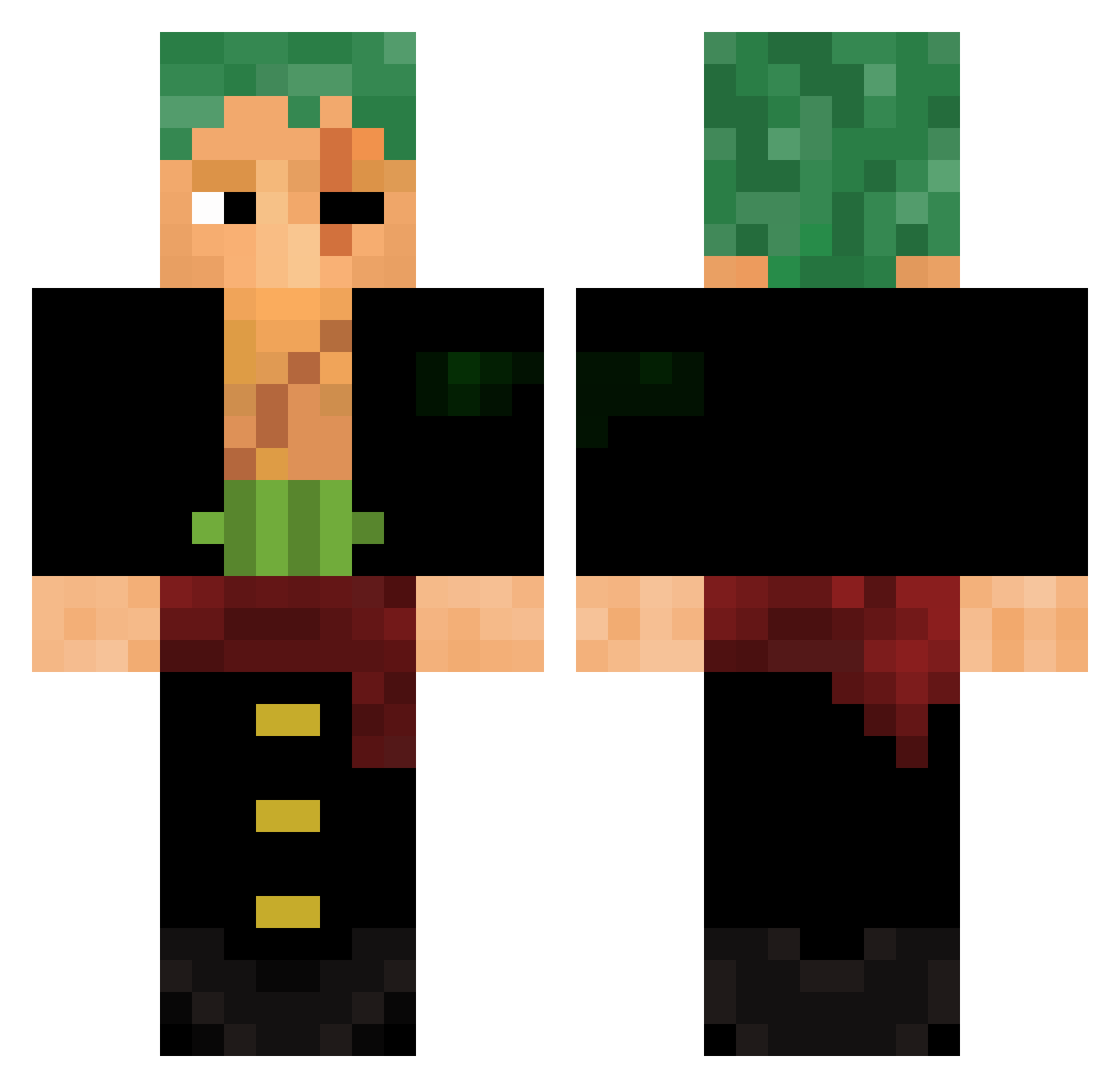
Current Minecraft skin of the player EmanuelQM, loaded from the official Mojang API. Rotate the 3D model with your mouse or finger, then download the skin as a PNG file and use it in Minecraft: Bedrock Edition or Java Edition for free. When EmanuelQM changes their skin, this page updates automatically and the old skin stays in the history below.
Other players with this skin (475)
EmanuelQM was the 382nd player we have seen with this skin, first spotted on 04.10.2026. The same skin was seen on these players. Open a nickname to see their current skin and skin history.
 MelvinXpert Birdie1690 Raijzor ChrissToy rornoa_zoro rhythm66 BOOGITO Apersoniscool2 Ranid Zerurah Luciuss04 ProMonkey Caquitaconojos FeortMelo MMBETA kiritogecele04 Doknak KBGorilla __Jesse__ Nihil055 Guilkys Nick941120 HealthyGreens GodsHair philiparn AtiCorp CesarinZepelio62 Ryo_Yuki0 Dougiep3 Kraig_0 Just_Rid JazZzyB iineedmoneey Dofflamingoo Farhatplayz Panthere2004 SawBlade9999 anderlixo ya2s01 alpha50_2 Xenneverdies waston13 JocaOver Mihailo_800 zoro_ZZ Demir0345 GeovaneMessa a___Potato DaFreshRob DanielSuck ciantfv456 LukarioXD LATINO7 luxxyo helpii Guss99 xiaoxiaojunjun idr3 LaFush Axsthxtic
More Roronoa Zoro Minecraft skins
See all 291 Roronoa Zoro skins
How to install the EmanuelQM skin
- Press the Download button above to save the skin as a PNG file.
- Minecraft: Bedrock Edition (PE): open the Dressing Room from the main menu (or tap your character → Edit Character), go to Classic Skins → Owned, press the + (new skin) button, choose the downloaded PNG and pick the Classic (Steve) model. Works on PC and mobile; consoles cannot import custom skins.
- Minecraft: Java Edition: open the Minecraft Launcher, go to the Skins tab, click New Skin, load the PNG, pick the Classic (Steve) model and press Save & Use. You can also upload it at minecraft.net → Profile → Change Skin.
The skin does not show up after import - what should I do?
Restart Minecraft and open the Dressing Room again - imported skins sometimes appear only after a restart. Also make sure you selected the imported skin and picked the Classic (Steve) model.
Which model should I choose, Classic or Slim?
This skin is designed for the Classic (Steve) model. If you pick the wrong model, the arms of the skin will look stretched or squeezed.
Is the skin of EmanuelQM free to download?
Yes. Press Download, save the PNG file and use it in Minecraft: Bedrock Edition or Java Edition - no payment or registration needed. The skin also works on multiplayer servers and Realms.
More skins
Looking for more? Go back to all Minecraft skins and check the top skins of the week, month and all time, or find any player's skin by nickname.