
Elite_Frags - Minecraft Skins & Skin History
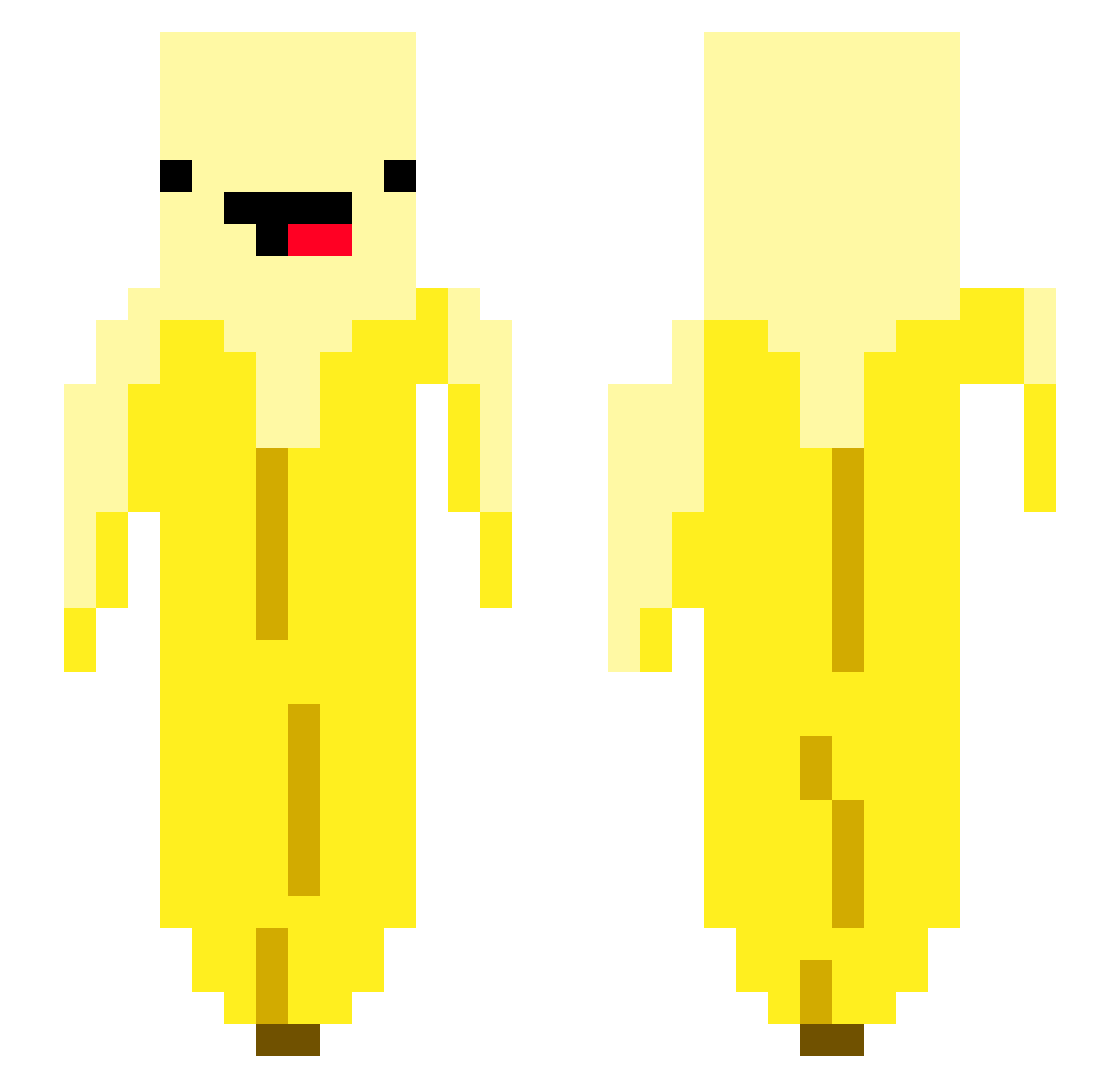
Current Minecraft skin of the player Elite_Frags, loaded from the official Mojang API. Rotate the 3D model with your mouse or finger, then download the skin as a PNG file and use it in Minecraft: Bedrock Edition or Java Edition for free. When Elite_Frags changes their skin, this page updates automatically and the old skin stays in the history below.
Other players with this skin (53)
Elite_Frags was the 37th player we have seen with this skin, first spotted on 05.10.2026. The same skin was seen on these players. Open a nickname to see their current skin and skin history.
 Geldimm transient137 testnsj be_kakadue gno88 baralillasnorken WaffleRick TenaciousT14 CutiePieEvan Alle_Snalle1201 Ruby_xx Michaeldaboi69 matt_towle Blantain Mister_Gooster GrekoChapo12 JvckiwWai TeeTeeWin Lachlannius01 DrogaMleczna12 Balioska meryks2008 Luzzion0545 JudeDaDude706 Georgeten a1982982002 Lebronjahames58 swagdr0glord SharkBoi9 thomasjewston LazyAaronZz Brekkeseter urayo78 elchurras shadek08 Densureko ethan_portelli04 Ignacio_11 AsianBenny Normansgang RealSuperLOLZ mzimmer StizzerBeans
 Linenzo8787_TW phillywithchilly TheManOfCulture
 tickseed
 Random_Guy93 Qu1nnlyn epcw Bemin0 isaacballer100 JJFoxay
More Banana Minecraft skins
How to install the Elite_Frags skin
- Press the Download button above to save the skin as a PNG file.
- Minecraft: Bedrock Edition (PE): open the Dressing Room from the main menu (or tap your character → Edit Character), go to Classic Skins → Owned, press the + (new skin) button, choose the downloaded PNG and pick the Slim (Alex) model. Works on PC and mobile; consoles cannot import custom skins.
- Minecraft: Java Edition: open the Minecraft Launcher, go to the Skins tab, click New Skin, load the PNG, pick the Slim (Alex) model and press Save & Use. You can also upload it at minecraft.net → Profile → Change Skin.
The skin does not show up after import - what should I do?
Restart Minecraft and open the Dressing Room again - imported skins sometimes appear only after a restart. Also make sure you selected the imported skin and picked the Slim (Alex) model.
Which model should I choose, Classic or Slim?
This skin is designed for the Slim (Alex) model. If you pick the wrong model, the arms of the skin will look stretched or squeezed.
Is the skin of Elite_Frags free to download?
Yes. Press Download, save the PNG file and use it in Minecraft: Bedrock Edition or Java Edition - no payment or registration needed. The skin also works on multiplayer servers and Realms.
More skins
Looking for more? Go back to all Minecraft skins and check the top skins of the week, month and all time, or find any player's skin by nickname.