
ElisabetHannula - Minecraft Skins & Skin History
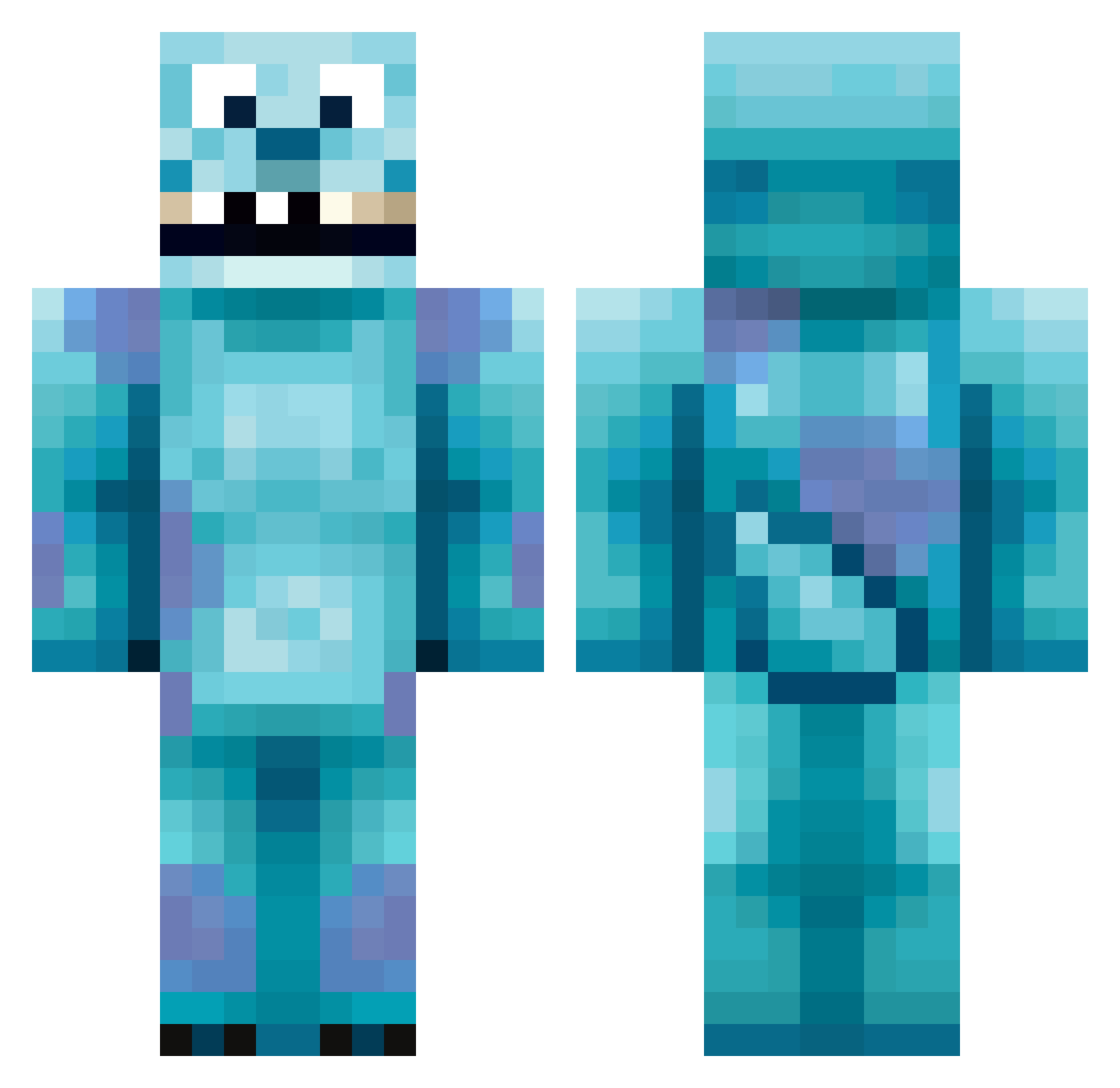
Current Minecraft skin of the player ElisabetHannula, loaded from the official Mojang API. Rotate the 3D model with your mouse or finger, then download the skin as a PNG file and use it in Minecraft: Bedrock Edition or Java Edition for free. When ElisabetHannula changes their skin, this page updates automatically and the old skin stays in the history below.
Other players with this skin (418)
ElisabetHannula was the 161st player we have seen with this skin, first spotted on 09.09.2026. The same skin was seen on these players. Open a nickname to see their current skin and skin history.
 RaidenArmstrong KD02 Mehdi007 Sully751 Tiedawg appman99 Omaga56 ulki11 Yijunhee Clumbo megmegmegmegmeg Mr_Kittin Misty_Nic SwisherBean mealy20 barleycove blawl tottin1234 Ginger_Brett_Man toby20018 actionmorfo08 awesometaz crazyduckdude Clover1_1 NeverWifeHer SerioosSam RightClick3r manu_guitar14699 Shill_ _CosaNostra_ ChristopherJob99 CallumHoops J_Whip8 RubiksColors johnnyboy15037 Feloxos Frasersproul1 Bluetarguy RivalizeHD Oxmitchxo Craigstar8 Mansteak14 keelyelmer EdwardVonKlein POLOIJI1228 FuKaSe1 Jamie_Chipp Carpo_ RaG_BAK Kohei_sw clapperboyz armentia97 AngelLala jesse0719 Klymb Teddyy420 GkPIRF Pilchz0r Jim_Reaper2000 KevinNijhof
More Sulley Minecraft skins
How to install the ElisabetHannula skin
- Press the Download button above to save the skin as a PNG file.
- Minecraft: Bedrock Edition (PE): open the Dressing Room from the main menu (or tap your character → Edit Character), go to Classic Skins → Owned, press the + (new skin) button, choose the downloaded PNG and pick the Classic (Steve) model. Works on PC and mobile; consoles cannot import custom skins.
- Minecraft: Java Edition: open the Minecraft Launcher, go to the Skins tab, click New Skin, load the PNG, pick the Classic (Steve) model and press Save & Use. You can also upload it at minecraft.net → Profile → Change Skin.
The skin does not show up after import - what should I do?
Restart Minecraft and open the Dressing Room again - imported skins sometimes appear only after a restart. Also make sure you selected the imported skin and picked the Classic (Steve) model.
Which model should I choose, Classic or Slim?
This skin is designed for the Classic (Steve) model. If you pick the wrong model, the arms of the skin will look stretched or squeezed.
Is the skin of ElisabetHannula free to download?
Yes. Press Download, save the PNG file and use it in Minecraft: Bedrock Edition or Java Edition - no payment or registration needed. The skin also works on multiplayer servers and Realms.
More skins
Looking for more? Go back to all Minecraft skins and check the top skins of the week, month and all time, or find any player's skin by nickname.