
Elexios4 - Minecraft Skins & Skin History
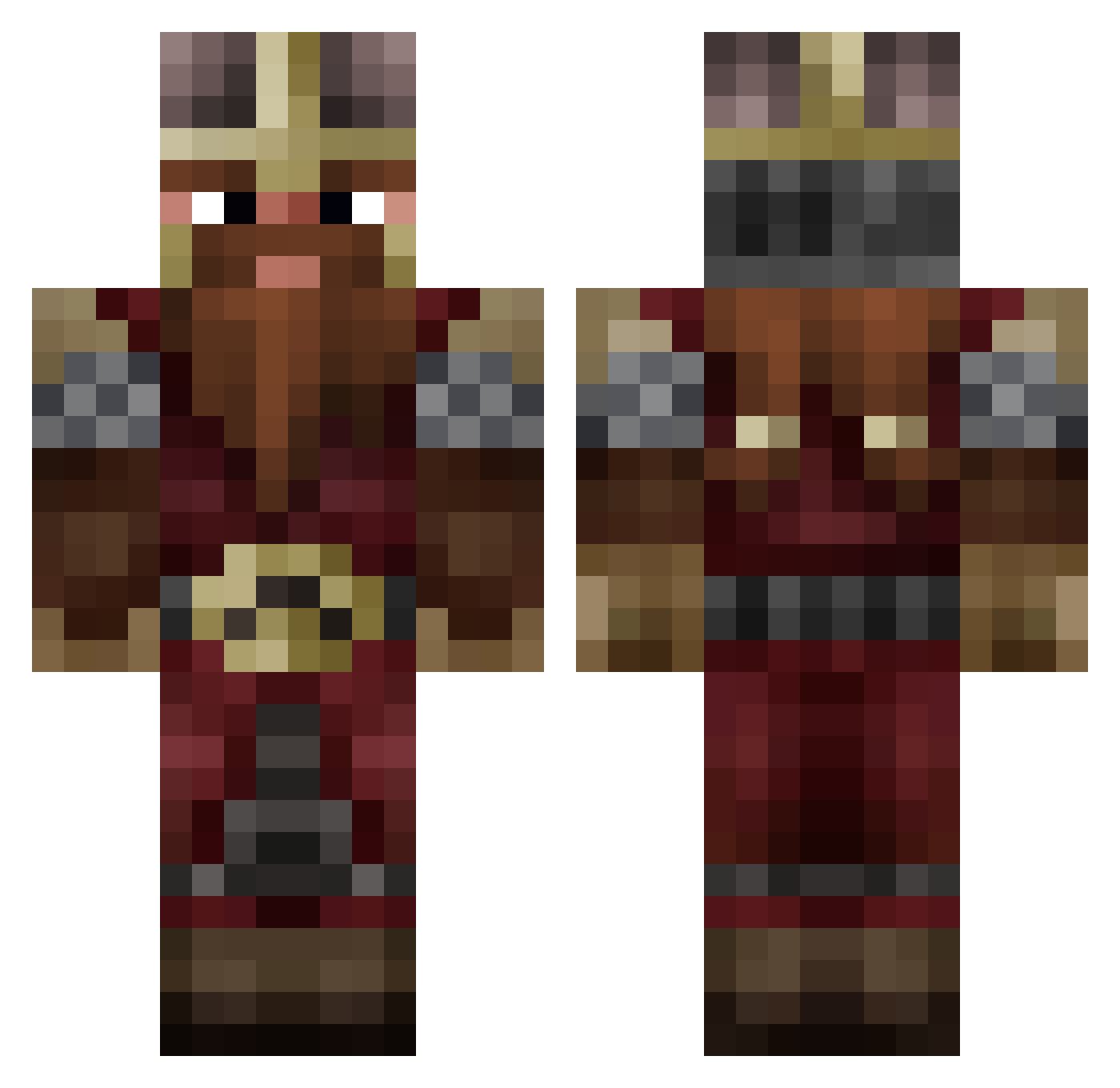
Current Minecraft skin of the player Elexios4, loaded from the official Mojang API. Rotate the 3D model with your mouse or finger, then download the skin as a PNG file and use it in Minecraft: Bedrock Edition or Java Edition for free. When Elexios4 changes their skin, this page updates automatically and the old skin stays in the history below.
Other players with this skin (800)
Elexios4 was the 561st player we have seen with this skin, first spotted on 28.09.2026. The same skin was seen on these players. Open a nickname to see their current skin and skin history.
 Shmogerin FRR0ST CringeWorthyInc WeeklyFurball KaneDeDwarf Kelizok crusso7862 ClashBoots Ancelotow Somasta Gurredil argnorio jaredleebeck phoenix7289 Rozerw Furion127 TrenchRat9764 ViqueTore zZestia TheMagicBread Fishmonger99 BingBoii13 mitralle20 irondrake Psycho9809 gizakos Wintin Deylock Tommy2008 Kneee_co GuppyWasShot IvanEx Sancarss TheSchmoctor FougerePanique09 Gilgen LaCasse26 OOGABOOGA95 Serhnz Maly2416 authchirion89 Aimovr NiceJack1 Sp00kwave LostLord3 CrispGrizzly Saru_nain Ironmead El_Tuli EMPWRD RIO994 Winterspots2 Thomas_Flex rodrodio rmzgn12 LorenzoElRollo WVGamerkid Progamergreen NutBuster50000 Capitaine_fly
More Dwarf Minecraft skins
How to install the Elexios4 skin
- Press the Download button above to save the skin as a PNG file.
- Minecraft: Bedrock Edition (PE): open the Dressing Room from the main menu (or tap your character → Edit Character), go to Classic Skins → Owned, press the + (new skin) button, choose the downloaded PNG and pick the Classic (Steve) model. Works on PC and mobile; consoles cannot import custom skins.
- Minecraft: Java Edition: open the Minecraft Launcher, go to the Skins tab, click New Skin, load the PNG, pick the Classic (Steve) model and press Save & Use. You can also upload it at minecraft.net → Profile → Change Skin.
The skin does not show up after import - what should I do?
Restart Minecraft and open the Dressing Room again - imported skins sometimes appear only after a restart. Also make sure you selected the imported skin and picked the Classic (Steve) model.
Which model should I choose, Classic or Slim?
This skin is designed for the Classic (Steve) model. If you pick the wrong model, the arms of the skin will look stretched or squeezed.
Is the skin of Elexios4 free to download?
Yes. Press Download, save the PNG file and use it in Minecraft: Bedrock Edition or Java Edition - no payment or registration needed. The skin also works on multiplayer servers and Realms.
More skins
Looking for more? Go back to all Minecraft skins and check the top skins of the week, month and all time, or find any player's skin by nickname.