
Elegantwish - Minecraft Skins & Skin History
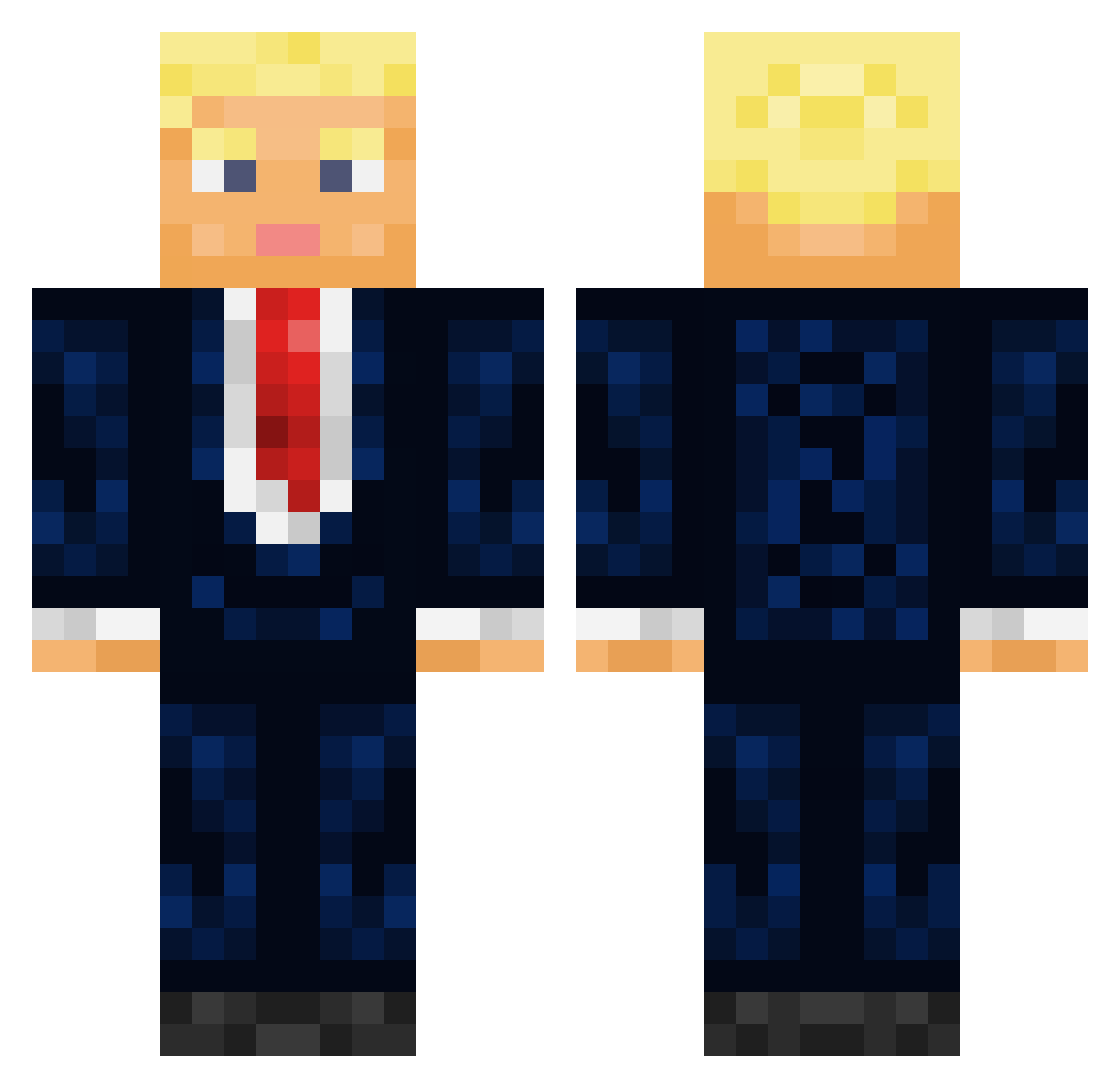
Current Minecraft skin of the player Elegantwish, loaded from the official Mojang API. Rotate the 3D model with your mouse or finger, then download the skin as a PNG file and use it in Minecraft: Bedrock Edition or Java Edition for free. When Elegantwish changes their skin, this page updates automatically and the old skin stays in the history below.
Other players with this skin (435)
Elegantwish was the 164th player we have seen with this skin, first spotted on 05.09.2026. The same skin was seen on these players. Open a nickname to see their current skin and skin history.
 ItzBloodyt sendurOF Jurekjeee TheDJTrump solarParallax Rexler007 FamousGuy240 HolyCode Otti96 _HILLIAM_ LeakyinHD Jagex06 Tomikz AlexdaGod420 Desmond95 ThatGuy2883 shradd Goff10 spooooof UmutEzenn nonno_nanniz Canhoto19 Somber42069 LogAholic7080 Ultimatetree17 Adamlundstrom MaxtheMyth12 ElectricFrog369 Mahatma_17 OrfiCaldaRi CZerillo k4h1021 MulletSimp23 Bluereign99 xXLegitSamurai n1colas_e_ pro100_nickhurt JiffyDoodleHop Thefabrax Flockstar17 Ovwov2 RockedLele Jamajka2 pillcosby2 BoneD4ddy69 Srirachajalapeno Unreleased1454 Lajtuch Mumut02 PogChamp01 jean_fesse DragonCZ791 GlizzieGobbler67 SoonerFan45 LumleyTrading TestoTroll 45th_president ChuckP0205 alexsleeping DommysWorld
More Donald Trump Minecraft skins
See all 326 Donald Trump skins
How to install the Elegantwish skin
- Press the Download button above to save the skin as a PNG file.
- Minecraft: Bedrock Edition (PE): open the Dressing Room from the main menu (or tap your character → Edit Character), go to Classic Skins → Owned, press the + (new skin) button, choose the downloaded PNG and pick the Classic (Steve) model. Works on PC and mobile; consoles cannot import custom skins.
- Minecraft: Java Edition: open the Minecraft Launcher, go to the Skins tab, click New Skin, load the PNG, pick the Classic (Steve) model and press Save & Use. You can also upload it at minecraft.net → Profile → Change Skin.
The skin does not show up after import - what should I do?
Restart Minecraft and open the Dressing Room again - imported skins sometimes appear only after a restart. Also make sure you selected the imported skin and picked the Classic (Steve) model.
Which model should I choose, Classic or Slim?
This skin is designed for the Classic (Steve) model. If you pick the wrong model, the arms of the skin will look stretched or squeezed.
Is the skin of Elegantwish free to download?
Yes. Press Download, save the PNG file and use it in Minecraft: Bedrock Edition or Java Edition - no payment or registration needed. The skin also works on multiplayer servers and Realms.
More skins
Looking for more? Go back to all Minecraft skins and check the top skins of the week, month and all time, or find any player's skin by nickname.