
Electron_248 - Minecraft Skins & Skin History
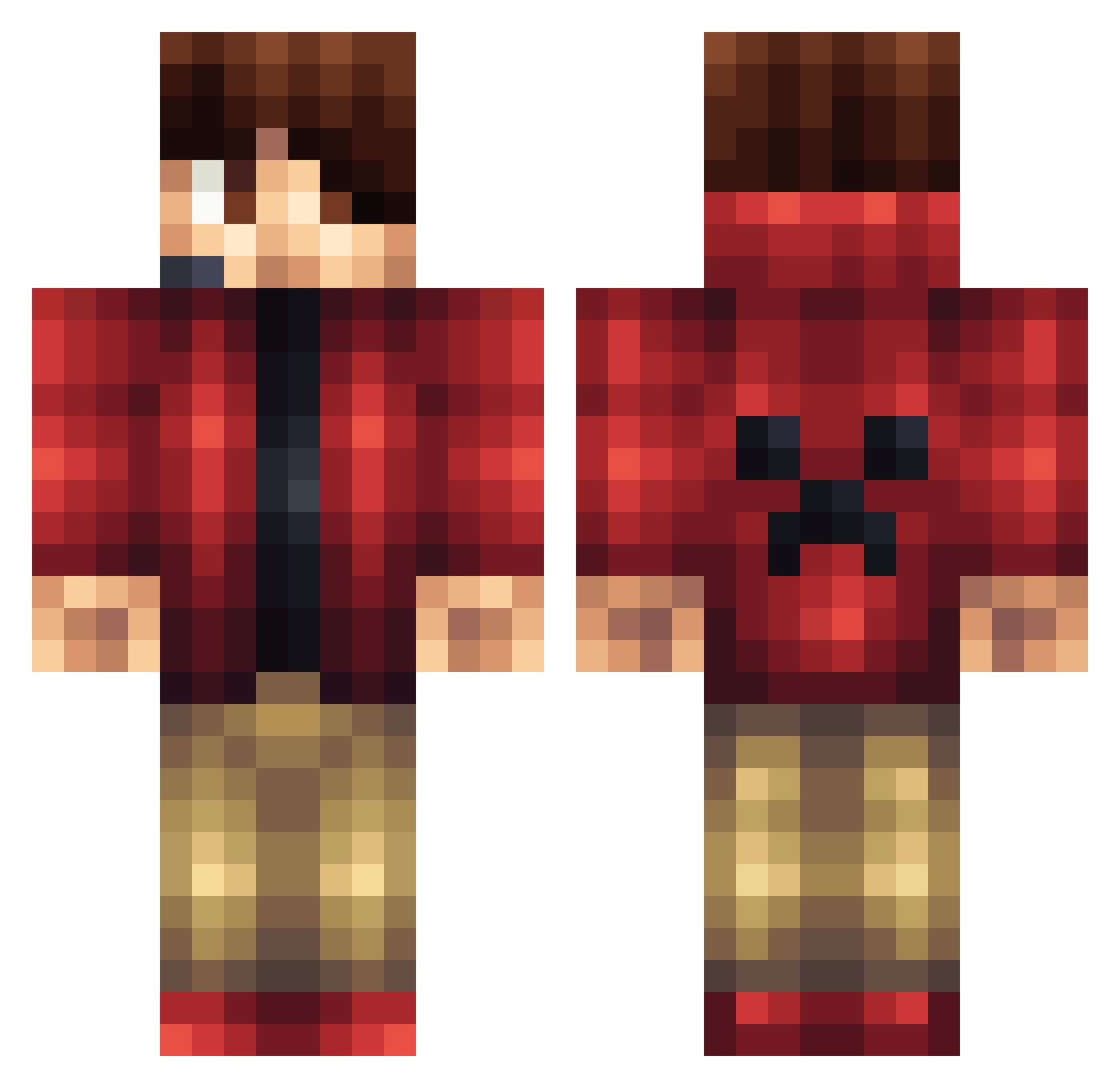
Current Minecraft skin of the player Electron_248, loaded from the official Mojang API. Rotate the 3D model with your mouse or finger, then download the skin as a PNG file and use it in Minecraft: Bedrock Edition or Java Edition for free. When Electron_248 changes their skin, this page updates automatically and the old skin stays in the history below.
Other players with this skin (1428)
Electron_248 was the 1194th player we have seen with this skin, first spotted on 02.11.2026. The same skin was seen on these players. Open a nickname to see their current skin and skin history.
 Dierei AngryEmoKid Oclatoni06 viking_bobo __RedSkull__ Shakeweight12 Dylan_the_devil Mr_QTV jls32006 AlexMPro12 RisingGuardian Fireball13100 I_IUnknownI_I ewanforte22 DonCheadlesFears Strikerkaze Gamer217 AMKS2012 anEmber jhooper2012 Dabroyourhomey nickbot253 ArchieD101 NBA7878 Makepam explosiveshark XDA_Alt00 thomasbarrows zopp3r shadow703 flyintomato_17 Giander66 DeadloxMC2014 whitetail1010 antdro1 Technerd2 LUKEELLY gobsi butchmaceda TheNeonSkeleton carjac121 CgpGames H_Rearden masterboost zF_FlexII_ Mossy3DG BozzeHD steelersman3301 Biblical_ skezwanrice blazer101104 Gunther41 Monkeyninja807 joshica977 MajorPoofy11 MyNameJeffyy UKJosh Minerat927 MonsterBeast987 Adeci_
More Headset Minecraft skins
How to install the Electron_248 skin
- Press the Download button above to save the skin as a PNG file.
- Minecraft: Bedrock Edition (PE): open the Dressing Room from the main menu (or tap your character → Edit Character), go to Classic Skins → Owned, press the + (new skin) button, choose the downloaded PNG and pick the Classic (Steve) model. Works on PC and mobile; consoles cannot import custom skins.
- Minecraft: Java Edition: open the Minecraft Launcher, go to the Skins tab, click New Skin, load the PNG, pick the Classic (Steve) model and press Save & Use. You can also upload it at minecraft.net → Profile → Change Skin.
The skin does not show up after import - what should I do?
Restart Minecraft and open the Dressing Room again - imported skins sometimes appear only after a restart. Also make sure you selected the imported skin and picked the Classic (Steve) model.
Which model should I choose, Classic or Slim?
This skin is designed for the Classic (Steve) model. If you pick the wrong model, the arms of the skin will look stretched or squeezed.
Is the skin of Electron_248 free to download?
Yes. Press Download, save the PNG file and use it in Minecraft: Bedrock Edition or Java Edition - no payment or registration needed. The skin also works on multiplayer servers and Realms.
More skins
Looking for more? Go back to all Minecraft skins and check the top skins of the week, month and all time, or find any player's skin by nickname.