
Eingenommene - Minecraft Skins & Skin History
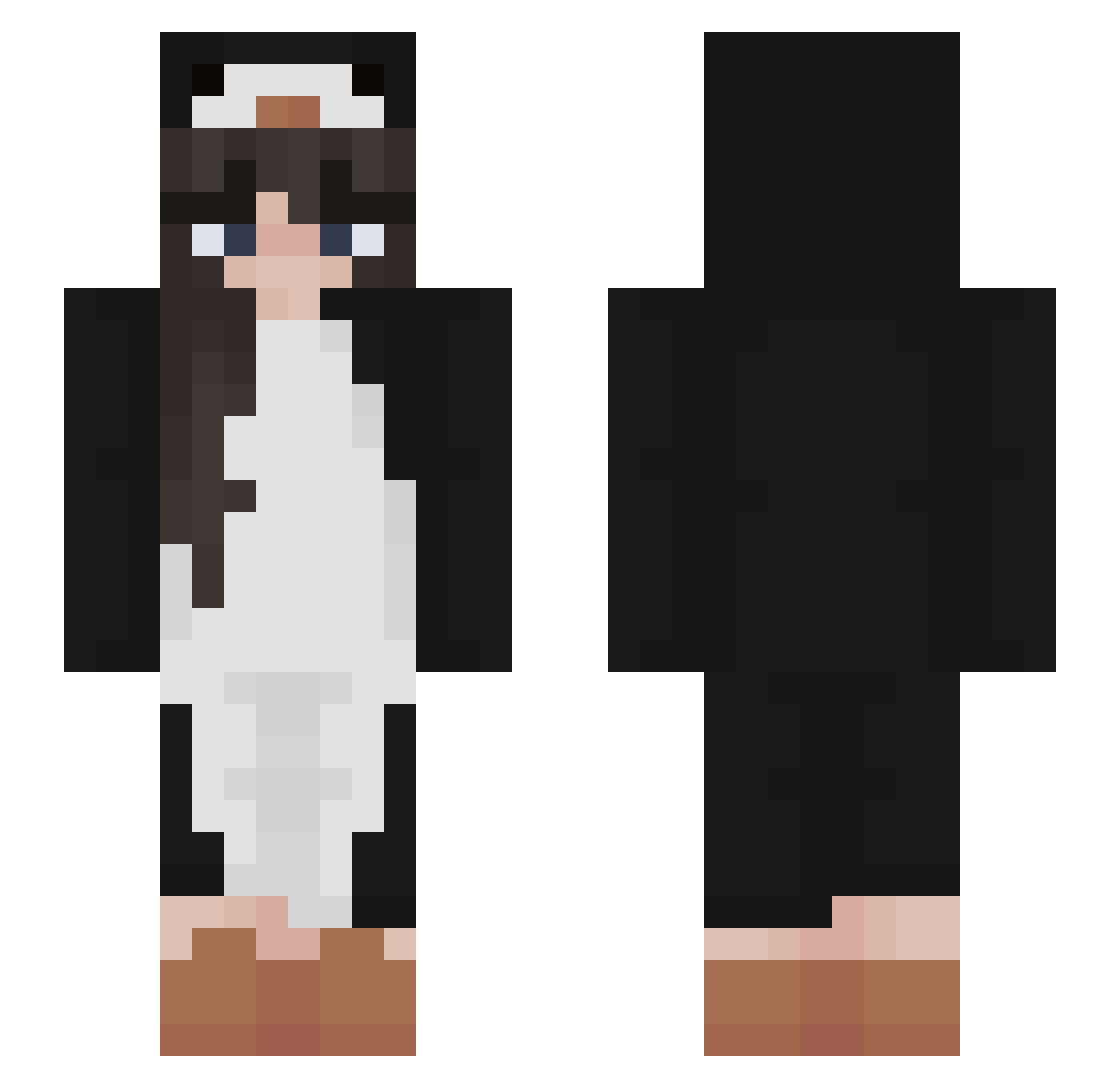
Current Minecraft skin of the player Eingenommene, loaded from the official Mojang API. Rotate the 3D model with your mouse or finger, then download the skin as a PNG file and use it in Minecraft: Bedrock Edition or Java Edition for free. When Eingenommene changes their skin, this page updates automatically and the old skin stays in the history below.
Other players with this skin (503)
Eingenommene was the 332nd player we have seen with this skin, first spotted on 10.10.2026. The same skin was seen on these players. Open a nickname to see their current skin and skin history.
 tdfculture SibellaRose Cursedestiny YahikoSou Beiso_ sillysnekk Corporal_Fungus starrpetal thegeabeaner chuchu39 Abboo6 Hera63 NotSoMADison Burbonchik syroeshkin1 _MEIBO_ fatvemo Guiltymistress Mochico3 ILYmou Run_1t_back bongo123456789 FairyPenguin EllyCat246 BlueShui_Tong Eline0317 BananaNinja31 samoyed1pl Sarares112 bananadafirst ShisukaArakawa ZeSong unicornbaIIs imshortasf dabwizard123 Akane72 gabbywojo gft2 RavaGore XRedheadMasterX jenieuwemoeder xdarinka sevnax HiImQuesito Kohlroulade17 mi_jisoo uj_16 Stniffilus LeaneRoss1 bigpharmapvp zegaa HongAnKing reemkallush xiaoshuangxin gaisva Nanorise GreenDinosour bobbygoon213 sleepman8439 jellyabbee
More Animal Onesie Minecraft skins
See all 2228 Animal Onesie skins
How to install the Eingenommene skin
- Press the Download button above to save the skin as a PNG file.
- Minecraft: Bedrock Edition (PE): open the Dressing Room from the main menu (or tap your character → Edit Character), go to Classic Skins → Owned, press the + (new skin) button, choose the downloaded PNG and pick the Slim (Alex) model. Works on PC and mobile; consoles cannot import custom skins.
- Minecraft: Java Edition: open the Minecraft Launcher, go to the Skins tab, click New Skin, load the PNG, pick the Slim (Alex) model and press Save & Use. You can also upload it at minecraft.net → Profile → Change Skin.
The skin does not show up after import - what should I do?
Restart Minecraft and open the Dressing Room again - imported skins sometimes appear only after a restart. Also make sure you selected the imported skin and picked the Slim (Alex) model.
Which model should I choose, Classic or Slim?
This skin is designed for the Slim (Alex) model. If you pick the wrong model, the arms of the skin will look stretched or squeezed.
Is the skin of Eingenommene free to download?
Yes. Press Download, save the PNG file and use it in Minecraft: Bedrock Edition or Java Edition - no payment or registration needed. The skin also works on multiplayer servers and Realms.
More skins
Looking for more? Go back to all Minecraft skins and check the top skins of the week, month and all time, or find any player's skin by nickname.