
EinfachMaxiHD - Minecraft Skins & Skin History
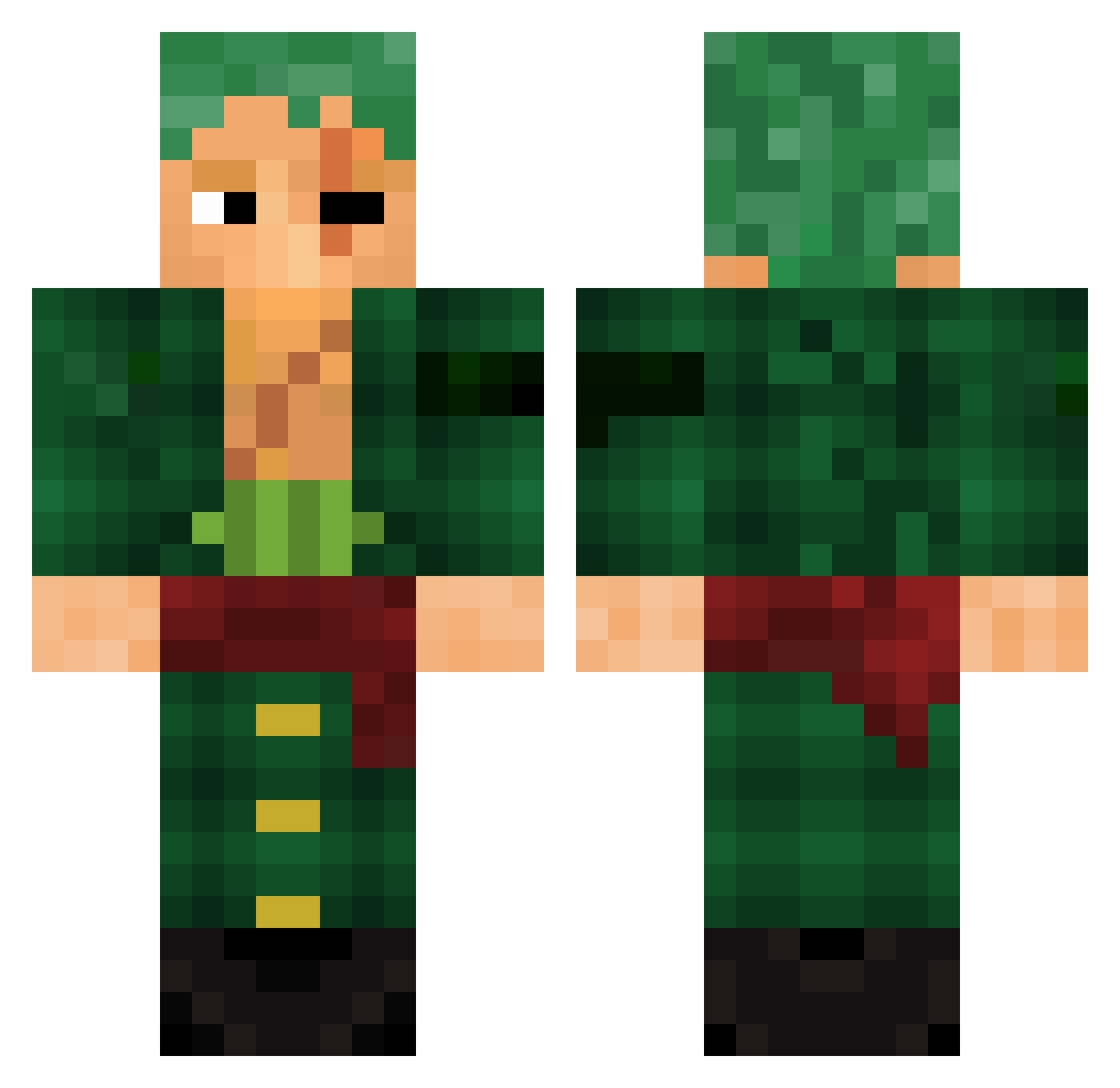
Current Minecraft skin of the player EinfachMaxiHD, loaded from the official Mojang API. Rotate the 3D model with your mouse or finger, then download the skin as a PNG file and use it in Minecraft: Bedrock Edition or Java Edition for free. When EinfachMaxiHD changes their skin, this page updates automatically and the old skin stays in the history below.
Other players with this skin (782)
EinfachMaxiHD was the 750th player we have seen with this skin, first spotted on 18.10.2026. The same skin was seen on these players. Open a nickname to see their current skin and skin history.
 krtkotrtko67 toiletplumber12 ineedlimbs jorpiter mgokbatur Poschiii07 Roronoha_Zoro 240cc 0verStrike Outlaw44do voidetc _MrCJ100_ Abelouco MightBeSlump_ Elgeheny10 miguelagami herobrineexedori Sormeli 502c Asashi1030 bubbajoom Eanyh _Math1as_ XaveO8 Haamm tttvbb Avozba LegendSkyShock ALHSONY22 Tubaralho_124 KliickR moulayan willbill23 iMxr_ giomx5 xZoro05 Loki7_7 tomioka0604 Shogokan95 Bonny_OnTop 19LeviAckerman04 Wretched_Stench biggreek LegitGamer_ VinTheGod Podrickz jayy92 KONAROOC exralow Roxo__ Domkgh SavageHED DailonP Diel92 Makasete Breu55 furgogaming LuTaMoShiKiTo Eliiyaa arcgg
More Roronoa Zoro Minecraft skins
See all 291 Roronoa Zoro skins
How to install the EinfachMaxiHD skin
- Press the Download button above to save the skin as a PNG file.
- Minecraft: Bedrock Edition (PE): open the Dressing Room from the main menu (or tap your character → Edit Character), go to Classic Skins → Owned, press the + (new skin) button, choose the downloaded PNG and pick the Classic (Steve) model. Works on PC and mobile; consoles cannot import custom skins.
- Minecraft: Java Edition: open the Minecraft Launcher, go to the Skins tab, click New Skin, load the PNG, pick the Classic (Steve) model and press Save & Use. You can also upload it at minecraft.net → Profile → Change Skin.
The skin does not show up after import - what should I do?
Restart Minecraft and open the Dressing Room again - imported skins sometimes appear only after a restart. Also make sure you selected the imported skin and picked the Classic (Steve) model.
Which model should I choose, Classic or Slim?
This skin is designed for the Classic (Steve) model. If you pick the wrong model, the arms of the skin will look stretched or squeezed.
Is the skin of EinfachMaxiHD free to download?
Yes. Press Download, save the PNG file and use it in Minecraft: Bedrock Edition or Java Edition - no payment or registration needed. The skin also works on multiplayer servers and Realms.
More skins
Looking for more? Go back to all Minecraft skins and check the top skins of the week, month and all time, or find any player's skin by nickname.