
EduardoMY - Minecraft Skins & Skin History
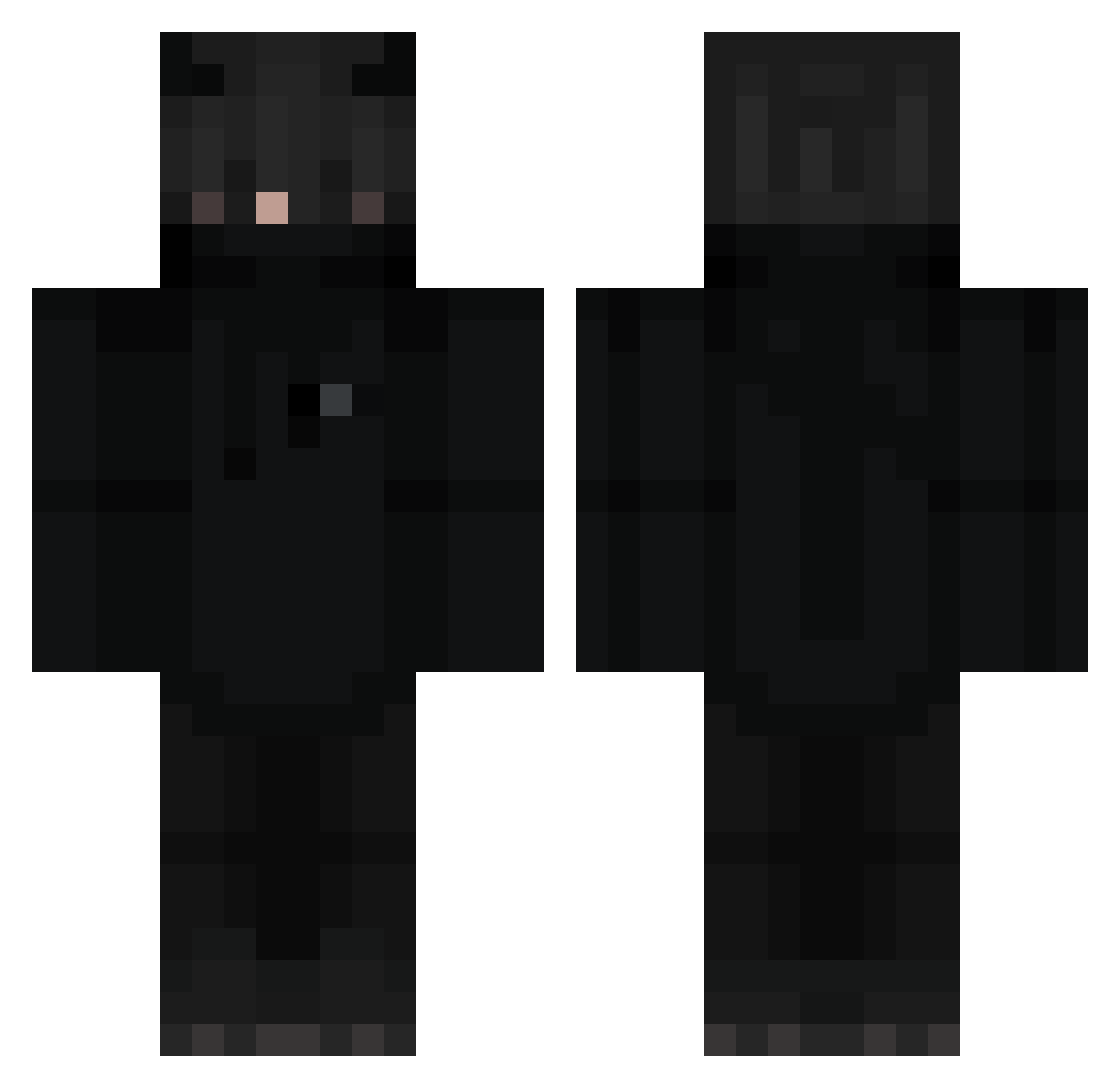
Current Minecraft skin of the player EduardoMY, loaded from the official Mojang API. Rotate the 3D model with your mouse or finger, then download the skin as a PNG file and use it in Minecraft: Bedrock Edition or Java Edition for free. When EduardoMY changes their skin, this page updates automatically and the old skin stays in the history below.
Other players with this skin (274)
EduardoMY was the 219th player we have seen with this skin, first spotted on 21.10.2026. The same skin was seen on these players. Open a nickname to see their current skin and skin history.
 Mato1414 Nasq8 Paulo200511 q1kai Loffholzer BookSC3 WRBl4ze Neyzork06 TioTriangulo deravy_sroubovak demonking3213 Danjoss Claaserati a_h1 whityy Tiggeroo MaylonME LilyNas67 ThiOVER2k XeradosX joonhyuck _Magnuss vwong2 purplecrx Heitorrr openmine Venomblack123 Felipe_Start1 dark_sx _Xter BlackPantherGirl JN_B312 Ppjs_ RAG3MAKER PigicaI Mashiire Santa_99 Qmaihs 4ekHyTblu_ silent447 Panda1338 T0O0L Delutza_ Flyxx33 xjaxer2020 mikastrup poljaro Lillian99 NotAaravlol ACWReegade Derik1233 murchalka DexsterTV KiwiBoba MrAnanas303 Pastonn Abdullah_06 pobi1228 Goldielocks10 darkbjerg
More Cat Ears Minecraft skins
How to install the EduardoMY skin
- Press the Download button above to save the skin as a PNG file.
- Minecraft: Bedrock Edition (PE): open the Dressing Room from the main menu (or tap your character → Edit Character), go to Classic Skins → Owned, press the + (new skin) button, choose the downloaded PNG and pick the Classic (Steve) model. Works on PC and mobile; consoles cannot import custom skins.
- Minecraft: Java Edition: open the Minecraft Launcher, go to the Skins tab, click New Skin, load the PNG, pick the Classic (Steve) model and press Save & Use. You can also upload it at minecraft.net → Profile → Change Skin.
The skin does not show up after import - what should I do?
Restart Minecraft and open the Dressing Room again - imported skins sometimes appear only after a restart. Also make sure you selected the imported skin and picked the Classic (Steve) model.
Which model should I choose, Classic or Slim?
This skin is designed for the Classic (Steve) model. If you pick the wrong model, the arms of the skin will look stretched or squeezed.
Is the skin of EduardoMY free to download?
Yes. Press Download, save the PNG file and use it in Minecraft: Bedrock Edition or Java Edition - no payment or registration needed. The skin also works on multiplayer servers and Realms.
More skins
Looking for more? Go back to all Minecraft skins and check the top skins of the week, month and all time, or find any player's skin by nickname.