
EditedAsian - Minecraft Skins & Skin History
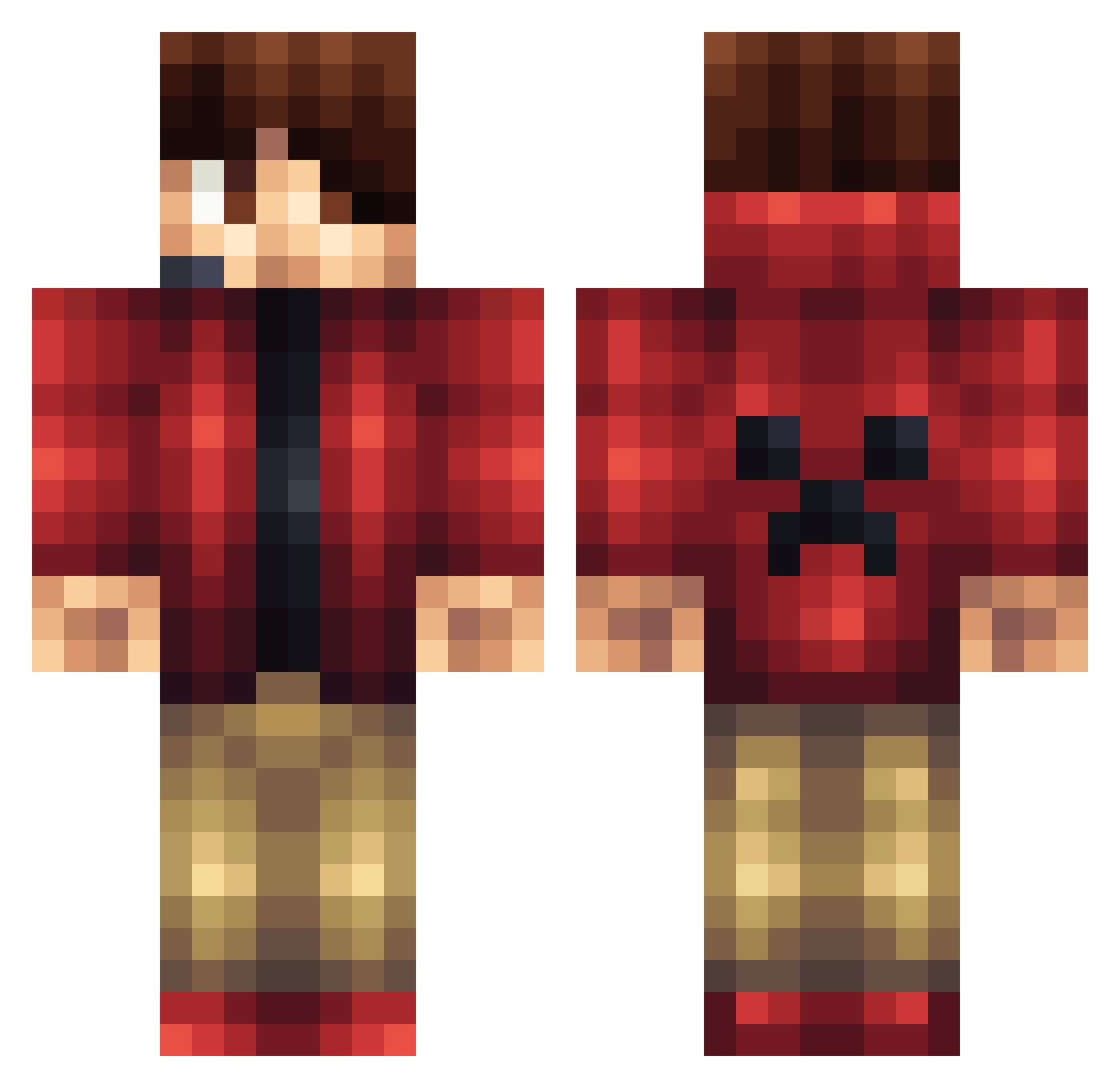
Current Minecraft skin of the player EditedAsian, loaded from the official Mojang API. Rotate the 3D model with your mouse or finger, then download the skin as a PNG file and use it in Minecraft: Bedrock Edition or Java Edition for free. When EditedAsian changes their skin, this page updates automatically and the old skin stays in the history below.
Other players with this skin (1428)
EditedAsian was the 1303rd player we have seen with this skin, first spotted on 10.11.2026. The same skin was seen on these players. Open a nickname to see their current skin and skin history.
 mort638g superfireman3377 FrenchToast123 hgouveia Itz_DIAMONDzz Rock7777 Esargers jettiespaghettie BowserFlame7 explorer250 ilyas01000 IrishGamer888 Ghost1048 julixnn OBJFish Kiorya chochalate21 Enderdragon600 haydhayd bakker_bros mudboy46 perseb Dustinaruu AbsoluteGZero Brous15 Bonefrog06 MaxOette DavidH321 z0mbiekill528 MrPunchee LloydMaster64 Xman270 xZerker joshcool6 tbrookesy Hayate_shadow minmacc Samster_Sam47 TheSergics DalessioBros Baisary Jota_7 Notgnihtrow foxy70 McCartneyMC Dunkaroodle GerardoLegends Mystique4all Bigshout2 chaseB007 jacob0902 max55555 MineMasterL DaMan911 132sg marleryquinn ZG4MER Maiky72 chubach Neiik
More Headset Minecraft skins
How to install the EditedAsian skin
- Press the Download button above to save the skin as a PNG file.
- Minecraft: Bedrock Edition (PE): open the Dressing Room from the main menu (or tap your character → Edit Character), go to Classic Skins → Owned, press the + (new skin) button, choose the downloaded PNG and pick the Classic (Steve) model. Works on PC and mobile; consoles cannot import custom skins.
- Minecraft: Java Edition: open the Minecraft Launcher, go to the Skins tab, click New Skin, load the PNG, pick the Classic (Steve) model and press Save & Use. You can also upload it at minecraft.net → Profile → Change Skin.
The skin does not show up after import - what should I do?
Restart Minecraft and open the Dressing Room again - imported skins sometimes appear only after a restart. Also make sure you selected the imported skin and picked the Classic (Steve) model.
Which model should I choose, Classic or Slim?
This skin is designed for the Classic (Steve) model. If you pick the wrong model, the arms of the skin will look stretched or squeezed.
Is the skin of EditedAsian free to download?
Yes. Press Download, save the PNG file and use it in Minecraft: Bedrock Edition or Java Edition - no payment or registration needed. The skin also works on multiplayer servers and Realms.
More skins
Looking for more? Go back to all Minecraft skins and check the top skins of the week, month and all time, or find any player's skin by nickname.