
E_Lynx97 - Minecraft Skins & Skin History
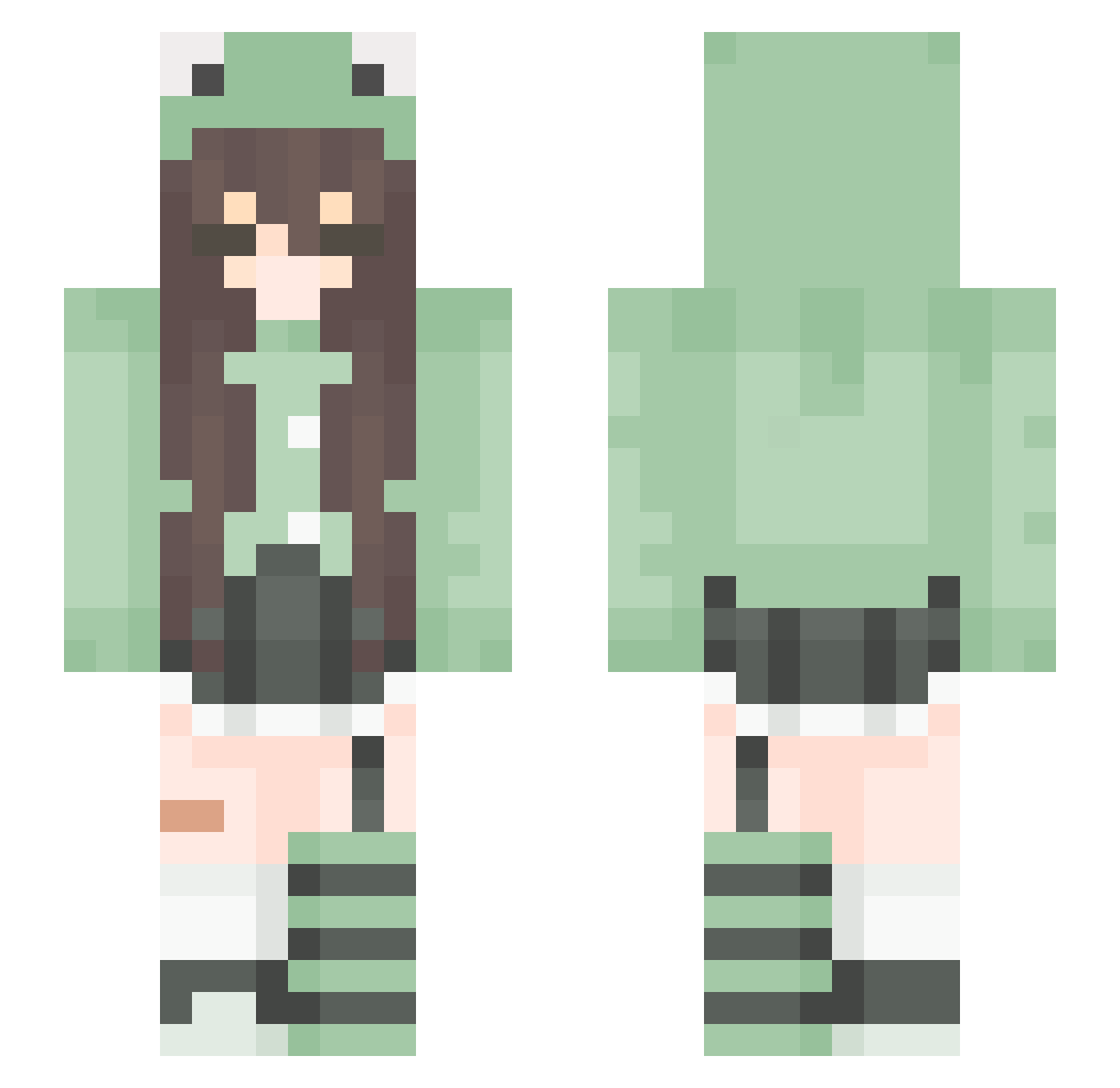
Current Minecraft skin of the player E_Lynx97, loaded from the official Mojang API. Rotate the 3D model with your mouse or finger, then download the skin as a PNG file and use it in Minecraft: Bedrock Edition or Java Edition for free. When E_Lynx97 changes their skin, this page updates automatically and the old skin stays in the history below.
Other players with this skin (165)
E_Lynx97 was the 151st player we have seen with this skin, first spotted on 23.10.2026. The same skin was seen on these players. Open a nickname to see their current skin and skin history.
 manderandy oriiokeks isabelle07 lvcysa _Mixed_Berry_ LuckyStacy15 iTomeeee Elaris1 aha_cRinGe 304gx3 Rainbowgirl1234 lena_winchester Puffigamer__ jshjsh0404 Ovejaauwu Dear_Jane Yellow01408 Majky2137 xOmeggy Mochinn natalka1110 WazySpaz Reve667 Einhornmine 3kotik3 Kermitek_ Montwa123 Lunille nekok1tten XxLilSeb GamerAva wettoaster3 Tomato_0189 Ali_ww Sandwichtoasty Ava_qx1 anettsmile AndGz1998 concon123456 Frogalte fengcx PeloOvejaReal laydk _NiceDay_ Jaquipandyy Youlo_ ZouiOwO Grunkyz nati1284 Nvph ToastBargeld475 Cybewia ouchimok MoOs_1 acdjxj solt44 craze_e valuskaberuska M8Bipo Lexmon
More Pastel Minecraft skins
How to install the E_Lynx97 skin
- Press the Download button above to save the skin as a PNG file.
- Minecraft: Bedrock Edition (PE): open the Dressing Room from the main menu (or tap your character → Edit Character), go to Classic Skins → Owned, press the + (new skin) button, choose the downloaded PNG and pick the Slim (Alex) model. Works on PC and mobile; consoles cannot import custom skins.
- Minecraft: Java Edition: open the Minecraft Launcher, go to the Skins tab, click New Skin, load the PNG, pick the Slim (Alex) model and press Save & Use. You can also upload it at minecraft.net → Profile → Change Skin.
The skin does not show up after import - what should I do?
Restart Minecraft and open the Dressing Room again - imported skins sometimes appear only after a restart. Also make sure you selected the imported skin and picked the Slim (Alex) model.
Which model should I choose, Classic or Slim?
This skin is designed for the Slim (Alex) model. If you pick the wrong model, the arms of the skin will look stretched or squeezed.
Is the skin of E_Lynx97 free to download?
Yes. Press Download, save the PNG file and use it in Minecraft: Bedrock Edition or Java Edition - no payment or registration needed. The skin also works on multiplayer servers and Realms.
More skins
Looking for more? Go back to all Minecraft skins and check the top skins of the week, month and all time, or find any player's skin by nickname.