
ELLOPITER1YTB - Minecraft Skins & Skin History
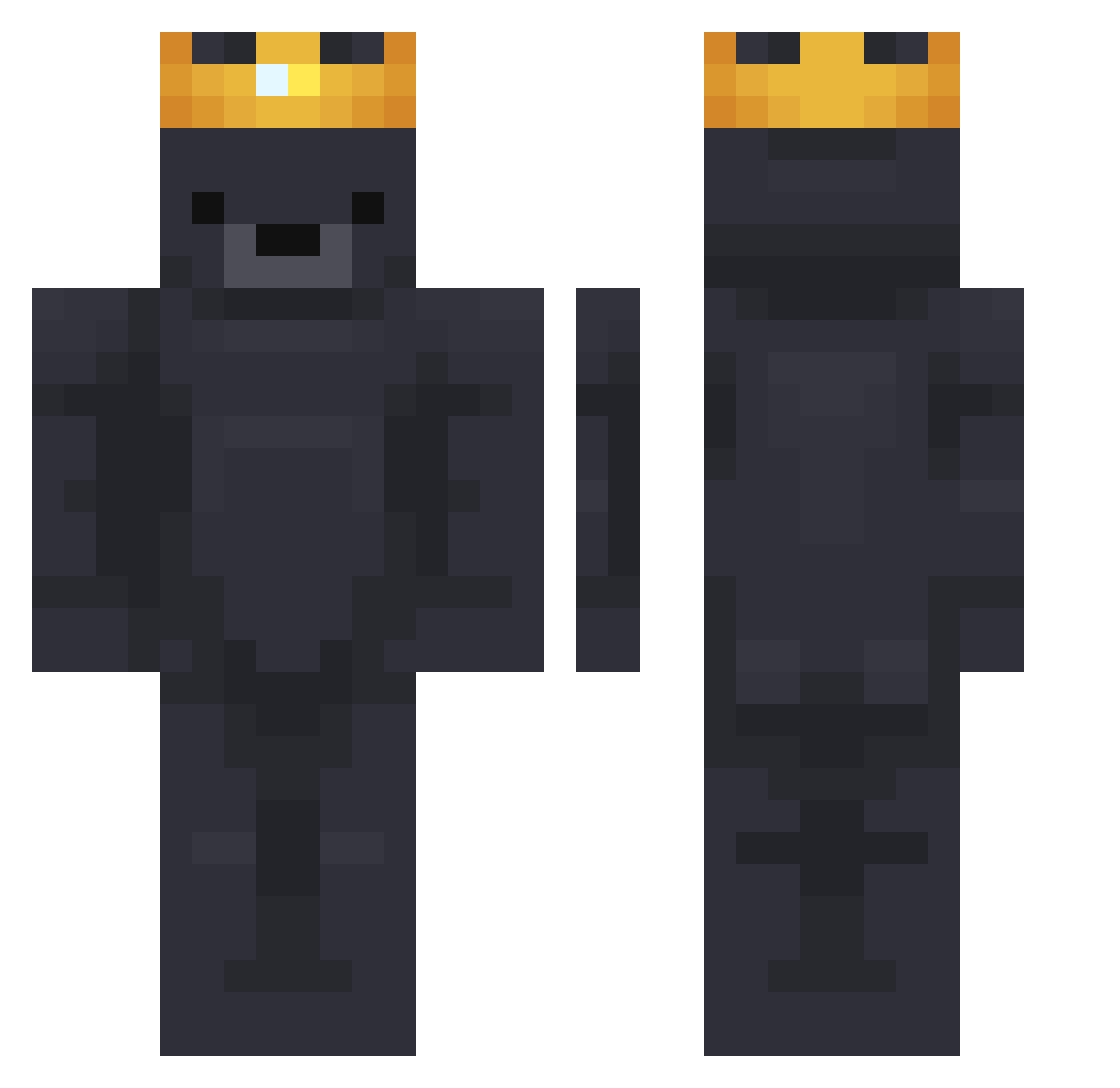
Current Minecraft skin of the player ELLOPITER1YTB, loaded from the official Mojang API. Rotate the 3D model with your mouse or finger, then download the skin as a PNG file and use it in Minecraft: Bedrock Edition or Java Edition for free. When ELLOPITER1YTB changes their skin, this page updates automatically and the old skin stays in the history below.
Other players with this skin (905)
ELLOPITER1YTB was the 771st player we have seen with this skin, first spotted on 03.11.2026. The same skin was seen on these players. Open a nickname to see their current skin and skin history.
 sxprit ZanRed_ Ksoul_ DestroiiEH CooperTheCaptain LeeJM SeoMooki Raisef AlainFO AngelGamer011 QW_Nightfall luckeyrubber Theblackflame20 PSYshang rinseyy AsdHost KzzR Febreezus Loopc_ DISCOzuttle Koldyyn_ DLLM_exe CCubby HetKoekje Baistri probkaz _MrCoconut_ imAngoli OldManRix _Ki_ki_ ivlunqyyea panbigos TheBlueVagoo22 rmtea mewxyz Thorxs KOMI82 _Adqam_ minseo071 RynPLayed Monika1350 GONX07 Holzurs 8Br comberGG B4re Shrigga emilskop DogGirl12345 Smoooookiii cloudsyfps dltjgk0212 Miavonsavvy9763 KrabbeaufStoff Always_King DavidOnFireRo Squirrell_man GEron4621 Whazouuu Lubebis
More Crown Minecraft skins
How to install the ELLOPITER1YTB skin
- Press the Download button above to save the skin as a PNG file.
- Minecraft: Bedrock Edition (PE): open the Dressing Room from the main menu (or tap your character → Edit Character), go to Classic Skins → Owned, press the + (new skin) button, choose the downloaded PNG and pick the Classic (Steve) model. Works on PC and mobile; consoles cannot import custom skins.
- Minecraft: Java Edition: open the Minecraft Launcher, go to the Skins tab, click New Skin, load the PNG, pick the Classic (Steve) model and press Save & Use. You can also upload it at minecraft.net → Profile → Change Skin.
The skin does not show up after import - what should I do?
Restart Minecraft and open the Dressing Room again - imported skins sometimes appear only after a restart. Also make sure you selected the imported skin and picked the Classic (Steve) model.
Which model should I choose, Classic or Slim?
This skin is designed for the Classic (Steve) model. If you pick the wrong model, the arms of the skin will look stretched or squeezed.
Is the skin of ELLOPITER1YTB free to download?
Yes. Press Download, save the PNG file and use it in Minecraft: Bedrock Edition or Java Edition - no payment or registration needed. The skin also works on multiplayer servers and Realms.
More skins
Looking for more? Go back to all Minecraft skins and check the top skins of the week, month and all time, or find any player's skin by nickname.