
EDSPARROW - Minecraft Skins & Skin History
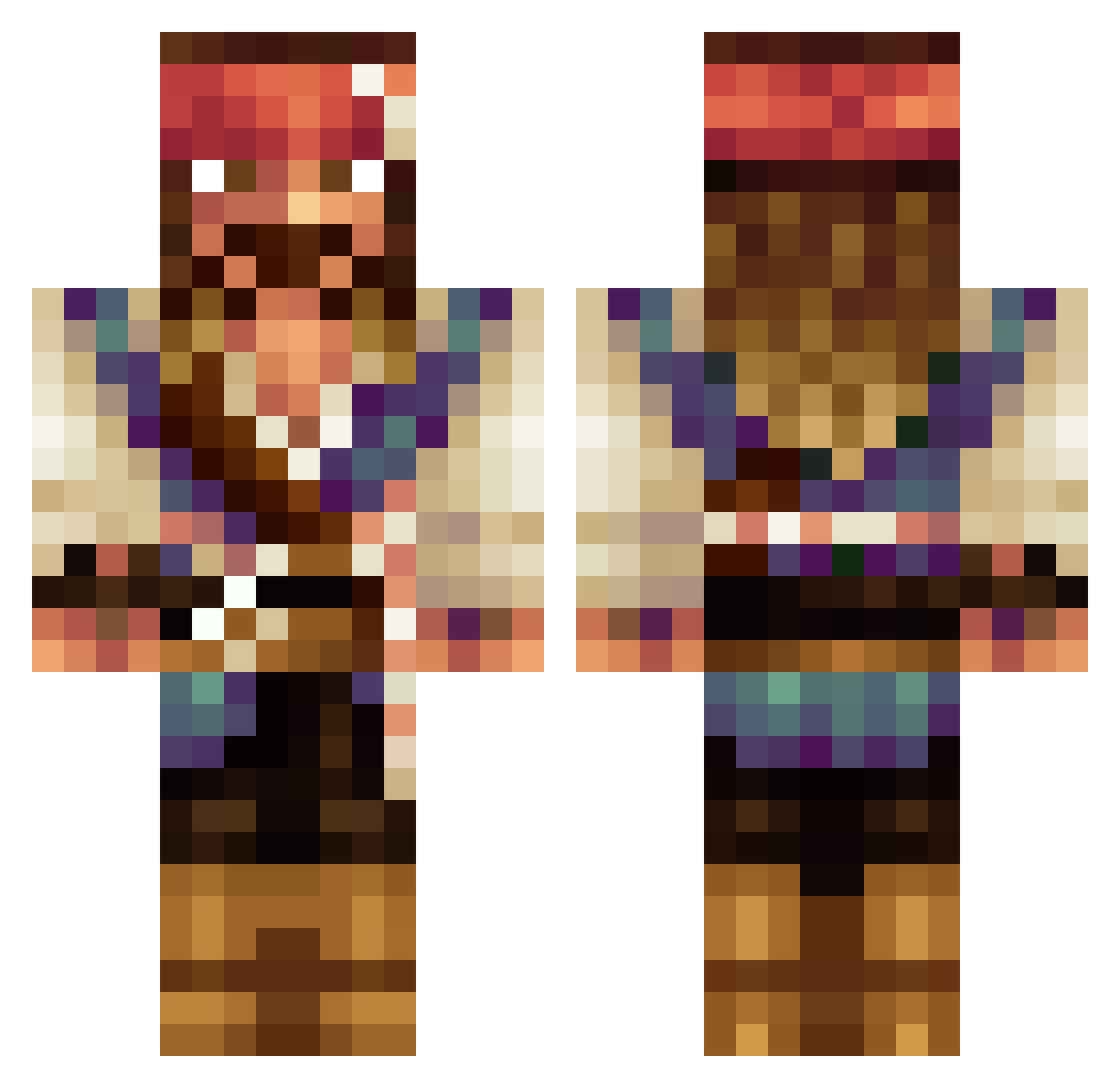
Current Minecraft skin of the player EDSPARROW, loaded from the official Mojang API. Rotate the 3D model with your mouse or finger, then download the skin as a PNG file and use it in Minecraft: Bedrock Edition or Java Edition for free. When EDSPARROW changes their skin, this page updates automatically and the old skin stays in the history below.
Other players with this skin (669)
EDSPARROW was the 645th player we have seen with this skin, first spotted on 15.11.2026. The same skin was seen on these players. Open a nickname to see their current skin and skin history.
 T_Payne21 LaTauj LaLiie ChristianTSeda AlchoHero MiniatureKing Sir_Sprinklesss DietAir69 TurboSteel oaahelanatten SirWube emm_26 IWannaDance Nexiars matias06100 Minicoopergardh Meckromac TheBicot TheNan0 dethc jackerrific PoopskiMcDoober CB89 hughelias Arguedbog Rikanator Yanto_Tanto ConjoinedCarSeat Luigi_0_0_ feli005 NGaines Turned_Bull GieSparlow SkyTHEKIDSR7 Repsolista Macaadelics solschud jeguesparrow pupovacluka Avrilvanschie Critabit richFront Kraaddy Blayce2134 Tournedisk Jhonny_Deppo javiyou95JKL R76Biohazard MaestroSandu LeonAJohnsen etlam2004 lillpetter BAILEYHART007 Sabiir DoctorDerpington adinizasizmi3333 ElderGoon ryan_moore1990 WATTSY82 sune1210
More Jack Sparrow Minecraft skins
See all 128 Jack Sparrow skins
How to install the EDSPARROW skin
- Press the Download button above to save the skin as a PNG file.
- Minecraft: Bedrock Edition (PE): open the Dressing Room from the main menu (or tap your character → Edit Character), go to Classic Skins → Owned, press the + (new skin) button, choose the downloaded PNG and pick the Classic (Steve) model. Works on PC and mobile; consoles cannot import custom skins.
- Minecraft: Java Edition: open the Minecraft Launcher, go to the Skins tab, click New Skin, load the PNG, pick the Classic (Steve) model and press Save & Use. You can also upload it at minecraft.net → Profile → Change Skin.
The skin does not show up after import - what should I do?
Restart Minecraft and open the Dressing Room again - imported skins sometimes appear only after a restart. Also make sure you selected the imported skin and picked the Classic (Steve) model.
Which model should I choose, Classic or Slim?
This skin is designed for the Classic (Steve) model. If you pick the wrong model, the arms of the skin will look stretched or squeezed.
Is the skin of EDSPARROW free to download?
Yes. Press Download, save the PNG file and use it in Minecraft: Bedrock Edition or Java Edition - no payment or registration needed. The skin also works on multiplayer servers and Realms.
More skins
Looking for more? Go back to all Minecraft skins and check the top skins of the week, month and all time, or find any player's skin by nickname.