
Dymation75 - Minecraft Skins & Skin History
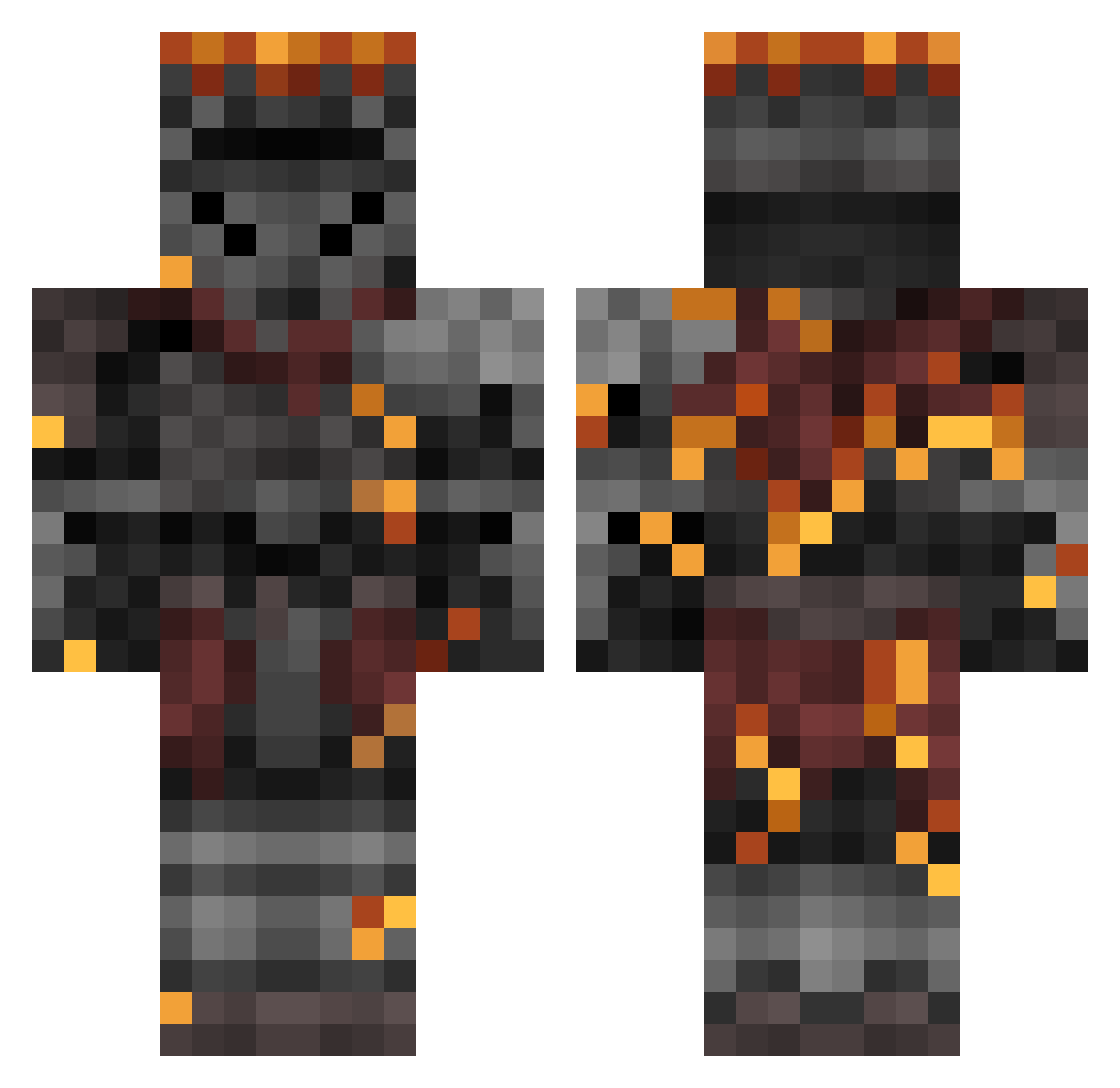
Current Minecraft skin of the player Dymation75, loaded from the official Mojang API. Rotate the 3D model with your mouse or finger, then download the skin as a PNG file and use it in Minecraft: Bedrock Edition or Java Edition for free. When Dymation75 changes their skin, this page updates automatically and the old skin stays in the history below.
Other players with this skin (362)
Dymation75 was the 53rd player we have seen with this skin, first spotted on 09.08.2026. The same skin was seen on these players. Open a nickname to see their current skin and skin history.
 Vamitty MN204 Sekiryuutei115 SomeMashpotat0s wizeo Bukaz gamer_tube tboie Prodagy1 ChartedWater whosthataj HornedTank xToxikx Spaghet_Regret Ggultra1228 Bukizzy ICECBE Zooluke1 Tavuhk Darkfire2709 cahcray Mannoroth Donutlordgamer Whitelight71 Sp00kyC00kie98 Vulom Shmemble DJPatoLord Maiherpri spikelemon2435 Cr0tal Cxrchx ImmensePowerFail Isgeny austinomacarino
 Artorias_DS Kiritsuna ChaosRogue2000 RyuJiAspect Outsider23 AC0M_ yay0x Cucumber4112 F0CO5 Dan7461 soul_of_cinder00 soudruh_Jezevec Wirsov Sarkonn jamoniberico_9 shikkouko Mega_Mak Judge_Eyes_Chair Calebsten Heat_Is_Hot Lord_Sidious_66 Sol1dSn4ke thefrog57 Ekecede Phyk7758
More Netherite Armor Minecraft skins
See all 81 Netherite Armor skins
How to install the Dymation75 skin
- Press the Download button above to save the skin as a PNG file.
- Minecraft: Bedrock Edition (PE): open the Dressing Room from the main menu (or tap your character → Edit Character), go to Classic Skins → Owned, press the + (new skin) button, choose the downloaded PNG and pick the Classic (Steve) model. Works on PC and mobile; consoles cannot import custom skins.
- Minecraft: Java Edition: open the Minecraft Launcher, go to the Skins tab, click New Skin, load the PNG, pick the Classic (Steve) model and press Save & Use. You can also upload it at minecraft.net → Profile → Change Skin.
The skin does not show up after import - what should I do?
Restart Minecraft and open the Dressing Room again - imported skins sometimes appear only after a restart. Also make sure you selected the imported skin and picked the Classic (Steve) model.
Which model should I choose, Classic or Slim?
This skin is designed for the Classic (Steve) model. If you pick the wrong model, the arms of the skin will look stretched or squeezed.
Is the skin of Dymation75 free to download?
Yes. Press Download, save the PNG file and use it in Minecraft: Bedrock Edition or Java Edition - no payment or registration needed. The skin also works on multiplayer servers and Realms.
More skins
Looking for more? Go back to all Minecraft skins and check the top skins of the week, month and all time, or find any player's skin by nickname.