
Duvle - Minecraft Skins & Skin History
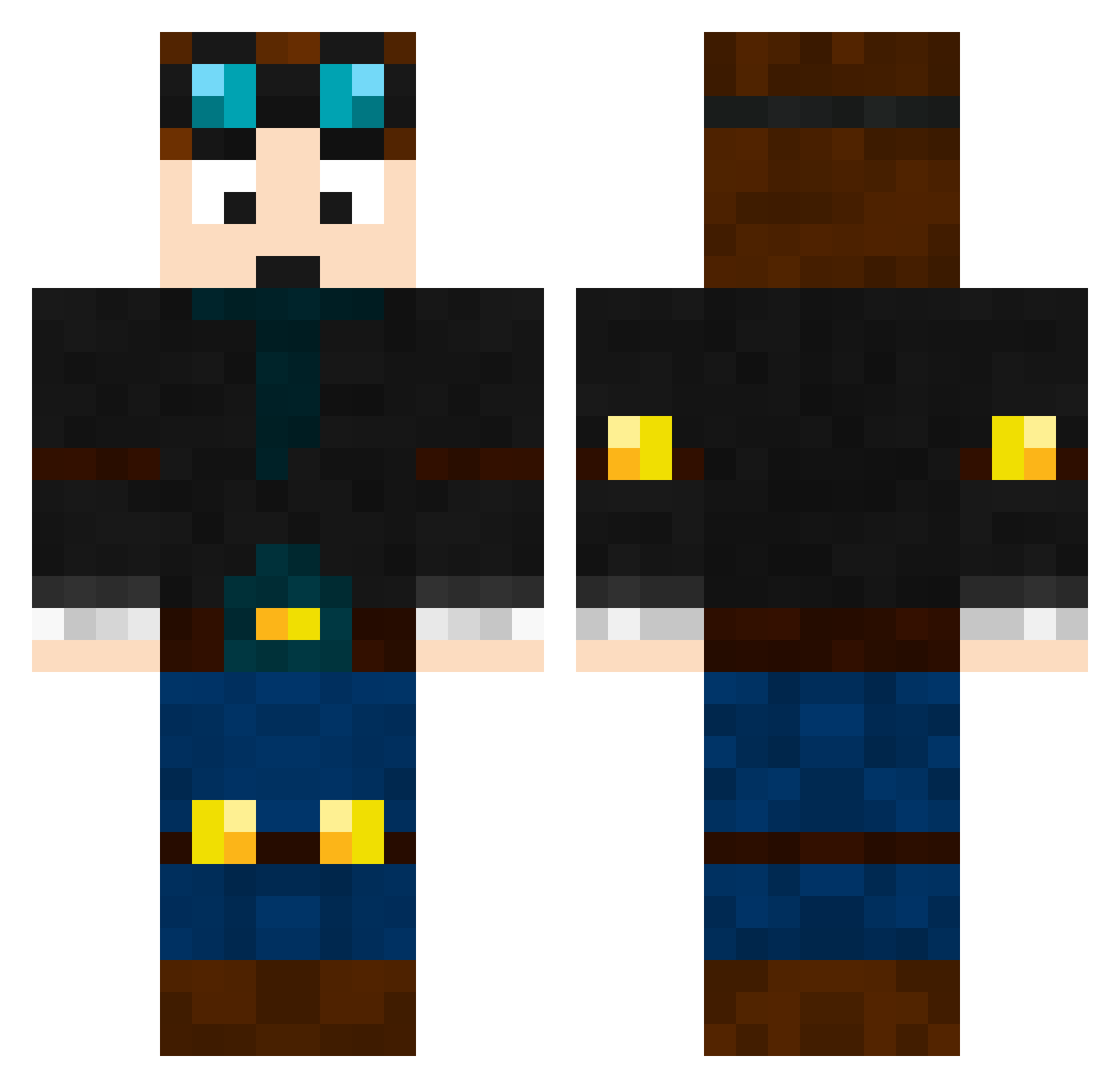
Current Minecraft skin of the player Duvle, loaded from the official Mojang API. Rotate the 3D model with your mouse or finger, then download the skin as a PNG file and use it in Minecraft: Bedrock Edition or Java Edition for free. When Duvle changes their skin, this page updates automatically and the old skin stays in the history below.
Other players with this skin (465)
Duvle was the 222nd player we have seen with this skin, first spotted on 12.09.2026. The same skin was seen on these players. Open a nickname to see their current skin and skin history.
 ShifterGaming Agent_Beast whitekirem Kyky1010 u2kprogunner DiamondWizard27 GH4178 Magic_man1828 Zusex99 Legendminer5 maxykeown lmonang801 aje653 RUDEDAN codiecool8599 killzone12354 Icemanrocks123 tictaceater NickDuff1011 corehunter10 asmar monkeyminner ryanhowlett_2312 kingmaster11 Nick12160 RadBoy08 donatello3 gavindude12 NickMYSTA27 _Water_H2o JaynJavon FreddieW6000 JohnnyisKING Gabrielmester HyperProYT agentL01 samtigs SuperMitsu Dragomir_ Philipp78910 adambispham AznThaoSterBoy NiteNinja123 simmepimme JChannelVlogs dalmatialaine smallsmaster115 LegoNerd8 Hoppy_Jnr_2235 Lonneke2015 SoCoolICantEven Backup Fackel3000 TekkitKing mr_trolo Dantdm129 JosephIsOsum cjm0922 Jrocket2006 spidermania09
More Engineer Minecraft skins
How to install the Duvle skin
- Press the Download button above to save the skin as a PNG file.
- Minecraft: Bedrock Edition (PE): open the Dressing Room from the main menu (or tap your character → Edit Character), go to Classic Skins → Owned, press the + (new skin) button, choose the downloaded PNG and pick the Classic (Steve) model. Works on PC and mobile; consoles cannot import custom skins.
- Minecraft: Java Edition: open the Minecraft Launcher, go to the Skins tab, click New Skin, load the PNG, pick the Classic (Steve) model and press Save & Use. You can also upload it at minecraft.net → Profile → Change Skin.
The skin does not show up after import - what should I do?
Restart Minecraft and open the Dressing Room again - imported skins sometimes appear only after a restart. Also make sure you selected the imported skin and picked the Classic (Steve) model.
Which model should I choose, Classic or Slim?
This skin is designed for the Classic (Steve) model. If you pick the wrong model, the arms of the skin will look stretched or squeezed.
Is the skin of Duvle free to download?
Yes. Press Download, save the PNG file and use it in Minecraft: Bedrock Edition or Java Edition - no payment or registration needed. The skin also works on multiplayer servers and Realms.
More skins
Looking for more? Go back to all Minecraft skins and check the top skins of the week, month and all time, or find any player's skin by nickname.