
DucChinh - Minecraft Skins & Skin History
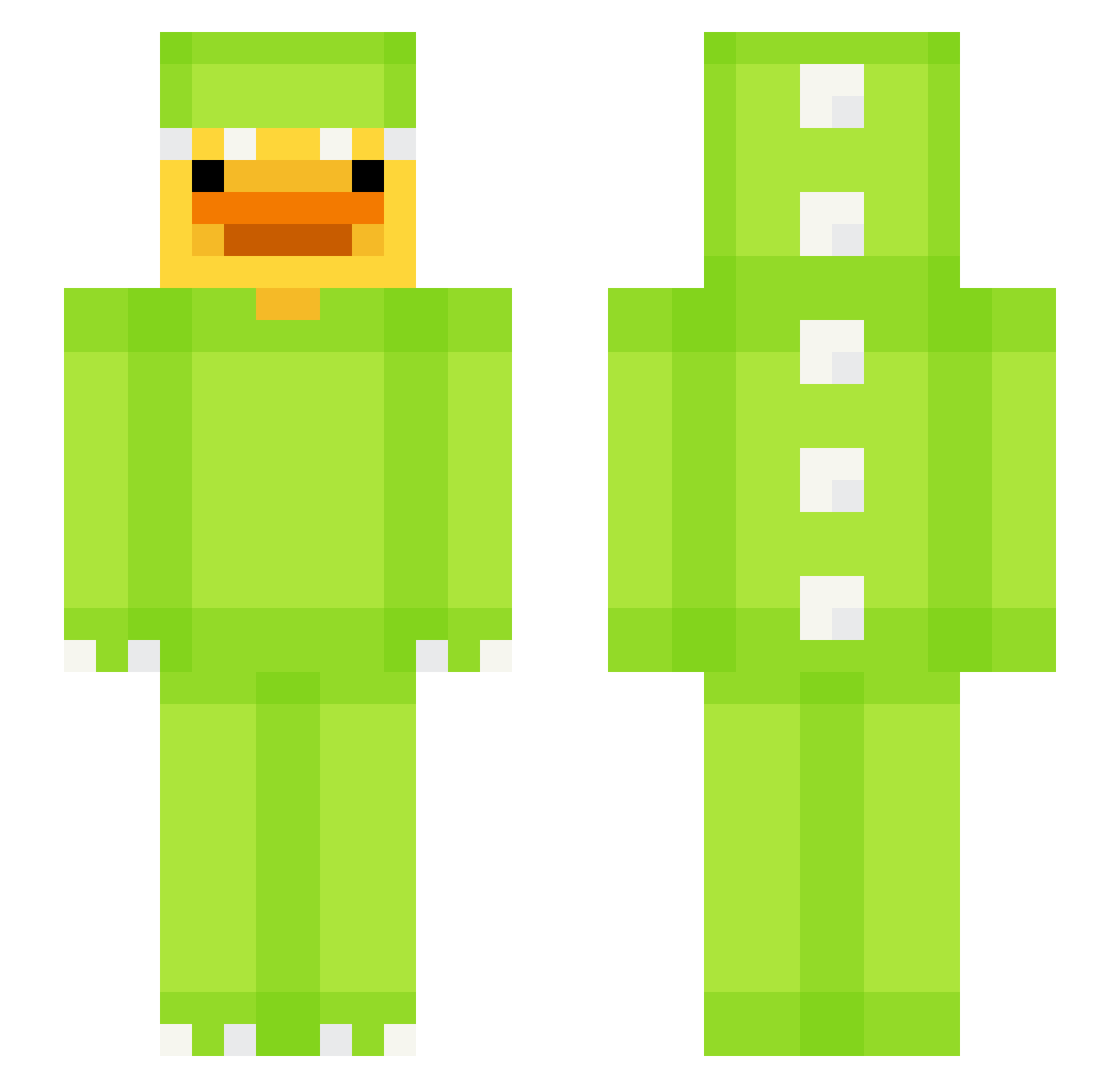
Current Minecraft skin of the player DucChinh, loaded from the official Mojang API. Rotate the 3D model with your mouse or finger, then download the skin as a PNG file and use it in Minecraft: Bedrock Edition or Java Edition for free. When DucChinh changes their skin, this page updates automatically and the old skin stays in the history below.
Other players with this skin (618)
DucChinh was the 181st player we have seen with this skin, first spotted on 23.08.2026. The same skin was seen on these players. Open a nickname to see their current skin and skin history.
 keewizzle sad_mac mrpanther4 Kawffii TheRealCole15 jckng seggea 10_Siu UmarmingDuck c0ldberg davidwars1029 Herzonic Mushydonky Waiglis Arthurboito88 EnteYoo fen1xxy Raygis_ TouchMyBQQBS SinElPaco jacesplace7622 McDinocraft smiegleman Penguinkn64 NitroPoop 0909VALENTIN ButteryBuisc KRShodow5029 mxnggo_ AlmostCloud mlekings noxx3318 Bayon_TR GoldennGamerr
 Szwarcuv Orticotucuss frgys sawawanima AquaticBunny E1don815 mystiqe87 Ringoffire5552 toastbrotkonsti Alexandrax23_
 capibara06 mitiqueue Tarit0 kisung325 JonyCash11 EliseTheB33 Westwarddeer Meepmoop100 Tom0512 OrafuS gtanzii Pudci fraank03 BobHEHE321 ool7soo B9bo
More Dinosaur Kigurumi Minecraft skins
See all 394 Dinosaur Kigurumi skins
How to install the DucChinh skin
- Press the Download button above to save the skin as a PNG file.
- Minecraft: Bedrock Edition (PE): open the Dressing Room from the main menu (or tap your character → Edit Character), go to Classic Skins → Owned, press the + (new skin) button, choose the downloaded PNG and pick the Slim (Alex) model. Works on PC and mobile; consoles cannot import custom skins.
- Minecraft: Java Edition: open the Minecraft Launcher, go to the Skins tab, click New Skin, load the PNG, pick the Slim (Alex) model and press Save & Use. You can also upload it at minecraft.net → Profile → Change Skin.
The skin does not show up after import - what should I do?
Restart Minecraft and open the Dressing Room again - imported skins sometimes appear only after a restart. Also make sure you selected the imported skin and picked the Slim (Alex) model.
Which model should I choose, Classic or Slim?
This skin is designed for the Slim (Alex) model. If you pick the wrong model, the arms of the skin will look stretched or squeezed.
Is the skin of DucChinh free to download?
Yes. Press Download, save the PNG file and use it in Minecraft: Bedrock Edition or Java Edition - no payment or registration needed. The skin also works on multiplayer servers and Realms.
More skins
Looking for more? Go back to all Minecraft skins and check the top skins of the week, month and all time, or find any player's skin by nickname.