
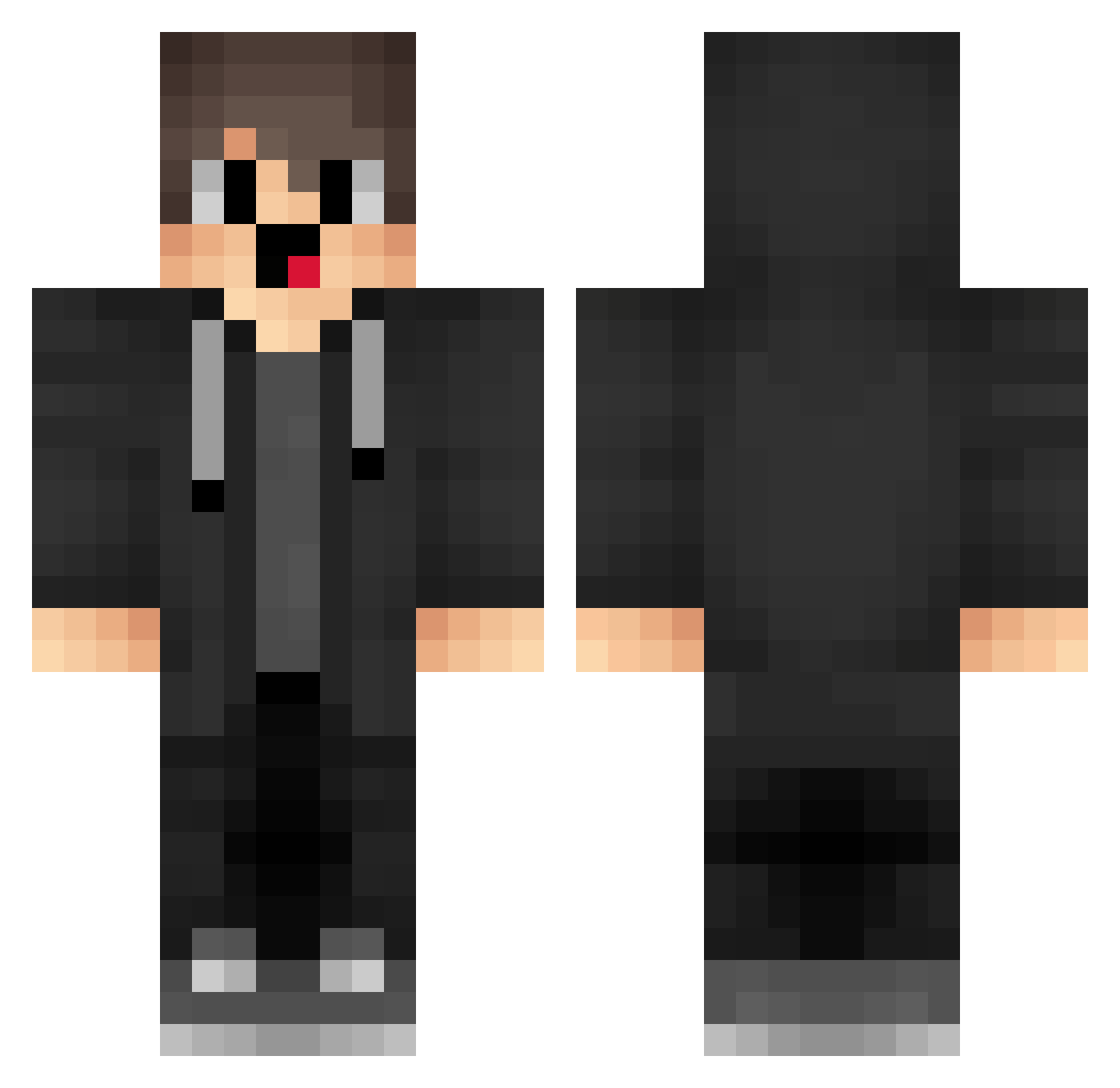
Current Minecraft skin of the player DuDuZzz666, loaded from the official Mojang API. Rotate the 3D model with your mouse or finger, then download the skin as a PNG file and use it in Minecraft: Bedrock Edition or Java Edition for free. When DuDuZzz666 changes their skin, this page updates automatically and the old skin stays in the history below.
Other players with this skin (1279)
DuDuZzz666 was the 69th player we have seen with this skin, first spotted on 28.07.2026. The same skin was seen on these players. Open a nickname to see their current skin and skin history.
 RqV384 Lyb367 sGF906 KuZ973 wIe188 aIr523 unluckyResource OCS974 QRW879 NyF28 Rtw575 rVS966 rLu959 GKI389 ePG637 FfY493 SSA530 minecraftnoob327 fCQ687 MisakaXGP_TUv304 kUi928 RzP703 bbu130 qKT235 CYsun box_xZaSDhMYH387 tHU914 bjj632 BV13z421i7fW TEp899 ega76 MGI627 wugui_hr6Kc_0207 Rto666 RYl739 mvL858 mLl839 Ama_pFSWvu_ranth nabbelkthemuslim VcC276 NMSense_oiuhwskl noHacker_1 Kqa275 Ask_SLWfA_05_03 YRK782 oEc903 wrZ259 GaoSir002 Xfl637 GlockGock qps741 flV261 WKZ278 EKd340 rkI267 pbK476 MX_Snow YVl856 box_urFzLMiLp660 jvk286
How to install the DuDuZzz666 skin
- Press the Download button above to save the skin as a PNG file.
- Minecraft: Bedrock Edition (PE): open the Dressing Room from the main menu (or tap your character → Edit Character), go to Classic Skins → Owned, press the + (new skin) button, choose the downloaded PNG and pick the Classic (Steve) model. Works on PC and mobile; consoles cannot import custom skins.
- Minecraft: Java Edition: open the Minecraft Launcher, go to the Skins tab, click New Skin, load the PNG, pick the Classic (Steve) model and press Save & Use. You can also upload it at minecraft.net → Profile → Change Skin.
The skin does not show up after import - what should I do?
Restart Minecraft and open the Dressing Room again - imported skins sometimes appear only after a restart. Also make sure you selected the imported skin and picked the Classic (Steve) model.
Which model should I choose, Classic or Slim?
This skin is designed for the Classic (Steve) model. If you pick the wrong model, the arms of the skin will look stretched or squeezed.
Is the skin of DuDuZzz666 free to download?
Yes. Press Download, save the PNG file and use it in Minecraft: Bedrock Edition or Java Edition - no payment or registration needed. The skin also works on multiplayer servers and Realms.
More skins
Looking for more? Go back to all Minecraft skins and check the top skins of the week, month and all time, or find any player's skin by nickname.