
Dstroyyyy - Minecraft Skins & Skin History
Current Minecraft skin of the player Dstroyyyy, loaded from the official Mojang API. Rotate the 3D model with your mouse or finger, then download the skin as a PNG file and use it in Minecraft: Bedrock Edition or Java Edition for free. When Dstroyyyy changes their skin, this page updates automatically and the old skin stays in the history below.
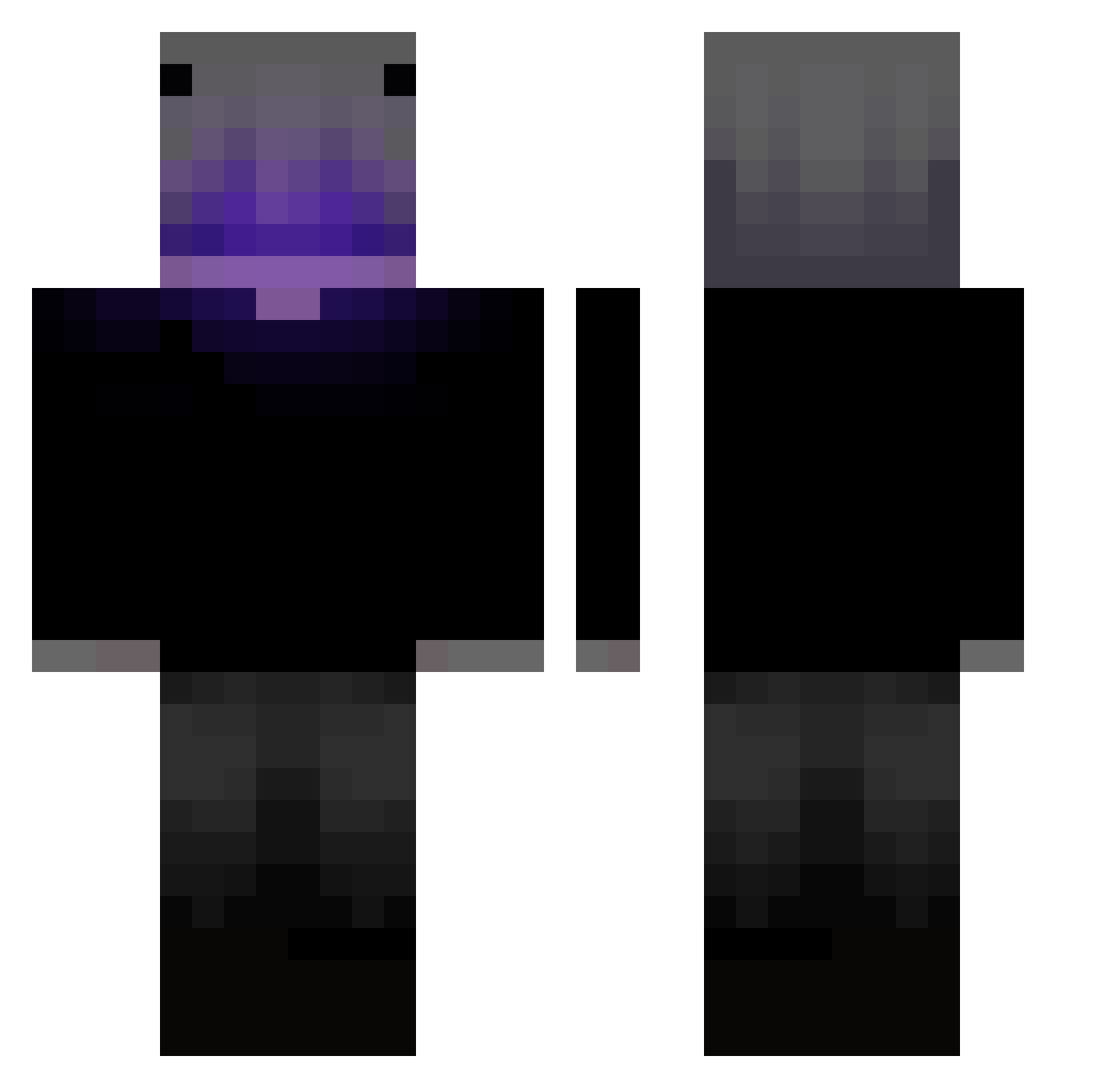
Other players with this skin (63)
Dstroyyyy was the 49th player we have seen with this skin, first spotted on 06.11.2026. The same skin was seen on these players. Open a nickname to see their current skin and skin history.
 adritorrerista yurigaminggk Kembel10x Leonap16 MrBaron_TT MucahitCakmak x_GodStars_x COLD_SHAD0W EcStar Faisalabadi GoldenRomero Wyxethh 2Swayv_ michidertaki ItzKnightFury fallen_king008 Sunex_27 ToNieZarobek RishiGaming8860 saaz_z radrdnec _HexaVoid_ TheReapex16 HLPL Victor11s skyflame52 Kle1ner_Marco Kacaba66 AgentS6 TECHR4VE NegativeSmile yuyu87 Sk_skiller Sitrii Togosolo ChaNgLe0313 BrawlyRoom Siskox Premiumnuthat94 AcelMihai Zerohunter7 Elfaria_Aruvis Ryuseii_shidou MAIKOLFABI Maxpower_13_ kr2ysiek
 IYAD88 CUAISS
 Tayson999 OnlyBBL
 SametZWR Eldorido10 Colgado Odinix
 EclipseVoid tukachete HenryDigger24 Pandy_09 __fuller____ BIN_9527
More Grian Minecraft skins
How to install the Dstroyyyy skin
- Press the Download button above to save the skin as a PNG file.
- Minecraft: Bedrock Edition (PE): open the Dressing Room from the main menu (or tap your character → Edit Character), go to Classic Skins → Owned, press the + (new skin) button, choose the downloaded PNG and pick the Classic (Steve) model. Works on PC and mobile; consoles cannot import custom skins.
- Minecraft: Java Edition: open the Minecraft Launcher, go to the Skins tab, click New Skin, load the PNG, pick the Classic (Steve) model and press Save & Use. You can also upload it at minecraft.net → Profile → Change Skin.
The skin does not show up after import - what should I do?
Restart Minecraft and open the Dressing Room again - imported skins sometimes appear only after a restart. Also make sure you selected the imported skin and picked the Classic (Steve) model.
Which model should I choose, Classic or Slim?
This skin is designed for the Classic (Steve) model. If you pick the wrong model, the arms of the skin will look stretched or squeezed.
Is the skin of Dstroyyyy free to download?
Yes. Press Download, save the PNG file and use it in Minecraft: Bedrock Edition or Java Edition - no payment or registration needed. The skin also works on multiplayer servers and Realms.
More skins
Looking for more? Go back to all Minecraft skins and check the top skins of the week, month and all time, or find any player's skin by nickname.