
DrearPark93149 - Minecraft Skins & Skin History
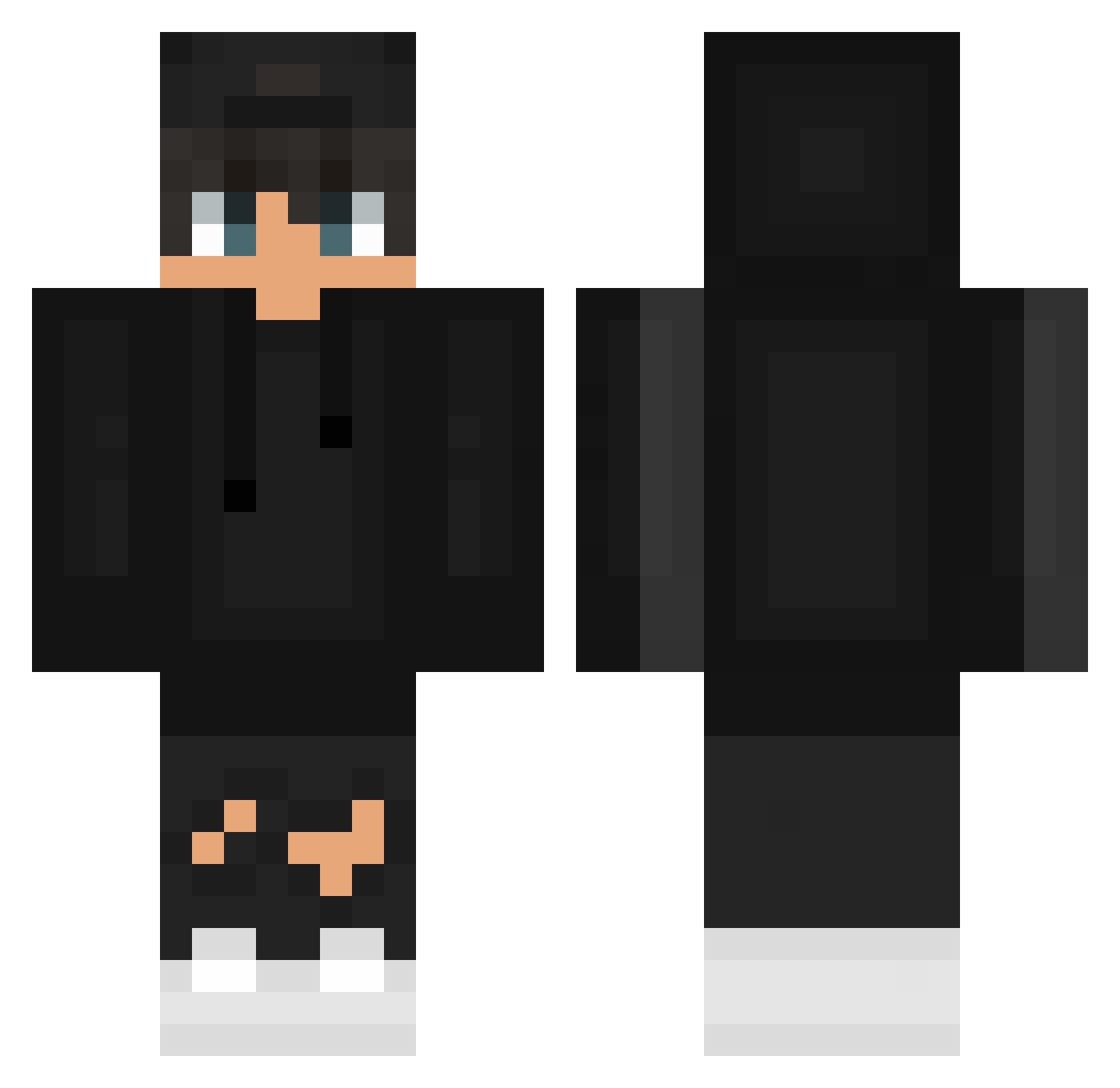
Current Minecraft skin of the player DrearPark93149, loaded from the official Mojang API. Rotate the 3D model with your mouse or finger, then download the skin as a PNG file and use it in Minecraft: Bedrock Edition or Java Edition for free. When DrearPark93149 changes their skin, this page updates automatically and the old skin stays in the history below.
Other players with this skin (627)
DrearPark93149 was the 444th player we have seen with this skin, first spotted on 08.10.2026. The same skin was seen on these players. Open a nickname to see their current skin and skin history.
 cookedcookies SATLP OMGItsAyoub X_xyilon Detsugoi StuckWithTom LeRageu3 El_Gato_UwU Duck_White S4R4_YT DaniiMFG DiogoGT09 daniel_frank17 Shellback_Tech 1623645 YxaPixa mvrcosvr lil_mexiano5 ZABA33 California_Life wehzzle SoyPably Rinniee Registus PILEAS1 NightKnight1209 Iwen_ videophantom12 OG_Gaia Mrg4brogames28 VeneloZero Sameme1341 zhanru snownix_ Chainfiree00 Tacos_cheese kacpi_910 LsxVictor Equablenote8899 Valluz xeel3x_prime23 TinoMeister Bogtemazo GhostFury141 szmarceloo KeymronN IronX____ Wulgarnyyy SrTheEagle61 Nitr0gens ImJustFabian Mr_Zleb KnysI popcornnMC Artic_Blazer xNovio Myst6798 ZinoJ UncArian Punixxx
How to install the DrearPark93149 skin
- Press the Download button above to save the skin as a PNG file.
- Minecraft: Bedrock Edition (PE): open the Dressing Room from the main menu (or tap your character → Edit Character), go to Classic Skins → Owned, press the + (new skin) button, choose the downloaded PNG and pick the Classic (Steve) model. Works on PC and mobile; consoles cannot import custom skins.
- Minecraft: Java Edition: open the Minecraft Launcher, go to the Skins tab, click New Skin, load the PNG, pick the Classic (Steve) model and press Save & Use. You can also upload it at minecraft.net → Profile → Change Skin.
The skin does not show up after import - what should I do?
Restart Minecraft and open the Dressing Room again - imported skins sometimes appear only after a restart. Also make sure you selected the imported skin and picked the Classic (Steve) model.
Which model should I choose, Classic or Slim?
This skin is designed for the Classic (Steve) model. If you pick the wrong model, the arms of the skin will look stretched or squeezed.
Is the skin of DrearPark93149 free to download?
Yes. Press Download, save the PNG file and use it in Minecraft: Bedrock Edition or Java Edition - no payment or registration needed. The skin also works on multiplayer servers and Realms.
More skins
Looking for more? Go back to all Minecraft skins and check the top skins of the week, month and all time, or find any player's skin by nickname.