
DreadScout - Minecraft Skins & Skin History
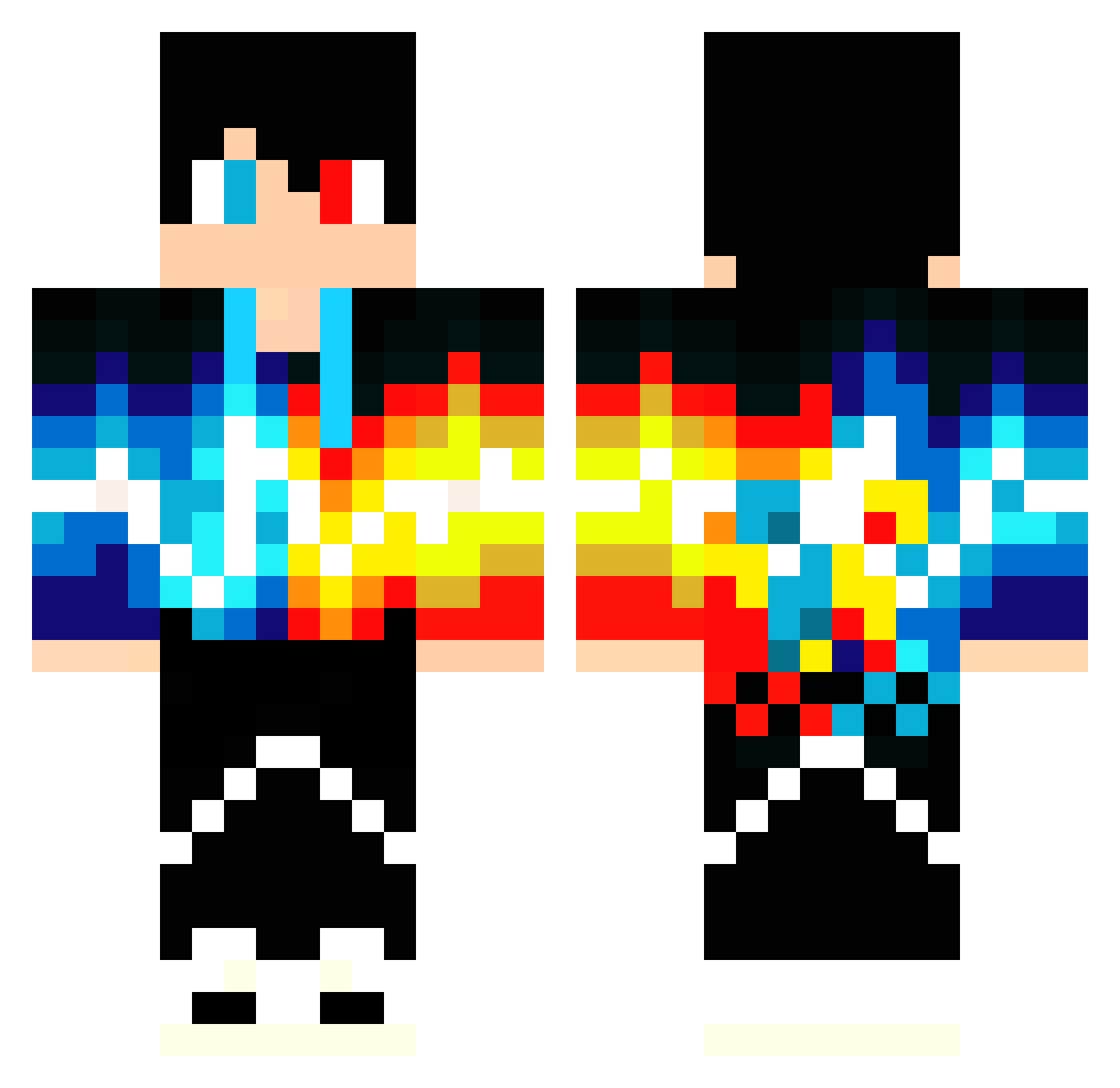
Current Minecraft skin of the player DreadScout, loaded from the official Mojang API. Rotate the 3D model with your mouse or finger, then download the skin as a PNG file and use it in Minecraft: Bedrock Edition or Java Edition for free. When DreadScout changes their skin, this page updates automatically and the old skin stays in the history below.
Other players with this skin (56)
DreadScout was the 17th player we have seen with this skin, first spotted on 20.08.2026. The same skin was seen on these players. Open a nickname to see their current skin and skin history.
 IdkMufasa Jgninja RealMlk Ic3crown Jocker2703 JopeKxD Brendonwx Mtrong Rayne_91 BattlegearHD Puceku Stormysword3245 CristiP16 BSCseit1892 CaptainKeremela Bakaito_ Speedster_him ASM_gamer R0QiEn DanoP95 VlazelyCobble Khaosmalk Mesharys24
 Alrozi FireRed25 jffryshaw714 XZBRM soapygoat123 vtucko AnTwo_PS _Dark_Kot_ Crazyeight0 kekcik223 _R_O_ tobiasdenc BazRa ancient_pick1e RizzDizz kronokeeper lisa_tfE8U_08_08 _w1ll14m_ The_Vape AbdiMobil chemicallace0 TodoMaluco Teodor_45 FReszuGame danmurph4 MsWheelz iiamdigital iamyours_9 Kabbage21 Adnexitis Asasin_BOYK Dariuspuff CertainVICTORy
More Fire And Ice Minecraft skins
See all 695 Fire And Ice skins
How to install the DreadScout skin
- Press the Download button above to save the skin as a PNG file.
- Minecraft: Bedrock Edition (PE): open the Dressing Room from the main menu (or tap your character → Edit Character), go to Classic Skins → Owned, press the + (new skin) button, choose the downloaded PNG and pick the Classic (Steve) model. Works on PC and mobile; consoles cannot import custom skins.
- Minecraft: Java Edition: open the Minecraft Launcher, go to the Skins tab, click New Skin, load the PNG, pick the Classic (Steve) model and press Save & Use. You can also upload it at minecraft.net → Profile → Change Skin.
The skin does not show up after import - what should I do?
Restart Minecraft and open the Dressing Room again - imported skins sometimes appear only after a restart. Also make sure you selected the imported skin and picked the Classic (Steve) model.
Which model should I choose, Classic or Slim?
This skin is designed for the Classic (Steve) model. If you pick the wrong model, the arms of the skin will look stretched or squeezed.
Is the skin of DreadScout free to download?
Yes. Press Download, save the PNG file and use it in Minecraft: Bedrock Edition or Java Edition - no payment or registration needed. The skin also works on multiplayer servers and Realms.
More skins
Looking for more? Go back to all Minecraft skins and check the top skins of the week, month and all time, or find any player's skin by nickname.