
DragonCat0520 - Minecraft Skins & Skin History
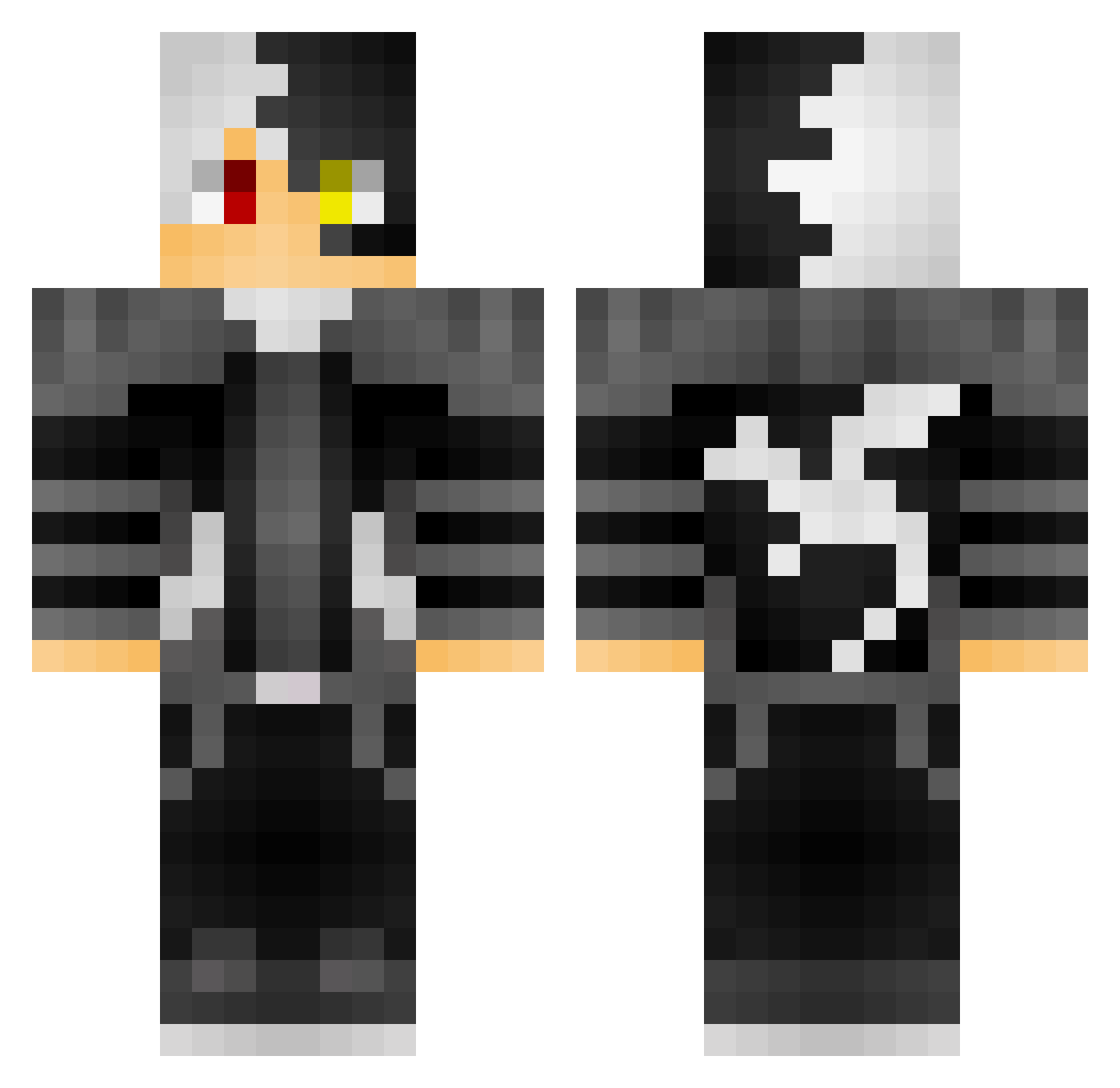
Current Minecraft skin of the player DragonCat0520, loaded from the official Mojang API. Rotate the 3D model with your mouse or finger, then download the skin as a PNG file and use it in Minecraft: Bedrock Edition or Java Edition for free. When DragonCat0520 changes their skin, this page updates automatically and the old skin stays in the history below.
Other players with this skin (58)
DragonCat0520 was the 3rd player we have seen with this skin, first spotted on 29.07.2026. The same skin was seen on these players. Open a nickname to see their current skin and skin history.
 ColuicheInfuoca ZwodahS_ mad1son_ martinmjensen QuickMik gb80 Fire_wolf16 Yangless anoniemegamer
 Fl1d3 SGaP6 DevidGuzz osiritantei_ MASTERMYW11 gamingboy80 Twesmo AAAX_Yi sky_satoru Undead_Gabe SophiaLover193 JinKZin MSLLY DesertCat91 samegren Sweaty50FKDR MeaghannKitty6 zhengkevin220 MoonShadow7797 yZhiii Henry_Crafter123 gamergamer80 gamerboy10244 starking_brian Djangel0119 stupidahhboy 23108 gamerbuoy80 HT_Peach NatNat190 Sxqm Klein236 xujinhuan6340 Helicozgueg Brickanator09 9lah5eerMnAnwm JusticeBeaver7 V3lm0 asiakam Shiki_987 beehahem sophialoverc4Zk3 Davney FrenzyTerror Furkansadaf aIanW00d11gLoing D4rkside_Gam3r _DuHa_ SukiYuki
More Shoto Todoroki Minecraft skins
See all 259 Shoto Todoroki skins
How to install the DragonCat0520 skin
- Press the Download button above to save the skin as a PNG file.
- Minecraft: Bedrock Edition (PE): open the Dressing Room from the main menu (or tap your character → Edit Character), go to Classic Skins → Owned, press the + (new skin) button, choose the downloaded PNG and pick the Classic (Steve) model. Works on PC and mobile; consoles cannot import custom skins.
- Minecraft: Java Edition: open the Minecraft Launcher, go to the Skins tab, click New Skin, load the PNG, pick the Classic (Steve) model and press Save & Use. You can also upload it at minecraft.net → Profile → Change Skin.
The skin does not show up after import - what should I do?
Restart Minecraft and open the Dressing Room again - imported skins sometimes appear only after a restart. Also make sure you selected the imported skin and picked the Classic (Steve) model.
Which model should I choose, Classic or Slim?
This skin is designed for the Classic (Steve) model. If you pick the wrong model, the arms of the skin will look stretched or squeezed.
Is the skin of DragonCat0520 free to download?
Yes. Press Download, save the PNG file and use it in Minecraft: Bedrock Edition or Java Edition - no payment or registration needed. The skin also works on multiplayer servers and Realms.
More skins
Looking for more? Go back to all Minecraft skins and check the top skins of the week, month and all time, or find any player's skin by nickname.