
DonpeLe10E - Minecraft Skins & Skin History
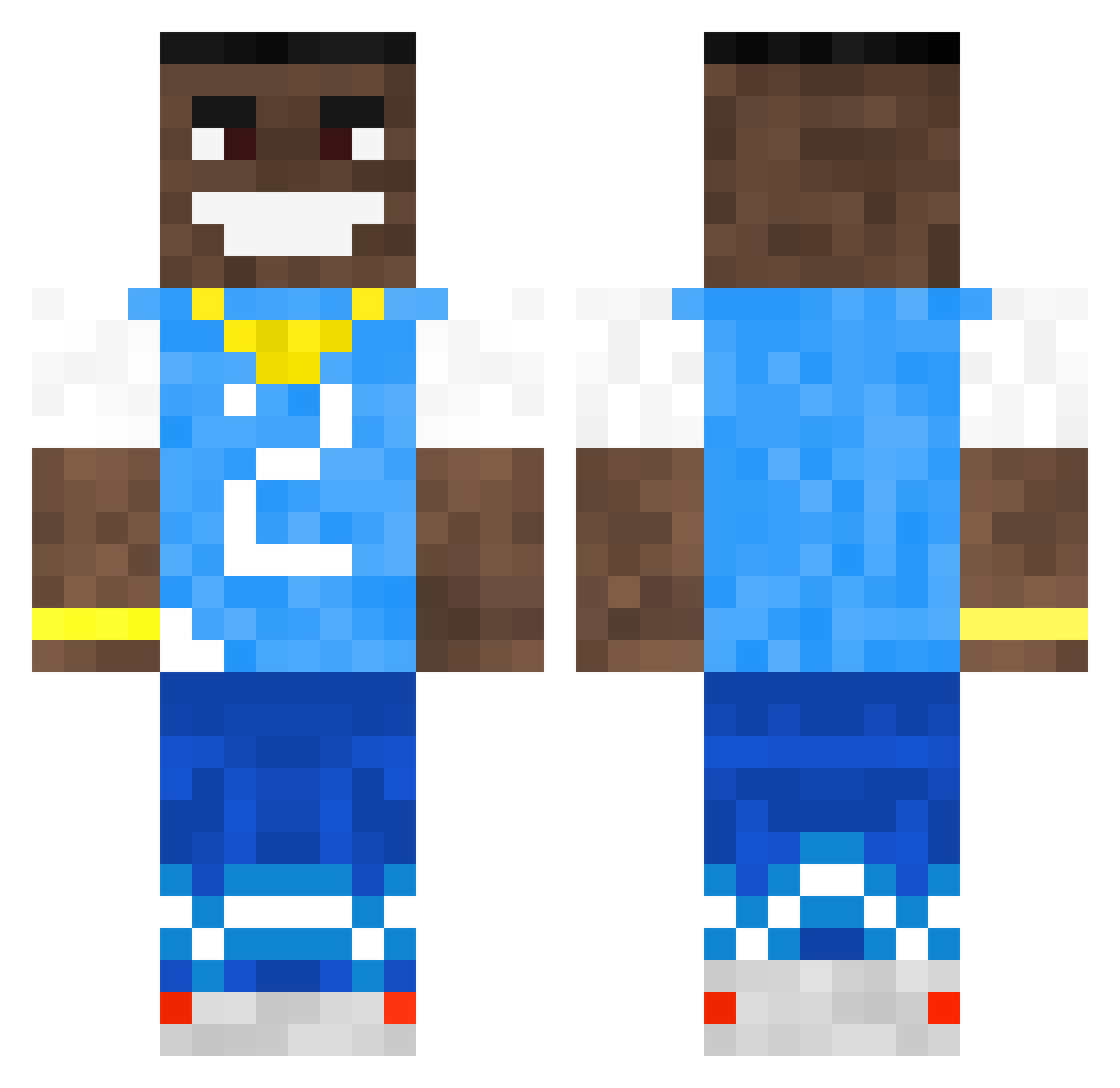
Current Minecraft skin of the player DonpeLe10E, loaded from the official Mojang API. Rotate the 3D model with your mouse or finger, then download the skin as a PNG file and use it in Minecraft: Bedrock Edition or Java Edition for free. When DonpeLe10E changes their skin, this page updates automatically and the old skin stays in the history below.
Other players with this skin (502)
DonpeLe10E was the 153rd player we have seen with this skin, first spotted on 24.08.2026. The same skin was seen on these players. Open a nickname to see their current skin and skin history.
 sheluvsgonde Jordan_Vaughn_91 Viemarisukka R0bb3r CHOTDIWA SyRoxxV2 Nickert14 percypig12 pojaki chemsbooger MadsHolm73 trup7 paiderasths sweef_w_ twitchtvadmirooo Loogas DaBabySuperCar Papi_Velez Fillekung2008 Jarsoon nino_ebks 1josh SimpleJohn2137 thule45 Filippo01020304 wuiluhvbot La_Grimoire Jonathanhj DonWeasley papirico3000 Jjav02 RedBullSuper jacksonquackson RevampMC_ Cdoydoy DaSwagBaby Andrewisnotgay Wjewd Lil_Fetus_ hopqp Sterloo NoahSuper Garlinzar BaconGamer29 emporioeliastico TheUnspeakable goatlegs3x dws_ camthecuh NotSh0Qx woodenkoala Bronze032 TurbusJunior 6umi MarkusJ0106 Dababy58 StayzZ101 shinocusari HillBillyMays duewy
More Dababy Minecraft skins
How to install the DonpeLe10E skin
- Press the Download button above to save the skin as a PNG file.
- Minecraft: Bedrock Edition (PE): open the Dressing Room from the main menu (or tap your character → Edit Character), go to Classic Skins → Owned, press the + (new skin) button, choose the downloaded PNG and pick the Classic (Steve) model. Works on PC and mobile; consoles cannot import custom skins.
- Minecraft: Java Edition: open the Minecraft Launcher, go to the Skins tab, click New Skin, load the PNG, pick the Classic (Steve) model and press Save & Use. You can also upload it at minecraft.net → Profile → Change Skin.
The skin does not show up after import - what should I do?
Restart Minecraft and open the Dressing Room again - imported skins sometimes appear only after a restart. Also make sure you selected the imported skin and picked the Classic (Steve) model.
Which model should I choose, Classic or Slim?
This skin is designed for the Classic (Steve) model. If you pick the wrong model, the arms of the skin will look stretched or squeezed.
Is the skin of DonpeLe10E free to download?
Yes. Press Download, save the PNG file and use it in Minecraft: Bedrock Edition or Java Edition - no payment or registration needed. The skin also works on multiplayer servers and Realms.
More skins
Looking for more? Go back to all Minecraft skins and check the top skins of the week, month and all time, or find any player's skin by nickname.