
DonLampe - Minecraft Skins & Skin History
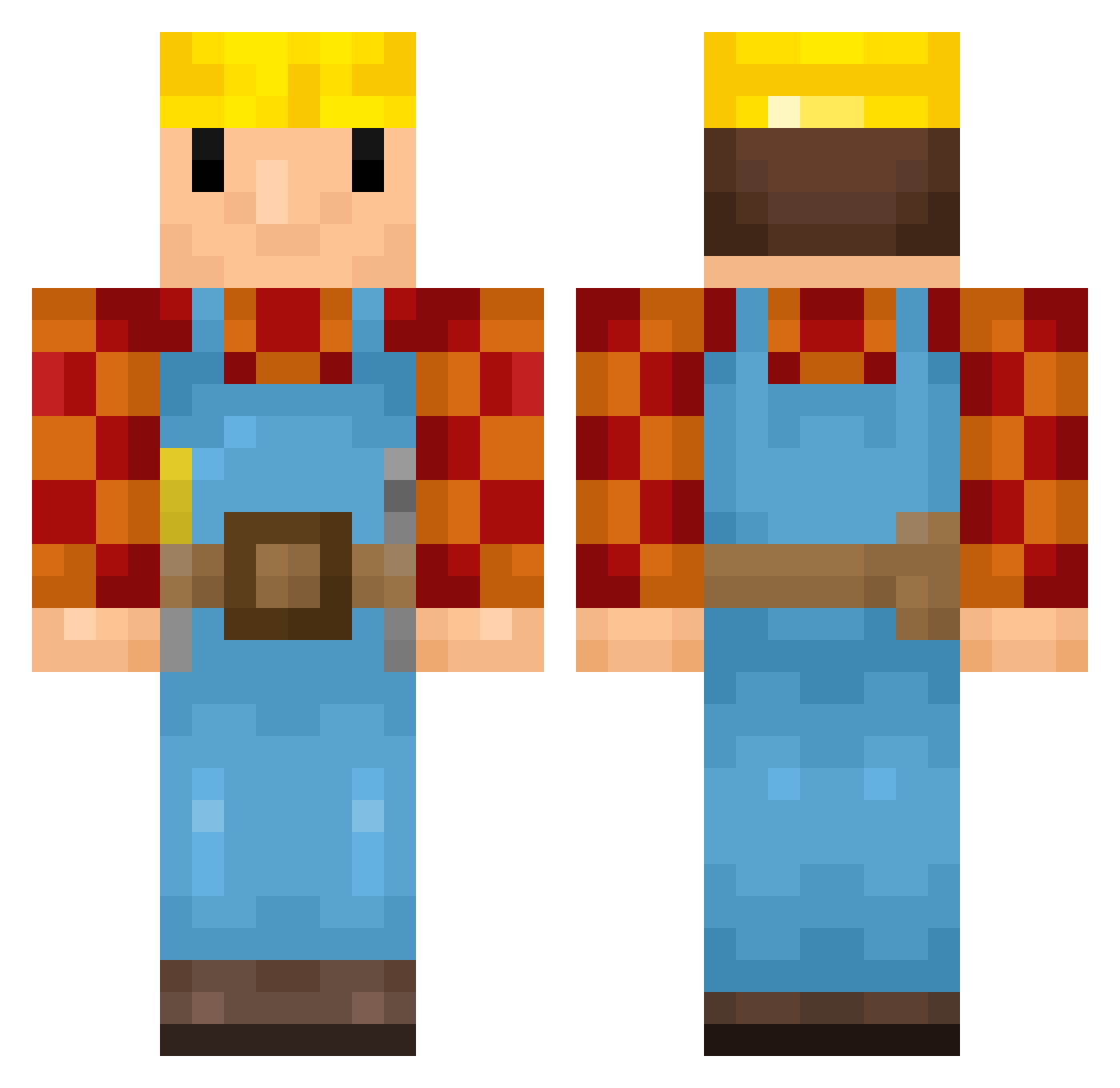
Current Minecraft skin of the player DonLampe, loaded from the official Mojang API. Rotate the 3D model with your mouse or finger, then download the skin as a PNG file and use it in Minecraft: Bedrock Edition or Java Edition for free. When DonLampe changes their skin, this page updates automatically and the old skin stays in the history below.
Other players with this skin (345)
DonLampe was the 194th player we have seen with this skin, first spotted on 16.09.2026. The same skin was seen on these players. Open a nickname to see their current skin and skin history.
 seogi5327 xValz T2BCool Glasurpinsel suchawinner Rocher2002 KevintHave04 Zeno69 BigRobert konewka_890 Whudah gebakken_brood jeromegymnastics Randomsitos esw1esw mellle040 vvsynesta RogerBrico Im_UniiQuee Semtex1949 Asnee_XDliling _Stijntju_ And00x XTCMiner BT77349 Coam_22 Musicmatt4 Goojen Louais06 wshupee Iwenthebuilder TuSeiBob joris2004 Gingerniekerel BobTheBuilder201 TonyMaceroni Sugus181 s_salib EgetIngeniarius Fazhi Mkizzle24 AdqPz Lucathu908 Pumkineater_69 ReachCave vasic_je_braon Bantabus02 providon Electronized Blahbarian Ludvard tyingcell737661 Bender572 angust40 TadeasCZX MCGratify Bensor6 2002michiel Boltheren Cyborgcus
Previous skins of DonLampe
Skins that DonLampe wore before, newest first. Click a skin to open its page and download it.
More Bob The Builder Minecraft skins
See all 65 Bob The Builder skins
How to install the DonLampe skin
- Press the Download button above to save the skin as a PNG file.
- Minecraft: Bedrock Edition (PE): open the Dressing Room from the main menu (or tap your character → Edit Character), go to Classic Skins → Owned, press the + (new skin) button, choose the downloaded PNG and pick the Classic (Steve) model. Works on PC and mobile; consoles cannot import custom skins.
- Minecraft: Java Edition: open the Minecraft Launcher, go to the Skins tab, click New Skin, load the PNG, pick the Classic (Steve) model and press Save & Use. You can also upload it at minecraft.net → Profile → Change Skin.
The skin does not show up after import - what should I do?
Restart Minecraft and open the Dressing Room again - imported skins sometimes appear only after a restart. Also make sure you selected the imported skin and picked the Classic (Steve) model.
Which model should I choose, Classic or Slim?
This skin is designed for the Classic (Steve) model. If you pick the wrong model, the arms of the skin will look stretched or squeezed.
Is the skin of DonLampe free to download?
Yes. Press Download, save the PNG file and use it in Minecraft: Bedrock Edition or Java Edition - no payment or registration needed. The skin also works on multiplayer servers and Realms.
More skins
Looking for more? Go back to all Minecraft skins and check the top skins of the week, month and all time, or find any player's skin by nickname.