
Dixes92 - Minecraft Skins & Skin History
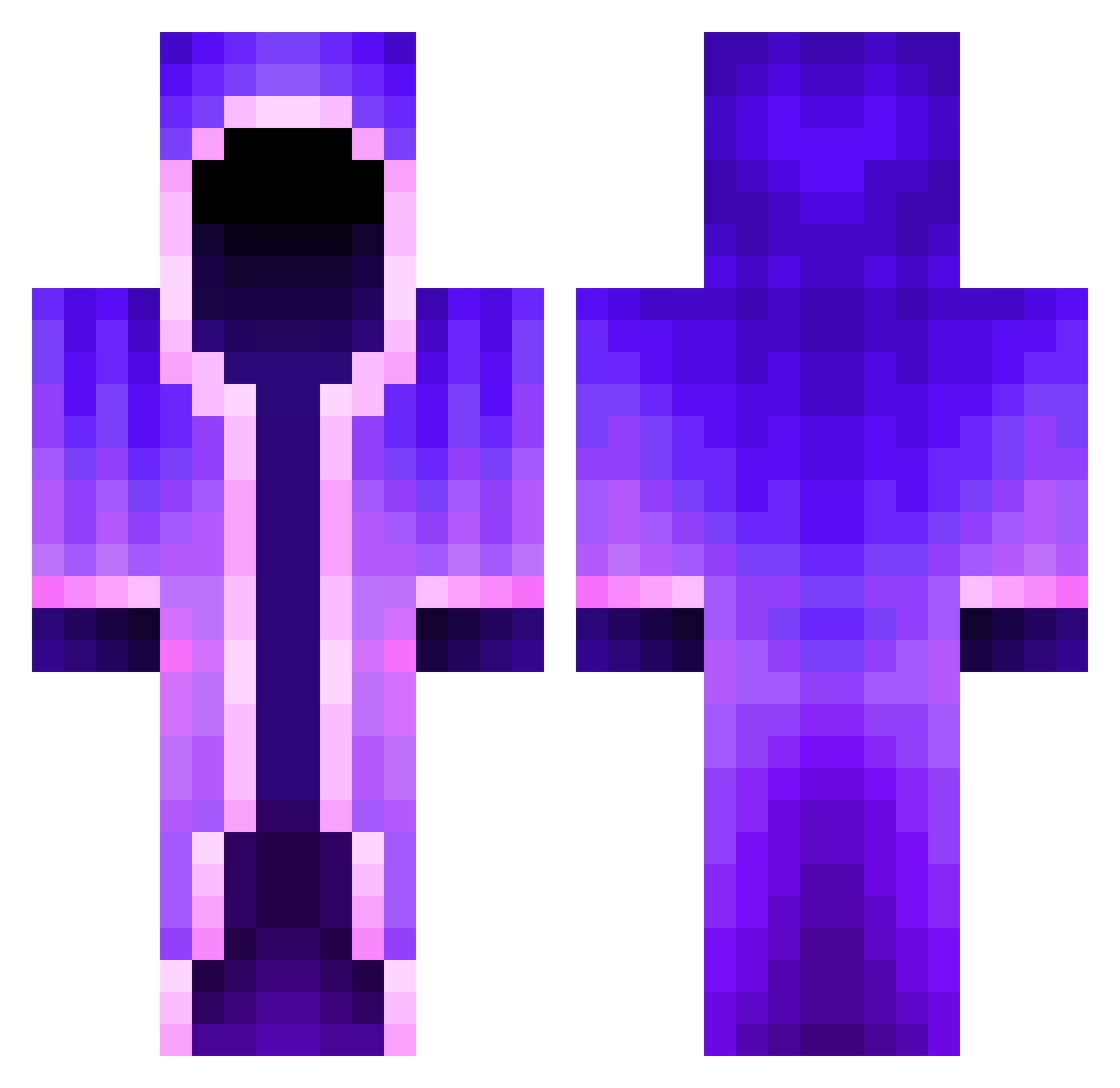
Current Minecraft skin of the player Dixes92, loaded from the official Mojang API. Rotate the 3D model with your mouse or finger, then download the skin as a PNG file and use it in Minecraft: Bedrock Edition or Java Edition for free. When Dixes92 changes their skin, this page updates automatically and the old skin stays in the history below.
Other players with this skin (462)
Dixes92 was the 183rd player we have seen with this skin, first spotted on 09.09.2026. The same skin was seen on these players. Open a nickname to see their current skin and skin history.
 Lilaner universe_Y azurebuffalo337 LeviPZ Ninjawerewolf64 Merkzxz Chopinsa theresa13 ST6Hades ec1918 FoxyIsBadAtMC DrewzleX
 mLx_Trip Terrorwisp N7Nobby LELLOSAMA smomno drowdro MKkilla69 iiDaddy uheara _NebuchadnezzeR_ diinosoup matteo_chln Deckolin goLanu ErMonthu HurkyPanda95623 ZabijakTV HappyYEEEEE _BETAversioN_ volvlad _Bywater_ hugosa xcik0s Ghostly_X_ ZaydTheFish Tropixify sussy_boi109 game_Chiller Nanji69 ShadowMage2202 Areshir MF44 Kijo820 Kingkroko1 Forever_Dead DukeFrischron Stole407 Murgron L30n2011 Lollepop1260 hyeon__10 Florian_Hery SkeppyBBH Placekkk___ FluffyWater Flasche_Cola intheshadows07 MiniJekow
More Mage Minecraft skins
How to install the Dixes92 skin
- Press the Download button above to save the skin as a PNG file.
- Minecraft: Bedrock Edition (PE): open the Dressing Room from the main menu (or tap your character → Edit Character), go to Classic Skins → Owned, press the + (new skin) button, choose the downloaded PNG and pick the Classic (Steve) model. Works on PC and mobile; consoles cannot import custom skins.
- Minecraft: Java Edition: open the Minecraft Launcher, go to the Skins tab, click New Skin, load the PNG, pick the Classic (Steve) model and press Save & Use. You can also upload it at minecraft.net → Profile → Change Skin.
The skin does not show up after import - what should I do?
Restart Minecraft and open the Dressing Room again - imported skins sometimes appear only after a restart. Also make sure you selected the imported skin and picked the Classic (Steve) model.
Which model should I choose, Classic or Slim?
This skin is designed for the Classic (Steve) model. If you pick the wrong model, the arms of the skin will look stretched or squeezed.
Is the skin of Dixes92 free to download?
Yes. Press Download, save the PNG file and use it in Minecraft: Bedrock Edition or Java Edition - no payment or registration needed. The skin also works on multiplayer servers and Realms.
More skins
Looking for more? Go back to all Minecraft skins and check the top skins of the week, month and all time, or find any player's skin by nickname.