
Distorction - Minecraft Skins & Skin History
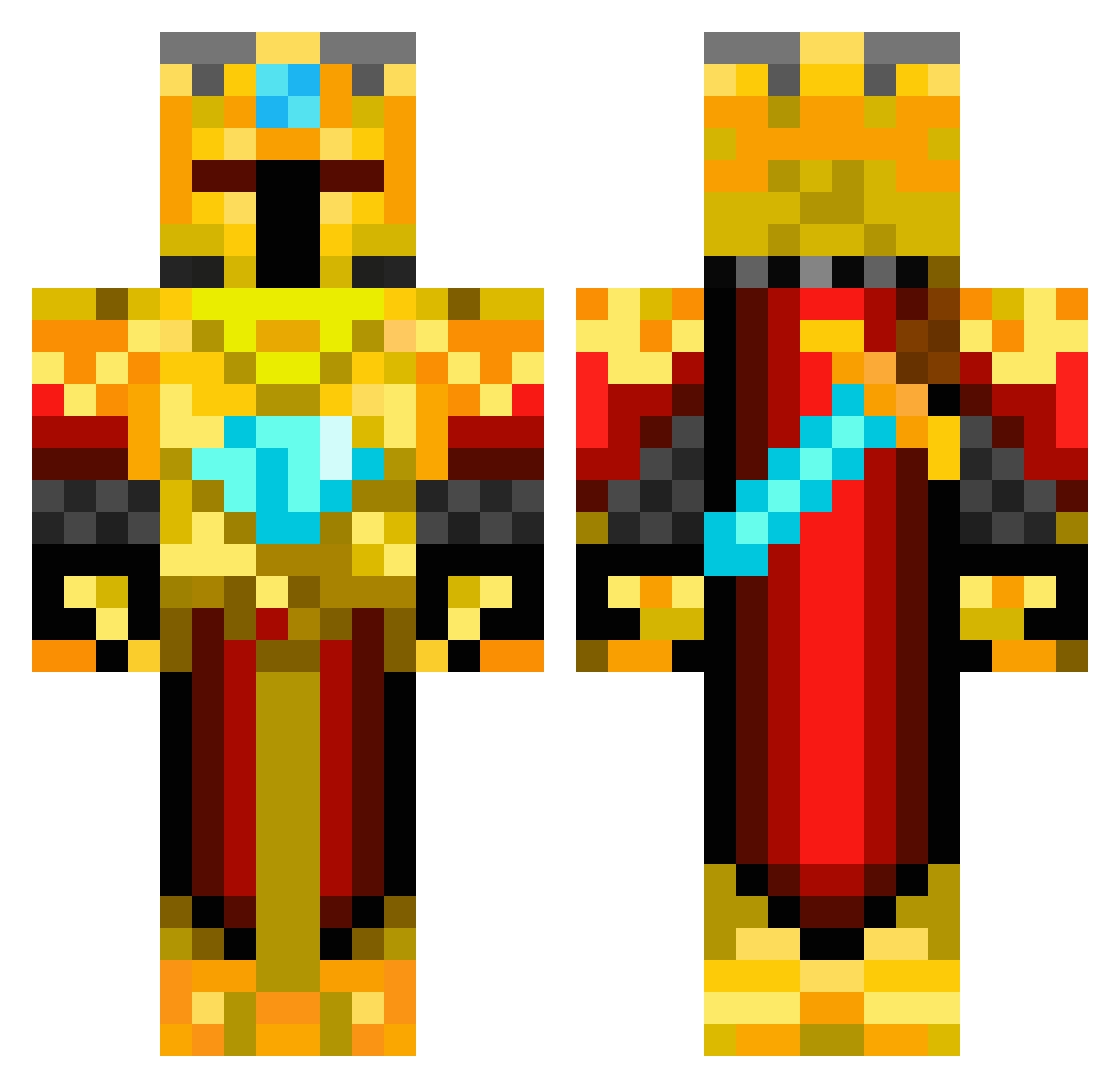
Current Minecraft skin of the player Distorction, loaded from the official Mojang API. Rotate the 3D model with your mouse or finger, then download the skin as a PNG file and use it in Minecraft: Bedrock Edition or Java Edition for free. When Distorction changes their skin, this page updates automatically and the old skin stays in the history below.
Other players with this skin (419)
Distorction was the 331st player we have seen with this skin, first spotted on 07.10.2026. The same skin was seen on these players. Open a nickname to see their current skin and skin history.
 Holter30 whyms2290 Lord_Southy Zadornof Kick_Shot Ikagdan OrionAegis VerboseCorn OvistBoys56 wolfpower09 Gamewalker_1 ArneDragon TheDarkPrinceXD Wholteza steelswordonfire Malleii Myst80 wildercreeper Dark_Ninja_999 florikel kingPBJ AlxTheGreat1 Sp33dKill bungyjumper358 Gverne9 Millenium_Falke DarthMooshroom1 bwah_guy WillyWonka225 adam_boss Esf7007 Magic_Knight_YT Diophant_ denn05 M4GikZ linus_pinus InFynityX stilltheman1 jts579 nolaniscool1 HunterReth18 revilo1411 BajanGerman1 Kekoa_US Quinn55 Rimathian Moltenguard The_Golden_King1 Nerissa_Twamley s9s9s9 44michael Bearwig Ely_VGV The_EVIL_Caster xfire750 Suplind raulalejandro1 tredd1114 Hampus_Rosen Olezhka03
More Golden Armor Minecraft skins
See all 170 Golden Armor skins
How to install the Distorction skin
- Press the Download button above to save the skin as a PNG file.
- Minecraft: Bedrock Edition (PE): open the Dressing Room from the main menu (or tap your character → Edit Character), go to Classic Skins → Owned, press the + (new skin) button, choose the downloaded PNG and pick the Classic (Steve) model. Works on PC and mobile; consoles cannot import custom skins.
- Minecraft: Java Edition: open the Minecraft Launcher, go to the Skins tab, click New Skin, load the PNG, pick the Classic (Steve) model and press Save & Use. You can also upload it at minecraft.net → Profile → Change Skin.
The skin does not show up after import - what should I do?
Restart Minecraft and open the Dressing Room again - imported skins sometimes appear only after a restart. Also make sure you selected the imported skin and picked the Classic (Steve) model.
Which model should I choose, Classic or Slim?
This skin is designed for the Classic (Steve) model. If you pick the wrong model, the arms of the skin will look stretched or squeezed.
Is the skin of Distorction free to download?
Yes. Press Download, save the PNG file and use it in Minecraft: Bedrock Edition or Java Edition - no payment or registration needed. The skin also works on multiplayer servers and Realms.
More skins
Looking for more? Go back to all Minecraft skins and check the top skins of the week, month and all time, or find any player's skin by nickname.