
DissPacK - Minecraft Skins & Skin History
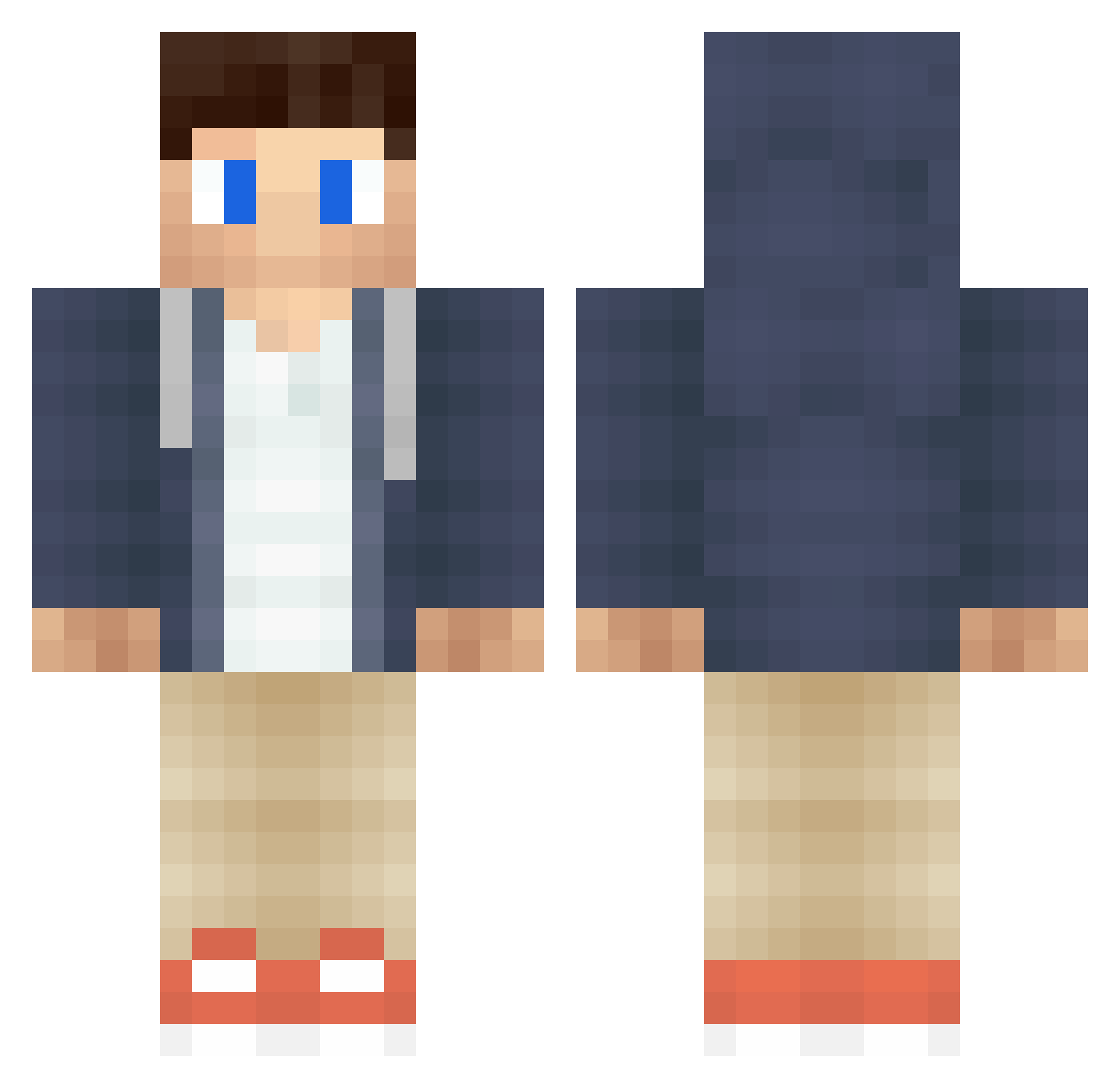
Current Minecraft skin of the player DissPacK, loaded from the official Mojang API. Rotate the 3D model with your mouse or finger, then download the skin as a PNG file and use it in Minecraft: Bedrock Edition or Java Edition for free. When DissPacK changes their skin, this page updates automatically and the old skin stays in the history below.
Other players with this skin (364)
DissPacK was the 97th player we have seen with this skin, first spotted on 18.08.2026. The same skin was seen on these players. Open a nickname to see their current skin and skin history.
 Gibbb CraftBlock2016 KVKboy19 einJannis C0d3in3 Kurdinho1 OppingDamiendg Spiritrealm10 Yangjae ac19881992 LoEu dEEPZoNE remenice MI5T Soormpi Talbxt BLUEBIRD777 Klappdadda Hfosnflanf marnix_11 Conradu ScyPhy Okcnation035 BoustIver TheNGamerDK MasterKIllerIl Dat405 AbsoDave kini244 Xdodo700X Halunk TheMysticMelon Anyx28 Trayalp Edvin34 Topsu02 RyuHou dvsty xXrainbowfakerXx SomekindOfGames bromance10 FunkyLiam Nick10203 Basse1811 whatamidoing808 StinkingTurd cool_man2989 emilyebri opticFear_sem Jonny7070 Meeposhka Darkys Bestefar005 BroodjemetKaas magnusdopus spark_cat LukeJanes1 Yedde enzogoesHD IAmSjuul
More Casual Minecraft skins
How to install the DissPacK skin
- Press the Download button above to save the skin as a PNG file.
- Minecraft: Bedrock Edition (PE): open the Dressing Room from the main menu (or tap your character → Edit Character), go to Classic Skins → Owned, press the + (new skin) button, choose the downloaded PNG and pick the Classic (Steve) model. Works on PC and mobile; consoles cannot import custom skins.
- Minecraft: Java Edition: open the Minecraft Launcher, go to the Skins tab, click New Skin, load the PNG, pick the Classic (Steve) model and press Save & Use. You can also upload it at minecraft.net → Profile → Change Skin.
The skin does not show up after import - what should I do?
Restart Minecraft and open the Dressing Room again - imported skins sometimes appear only after a restart. Also make sure you selected the imported skin and picked the Classic (Steve) model.
Which model should I choose, Classic or Slim?
This skin is designed for the Classic (Steve) model. If you pick the wrong model, the arms of the skin will look stretched or squeezed.
Is the skin of DissPacK free to download?
Yes. Press Download, save the PNG file and use it in Minecraft: Bedrock Edition or Java Edition - no payment or registration needed. The skin also works on multiplayer servers and Realms.
More skins
Looking for more? Go back to all Minecraft skins and check the top skins of the week, month and all time, or find any player's skin by nickname.