
Diocan - Minecraft Skins & Skin History
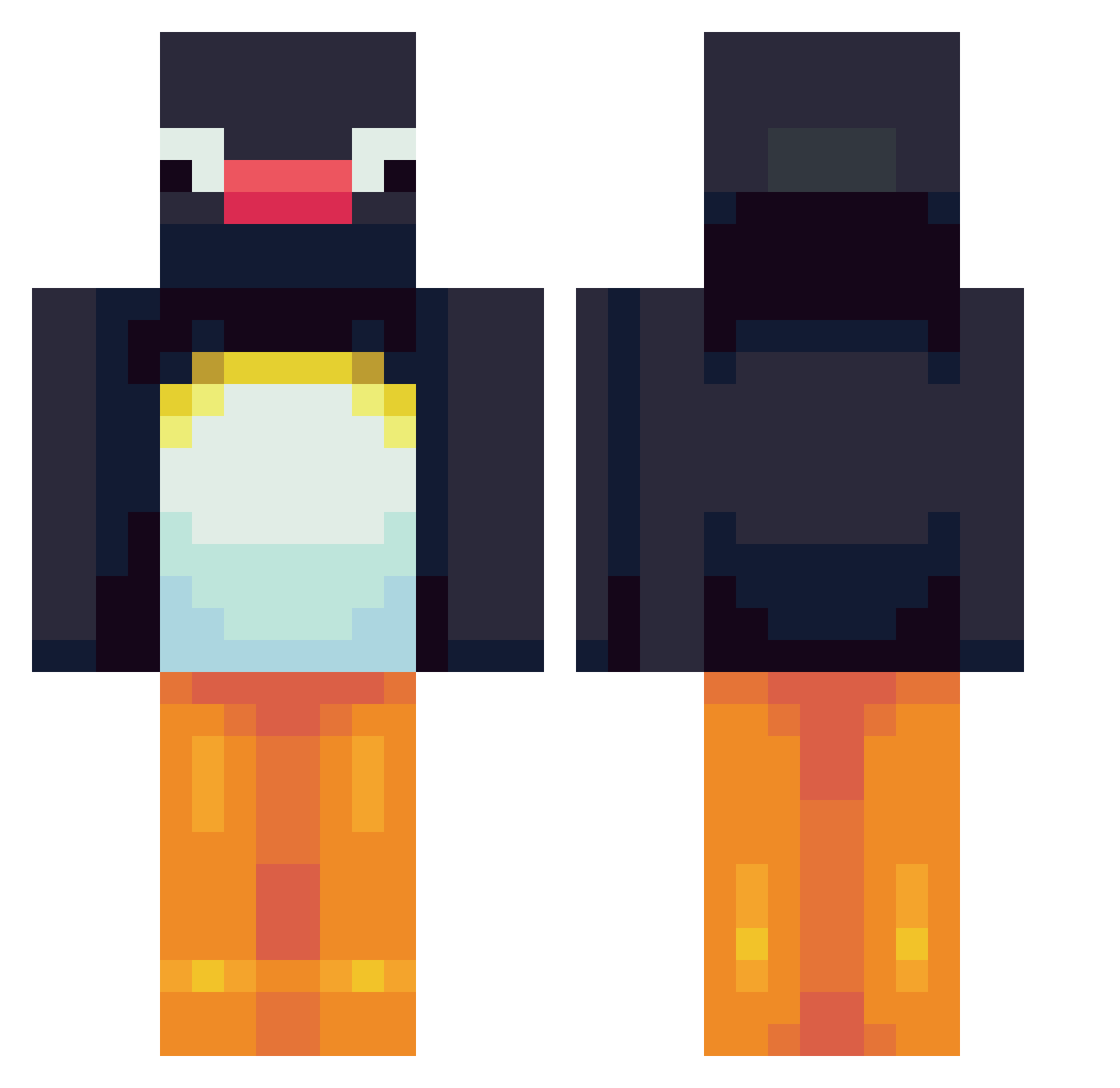
Current Minecraft skin of the player Diocan, loaded from the official Mojang API. Rotate the 3D model with your mouse or finger, then download the skin as a PNG file and use it in Minecraft: Bedrock Edition or Java Edition for free. When Diocan changes their skin, this page updates automatically and the old skin stays in the history below.
Other players with this skin (564)
Diocan was the 404th player we have seen with this skin, first spotted on 30.09.2026. The same skin was seen on these players. Open a nickname to see their current skin and skin history.
 sukma6 carcamaca Cabaa96 jamesc_ jbomb430 XuperX PcPenguin DesertRoyal KoleFreddy jadoink RonanKeating LeoOrru Gognek Binky_Stum Cantimplora1 amazingyushin Hyxn rangel09 meenahg thissperson mike0_ Ricachon836 ItsVipert FG1250 spacetimeout pequenes shigitaro AnnaGank IPlayBaseball7 BlueWidge gyorslloyd jojoshadowhunter CheeseCloth louisebringehed finnhann christianlynge Catheranne115 d_aik0n Woz1990 LiaKarlsen givensno MeIceBird GoodGuyGoerkem I_like_Potatoes1 arsxnn rbarbosa5 Pasghetti_01 Youx1734 zNochan kggg _MoJaNg_SuPpOrT_ SleepyPyro watermoolencow sidneyizdumb eduvargas20 DoDo_star_1 jaekun2 FatRobinLover KaiserFatsII Leonkidd7
More Pingu Minecraft skins
How to install the Diocan skin
- Press the Download button above to save the skin as a PNG file.
- Minecraft: Bedrock Edition (PE): open the Dressing Room from the main menu (or tap your character → Edit Character), go to Classic Skins → Owned, press the + (new skin) button, choose the downloaded PNG and pick the Classic (Steve) model. Works on PC and mobile; consoles cannot import custom skins.
- Minecraft: Java Edition: open the Minecraft Launcher, go to the Skins tab, click New Skin, load the PNG, pick the Classic (Steve) model and press Save & Use. You can also upload it at minecraft.net → Profile → Change Skin.
The skin does not show up after import - what should I do?
Restart Minecraft and open the Dressing Room again - imported skins sometimes appear only after a restart. Also make sure you selected the imported skin and picked the Classic (Steve) model.
Which model should I choose, Classic or Slim?
This skin is designed for the Classic (Steve) model. If you pick the wrong model, the arms of the skin will look stretched or squeezed.
Is the skin of Diocan free to download?
Yes. Press Download, save the PNG file and use it in Minecraft: Bedrock Edition or Java Edition - no payment or registration needed. The skin also works on multiplayer servers and Realms.
More skins
Looking for more? Go back to all Minecraft skins and check the top skins of the week, month and all time, or find any player's skin by nickname.