
DeutscheP0tat0 - Minecraft Skins & Skin History
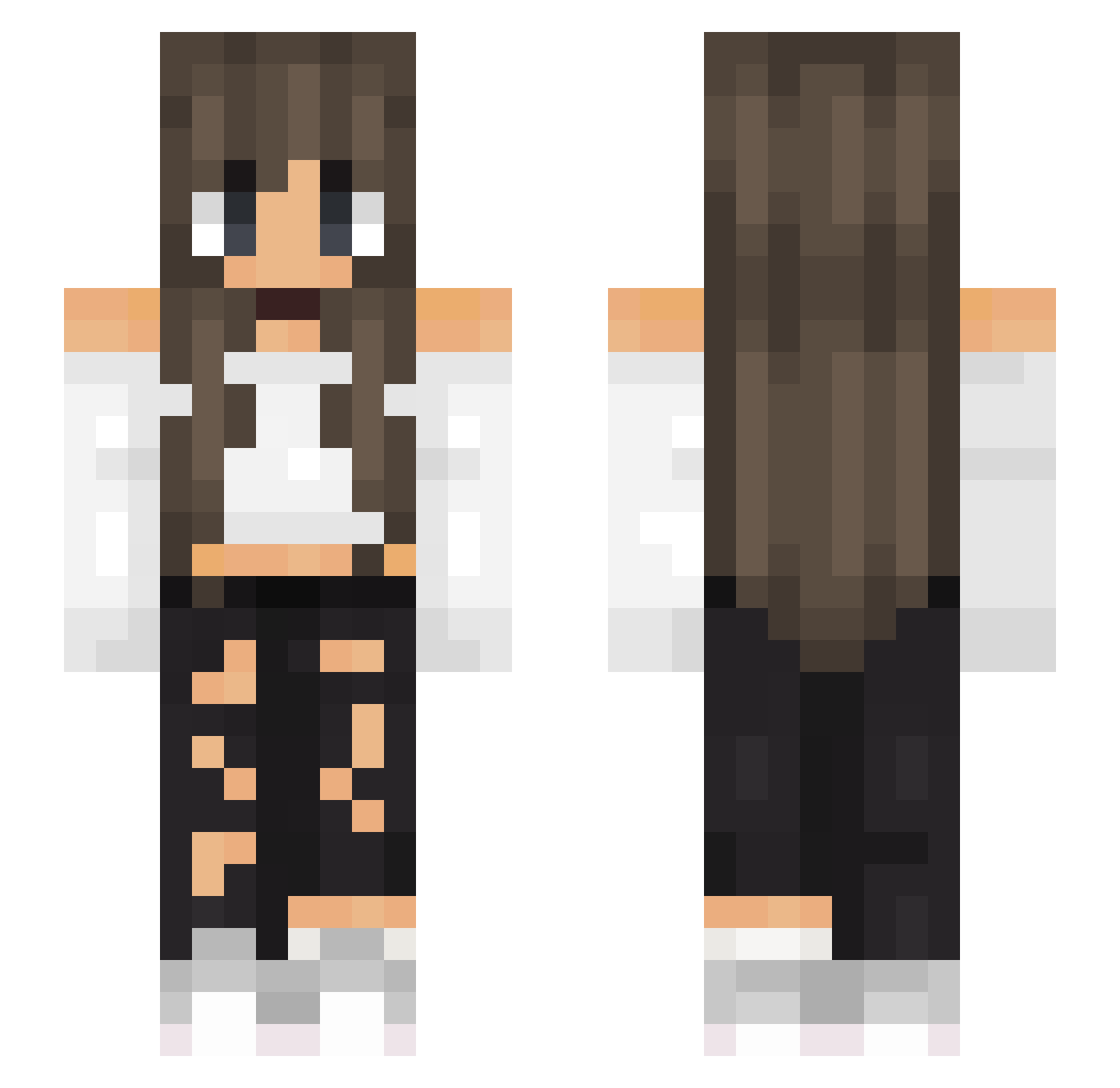
Current Minecraft skin of the player DeutscheP0tat0, loaded from the official Mojang API. Rotate the 3D model with your mouse or finger, then download the skin as a PNG file and use it in Minecraft: Bedrock Edition or Java Edition for free. When DeutscheP0tat0 changes their skin, this page updates automatically and the old skin stays in the history below.
Other players with this skin (649)
DeutscheP0tat0 was the 539th player we have seen with this skin, first spotted on 03.11.2026. The same skin was seen on these players. Open a nickname to see their current skin and skin history.
 STEFFI04 Softball_Chic_42 Tiituliz Simaaa2007 Muriell cheyenne19 Nxbrxn Princess_659 Alyou Enderapple5252 eameak meo36 TomiHst07 Jxquxlinx Kaktusz0525 HighOpticZ Twinkle20 Angel161020 gaiameli01 Duchham LeaKit25 Jackie_Silke Elosa_03 Elo_1994 Mac2432 Matchika mOnika_y Fridayss_06 lightning_flower LoraFlora TiaraBella1 HelenaAlcantara j4n3d03 Bouloche76 SpxrklingSpxder Udii12 PixelsLove miriam929 syryryca6969 Mephaa LeaFoster Cenado Roxanne2018 A2ny Ariana_C milayna himonof SpicySenorita Maria612 ALICE6421 XenonExon10 DragoXxLord Barbiturik supernova_bmj sommerrayy69 abby07isagod BellaMossa EctoEgbutt Wqtermel0n Az_Kitsuu
More Off Shoulder Minecraft skins
See all 502 Off Shoulder skins
How to install the DeutscheP0tat0 skin
- Press the Download button above to save the skin as a PNG file.
- Minecraft: Bedrock Edition (PE): open the Dressing Room from the main menu (or tap your character → Edit Character), go to Classic Skins → Owned, press the + (new skin) button, choose the downloaded PNG and pick the Slim (Alex) model. Works on PC and mobile; consoles cannot import custom skins.
- Minecraft: Java Edition: open the Minecraft Launcher, go to the Skins tab, click New Skin, load the PNG, pick the Slim (Alex) model and press Save & Use. You can also upload it at minecraft.net → Profile → Change Skin.
The skin does not show up after import - what should I do?
Restart Minecraft and open the Dressing Room again - imported skins sometimes appear only after a restart. Also make sure you selected the imported skin and picked the Slim (Alex) model.
Which model should I choose, Classic or Slim?
This skin is designed for the Slim (Alex) model. If you pick the wrong model, the arms of the skin will look stretched or squeezed.
Is the skin of DeutscheP0tat0 free to download?
Yes. Press Download, save the PNG file and use it in Minecraft: Bedrock Edition or Java Edition - no payment or registration needed. The skin also works on multiplayer servers and Realms.
More skins
Looking for more? Go back to all Minecraft skins and check the top skins of the week, month and all time, or find any player's skin by nickname.