
DeoniS163 - Minecraft Skins & Skin History
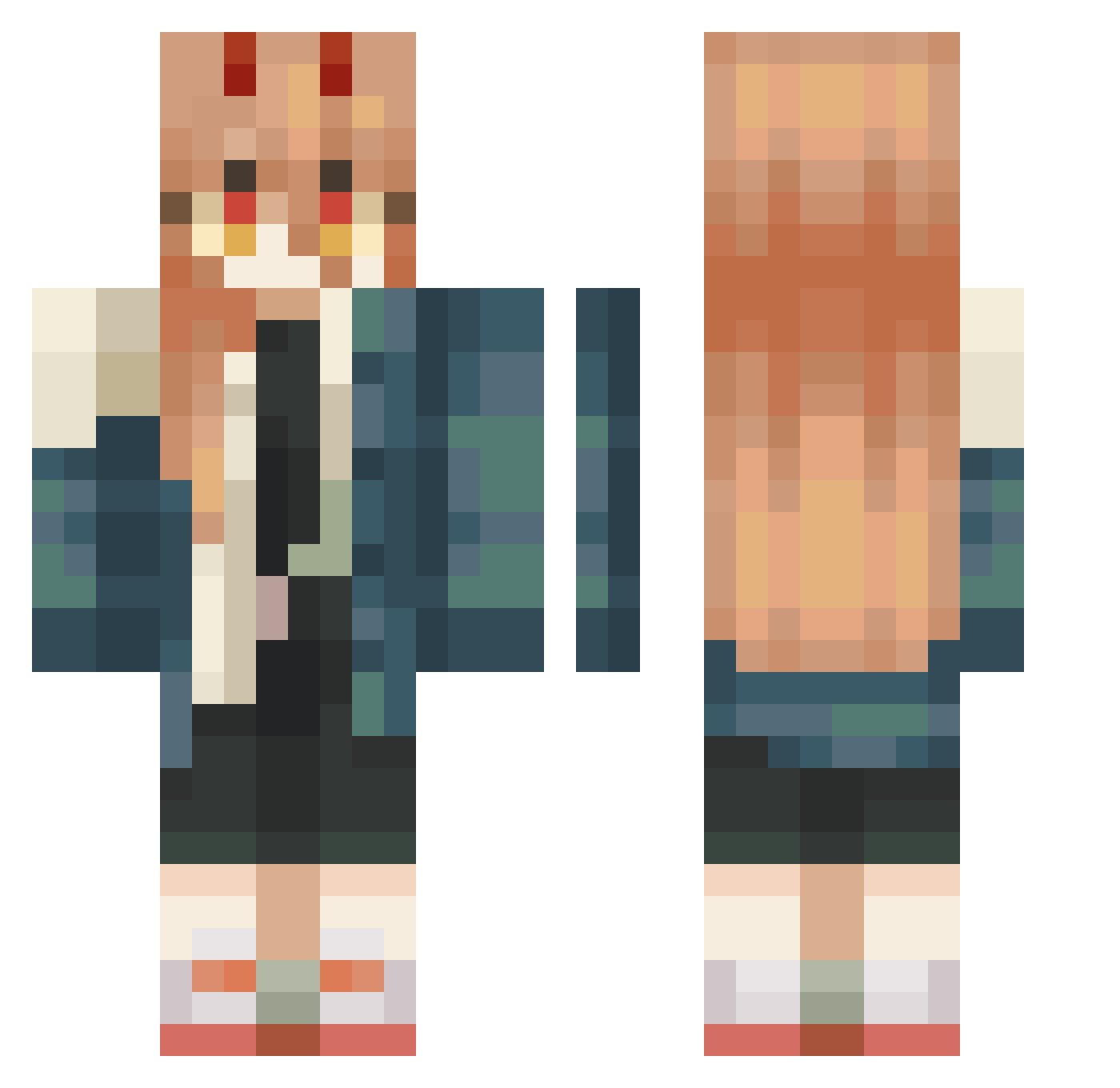
Current Minecraft skin of the player DeoniS163, loaded from the official Mojang API. Rotate the 3D model with your mouse or finger, then download the skin as a PNG file and use it in Minecraft: Bedrock Edition or Java Edition for free. When DeoniS163 changes their skin, this page updates automatically and the old skin stays in the history below.
Other players with this skin (446)
DeoniS163 was the 70th player we have seen with this skin, first spotted on 10.08.2026. The same skin was seen on these players. Open a nickname to see their current skin and skin history.
 AnoraKy W0WMAN pinefa Rexmas Dracolypse yunhun0722 MazzaJazzaWazza KIATIGERSV13 rollindisaster RickyChoon viyetch fatboichicken yjw6304 NoobDarx cargoshorts332 TornilloTrue moonbluee_ NemoSlurp shuu_2525 Dezirya Mywisdomteeth CrispyKitten Centera Gimpalicious Kllsdg httpninis goopy_01 Rkqz BommDiaaaa shqtzzz Aia_Lize chiken__tender Ewmiily ediblesp00n TheShanto YinNgG_02 DgHiRaF arabou666 catcatMiMiMi
 NxZrS opanaopana DaZreX_tm afkcutie Zeugmax yue18 nu_ok Brubzz Kat41002 itzZOA Josee233 NINTENDQN 1nss Dfonsx Ezhevika98 Chatter_wawa Cassia__ borasismycity amurogd OganessonBomb BoyWhyYouSoEepy
More Power Minecraft skins
How to install the DeoniS163 skin
- Press the Download button above to save the skin as a PNG file.
- Minecraft: Bedrock Edition (PE): open the Dressing Room from the main menu (or tap your character → Edit Character), go to Classic Skins → Owned, press the + (new skin) button, choose the downloaded PNG and pick the Classic (Steve) model. Works on PC and mobile; consoles cannot import custom skins.
- Minecraft: Java Edition: open the Minecraft Launcher, go to the Skins tab, click New Skin, load the PNG, pick the Classic (Steve) model and press Save & Use. You can also upload it at minecraft.net → Profile → Change Skin.
The skin does not show up after import - what should I do?
Restart Minecraft and open the Dressing Room again - imported skins sometimes appear only after a restart. Also make sure you selected the imported skin and picked the Classic (Steve) model.
Which model should I choose, Classic or Slim?
This skin is designed for the Classic (Steve) model. If you pick the wrong model, the arms of the skin will look stretched or squeezed.
Is the skin of DeoniS163 free to download?
Yes. Press Download, save the PNG file and use it in Minecraft: Bedrock Edition or Java Edition - no payment or registration needed. The skin also works on multiplayer servers and Realms.
More skins
Looking for more? Go back to all Minecraft skins and check the top skins of the week, month and all time, or find any player's skin by nickname.