
Deku0_0 - Minecraft Skins & Skin History
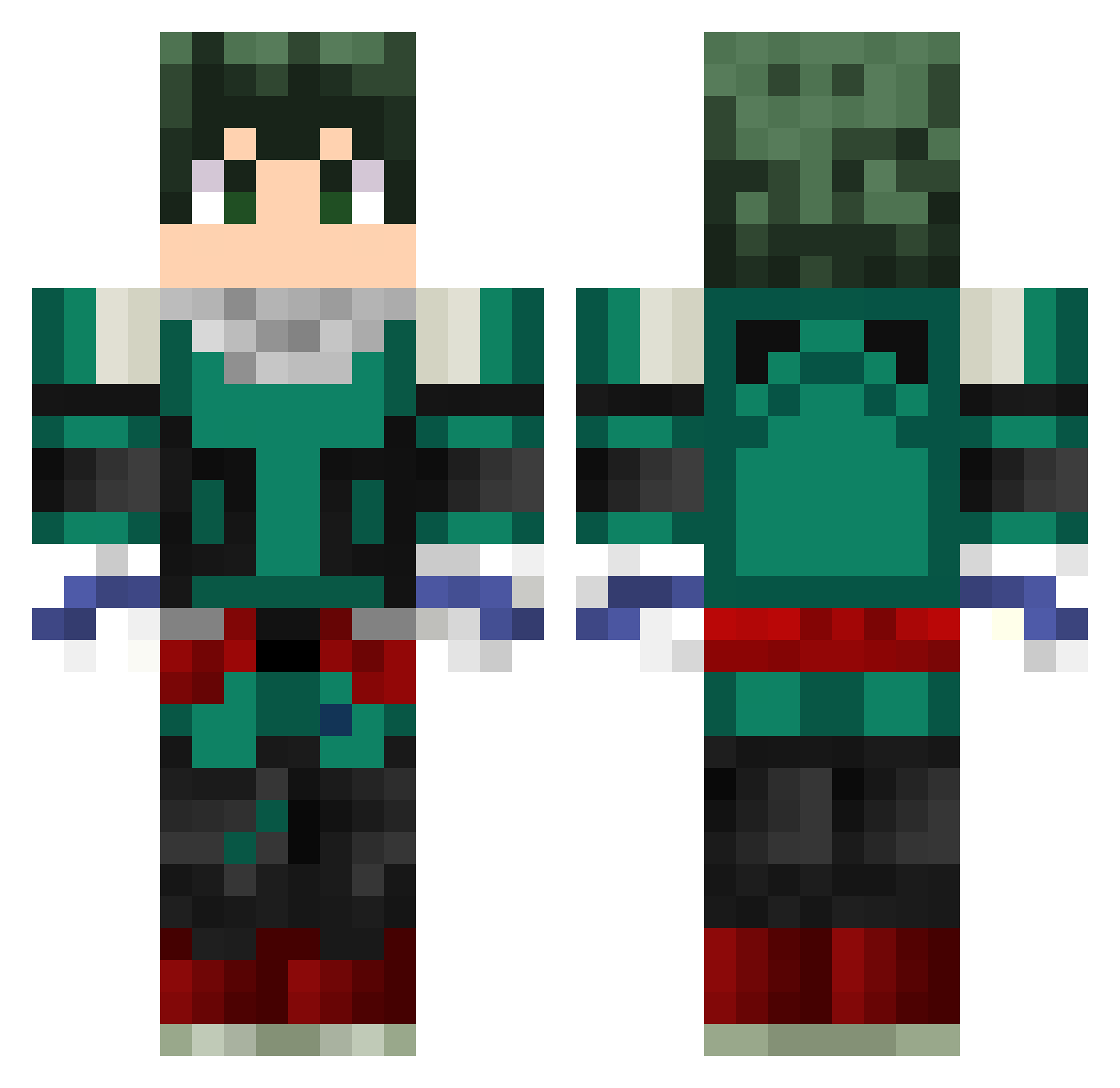
Current Minecraft skin of the player Deku0_0, loaded from the official Mojang API. Rotate the 3D model with your mouse or finger, then download the skin as a PNG file and use it in Minecraft: Bedrock Edition or Java Edition for free. When Deku0_0 changes their skin, this page updates automatically and the old skin stays in the history below.
Other players with this skin (238)
Deku0_0 was the 12th player we have seen with this skin, first spotted on 27.07.2026. The same skin was seen on these players. Open a nickname to see their current skin and skin history.
 horizons_mayn Hanna_2000 gingerman132 blackstar9415 ShinjiWong Fre3zy_18 beengreen honran_ Bezczelli Itzaaron03 ForgottenTech MegaCuchit Lamadxff ArKa_7 KiririChan Synnistor Vegetto_jr ImTheRealDeku tylerjohn12 spenceoid osono178 CreatorOFM
 lenscase KoLyo30 ragcgrgg Lewis132 PetitMatou azzzdqsdz Meeting_Gaming UnicornH_ Finnyash Rumblinz Cutter31 Fajin13 ABDO_GAMER_2008 MJLucca montin1 Emremftr ayyitsg inazuma9 PHOENIXnamada Suavlk Robengold Haoya69 Ashy8898 ANTONIOLETRAP breaking_games11 rCreepy 13enc AbbasXP Deku_Nine Mattixxel__ happy3510 MetroZer000 KilluaEX thomasyt3157 somariojv Mariscal951 anejonas Tyler_Abgehoben
More Deku Minecraft skins
How to install the Deku0_0 skin
- Press the Download button above to save the skin as a PNG file.
- Minecraft: Bedrock Edition (PE): open the Dressing Room from the main menu (or tap your character → Edit Character), go to Classic Skins → Owned, press the + (new skin) button, choose the downloaded PNG and pick the Classic (Steve) model. Works on PC and mobile; consoles cannot import custom skins.
- Minecraft: Java Edition: open the Minecraft Launcher, go to the Skins tab, click New Skin, load the PNG, pick the Classic (Steve) model and press Save & Use. You can also upload it at minecraft.net → Profile → Change Skin.
The skin does not show up after import - what should I do?
Restart Minecraft and open the Dressing Room again - imported skins sometimes appear only after a restart. Also make sure you selected the imported skin and picked the Classic (Steve) model.
Which model should I choose, Classic or Slim?
This skin is designed for the Classic (Steve) model. If you pick the wrong model, the arms of the skin will look stretched or squeezed.
Is the skin of Deku0_0 free to download?
Yes. Press Download, save the PNG file and use it in Minecraft: Bedrock Edition or Java Edition - no payment or registration needed. The skin also works on multiplayer servers and Realms.
More skins
Looking for more? Go back to all Minecraft skins and check the top skins of the week, month and all time, or find any player's skin by nickname.