
DefenseMan - Minecraft Skins & Skin History
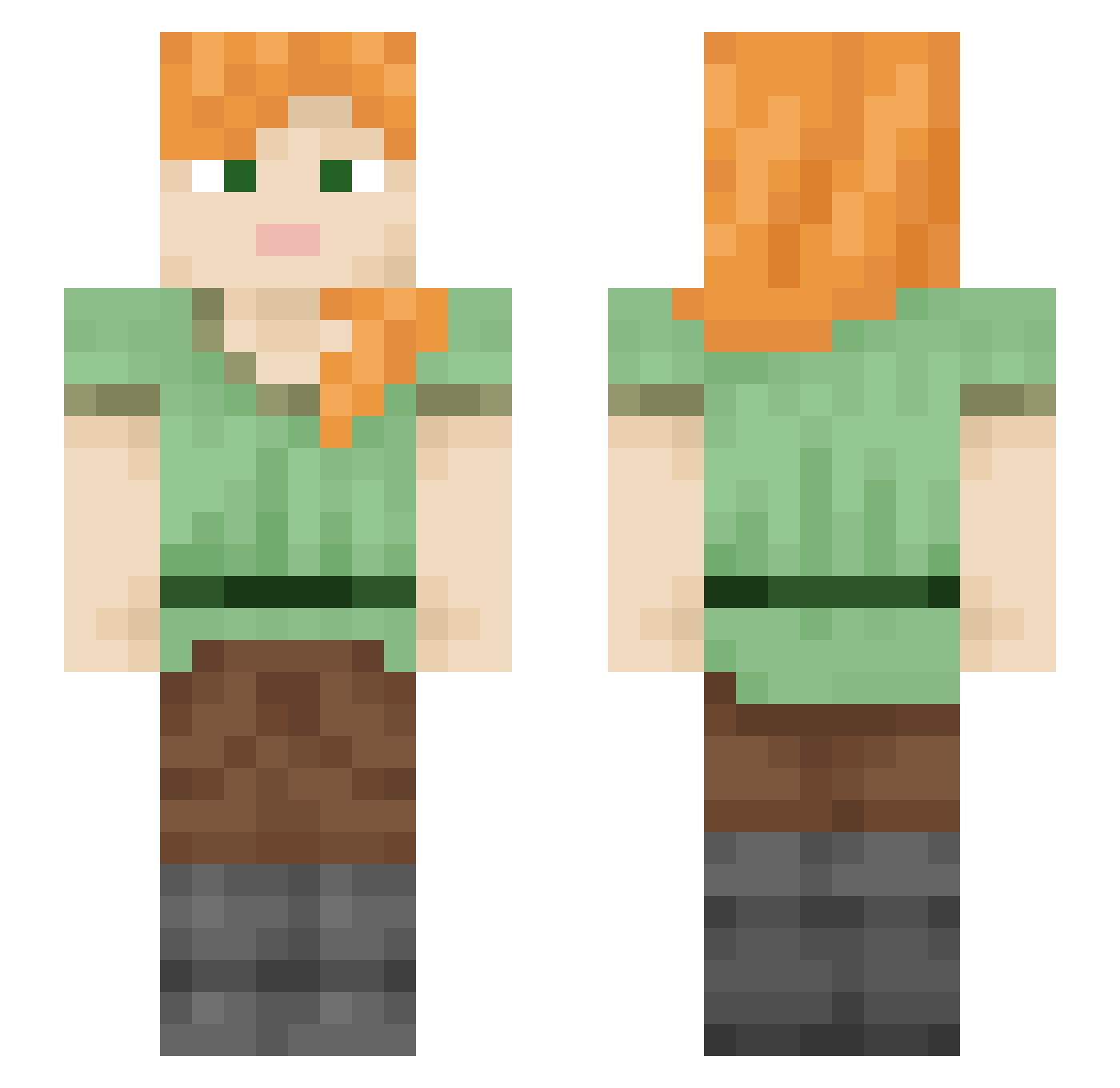
Current Minecraft skin of the player DefenseMan, loaded from the official Mojang API. Rotate the 3D model with your mouse or finger, then download the skin as a PNG file and use it in Minecraft: Bedrock Edition or Java Edition for free. When DefenseMan changes their skin, this page updates automatically and the old skin stays in the history below.
Other players with this skin (2108)
DefenseMan was the 433rd player we have seen with this skin, first spotted on 17.08.2026. The same skin was seen on these players. Open a nickname to see their current skin and skin history.
 Tealmarine xyNerfyz
 xLukas_ CakefromtheVoid eqmc SuperStar0104 midorin333 Programmatic Ovambo _Rupe_0719 something_or_oth HouseCraft CloseWorld s_yuu gimcheo Brian9824 Transitions LucielGaming explosivekin totochomp shabiheike dudgh artlike Daconday SCPSLoCLOUD 1blackaida1 Zonglerkahelenka Excreting Thorneson Laxzed Ipselsta CERMIX0743 Glaga pasear brandes_se 93JC93 DoltishToilet
 Beratul Glucke pinkprincessdiam
 ptcx rt3m Zqll churrrus Aliahan
 Drxxen_ otis0424 darkburger9 BartekMKM prayerless Kuromi_xd
 d3rLord ThemStardust Najat67 Frauds Big_Toast4 columbia MarnieSpence
 Kalzanth Azlz55
How to install the DefenseMan skin
- Press the Download button above to save the skin as a PNG file.
- Minecraft: Bedrock Edition (PE): open the Dressing Room from the main menu (or tap your character → Edit Character), go to Classic Skins → Owned, press the + (new skin) button, choose the downloaded PNG and pick the Slim (Alex) model. Works on PC and mobile; consoles cannot import custom skins.
- Minecraft: Java Edition: open the Minecraft Launcher, go to the Skins tab, click New Skin, load the PNG, pick the Slim (Alex) model and press Save & Use. You can also upload it at minecraft.net → Profile → Change Skin.
The skin does not show up after import - what should I do?
Restart Minecraft and open the Dressing Room again - imported skins sometimes appear only after a restart. Also make sure you selected the imported skin and picked the Slim (Alex) model.
Which model should I choose, Classic or Slim?
This skin is designed for the Slim (Alex) model. If you pick the wrong model, the arms of the skin will look stretched or squeezed.
Is the skin of DefenseMan free to download?
Yes. Press Download, save the PNG file and use it in Minecraft: Bedrock Edition or Java Edition - no payment or registration needed. The skin also works on multiplayer servers and Realms.
More skins
Looking for more? Go back to all Minecraft skins and check the top skins of the week, month and all time, or find any player's skin by nickname.