
Deadly_Game - Minecraft Skins & Skin History
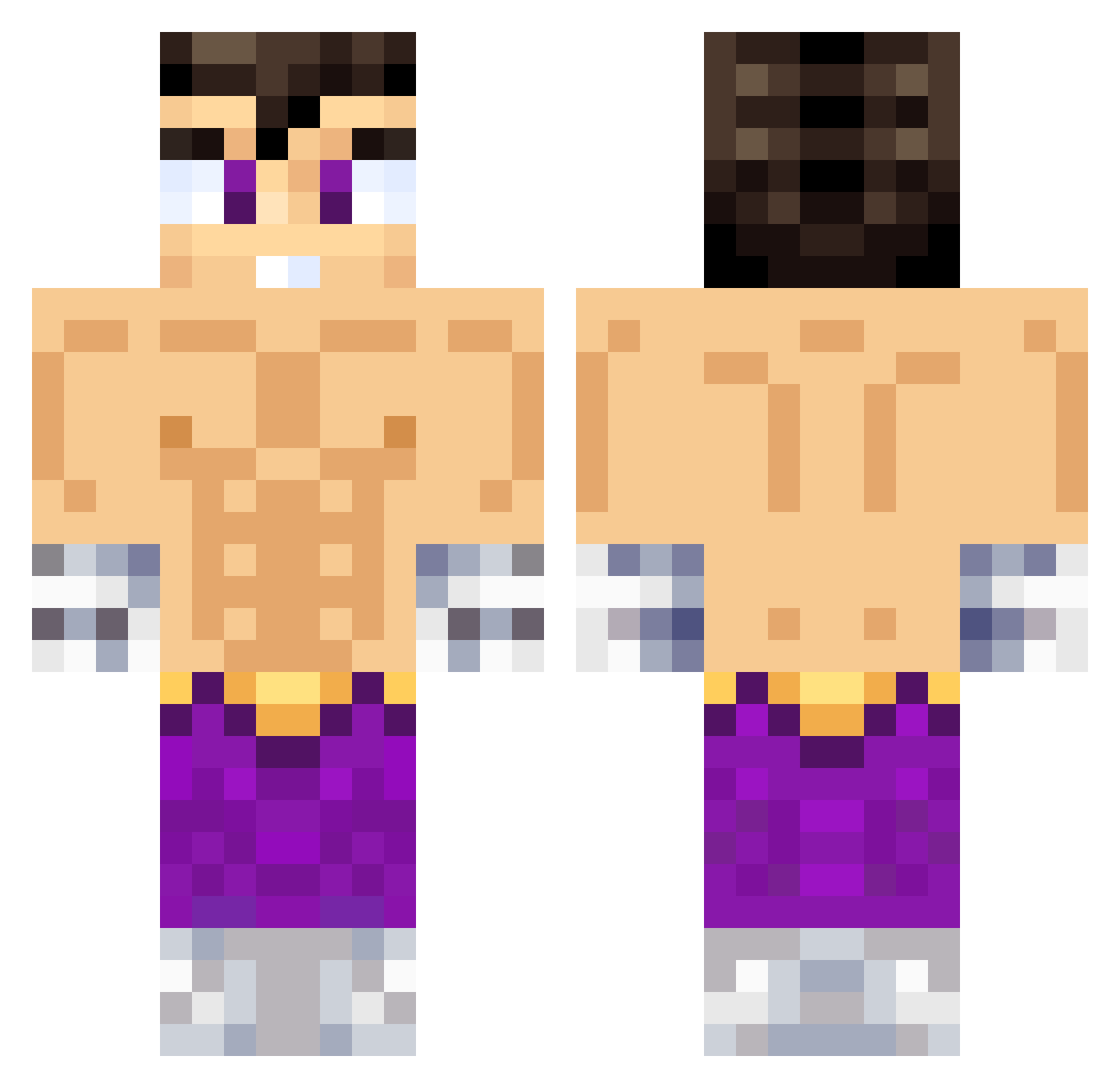
Current Minecraft skin of the player Deadly_Game, loaded from the official Mojang API. Rotate the 3D model with your mouse or finger, then download the skin as a PNG file and use it in Minecraft: Bedrock Edition or Java Edition for free. When Deadly_Game changes their skin, this page updates automatically and the old skin stays in the history below.
Other players with this skin (611)
Deadly_Game was the 303rd player we have seen with this skin, first spotted on 20.09.2026. The same skin was seen on these players. Open a nickname to see their current skin and skin history.
 Luenru VEGETTA117 Emmanuel0822 _AMT_23 Patog97 Murkeddio Sy2k ReyesOR joacoco777 antoni2b KillerPollo777 atzoo LaArdillacraft TuCompaFire Chinardo0804 Gaelnt Patrirex Sangu10 Maiiiiite alexcrack92 Jaeger0609 ChampagnePappi_ _Quimico_ Juanchonardo MTack Milies777 Tawalala FacuPetry zowski777 Alexander_88 Sirveder Anikil0YT BryanEDVN Antouwu12 Andirs spreen_fachero AyanGaming0010 Parguelatheman ElBubba19 El_Baner Antoniogd_11 MrGato125 Pyro_btw JohanLBRT AP0L0777 IGNACIOTAKU Chinisimo Icestorm54 DraJackpot jaillan QueEntreLaChina Ariel2312 AxelGamerTR Knekro7 El_Rafagas caretes Brizu03 efra1191 ElParienteeKun PatricioPalma
More Jin Kazama Minecraft skins
How to install the Deadly_Game skin
- Press the Download button above to save the skin as a PNG file.
- Minecraft: Bedrock Edition (PE): open the Dressing Room from the main menu (or tap your character → Edit Character), go to Classic Skins → Owned, press the + (new skin) button, choose the downloaded PNG and pick the Classic (Steve) model. Works on PC and mobile; consoles cannot import custom skins.
- Minecraft: Java Edition: open the Minecraft Launcher, go to the Skins tab, click New Skin, load the PNG, pick the Classic (Steve) model and press Save & Use. You can also upload it at minecraft.net → Profile → Change Skin.
The skin does not show up after import - what should I do?
Restart Minecraft and open the Dressing Room again - imported skins sometimes appear only after a restart. Also make sure you selected the imported skin and picked the Classic (Steve) model.
Which model should I choose, Classic or Slim?
This skin is designed for the Classic (Steve) model. If you pick the wrong model, the arms of the skin will look stretched or squeezed.
Is the skin of Deadly_Game free to download?
Yes. Press Download, save the PNG file and use it in Minecraft: Bedrock Edition or Java Edition - no payment or registration needed. The skin also works on multiplayer servers and Realms.
More skins
Looking for more? Go back to all Minecraft skins and check the top skins of the week, month and all time, or find any player's skin by nickname.