
DeadRider89 - Minecraft Skins & Skin History
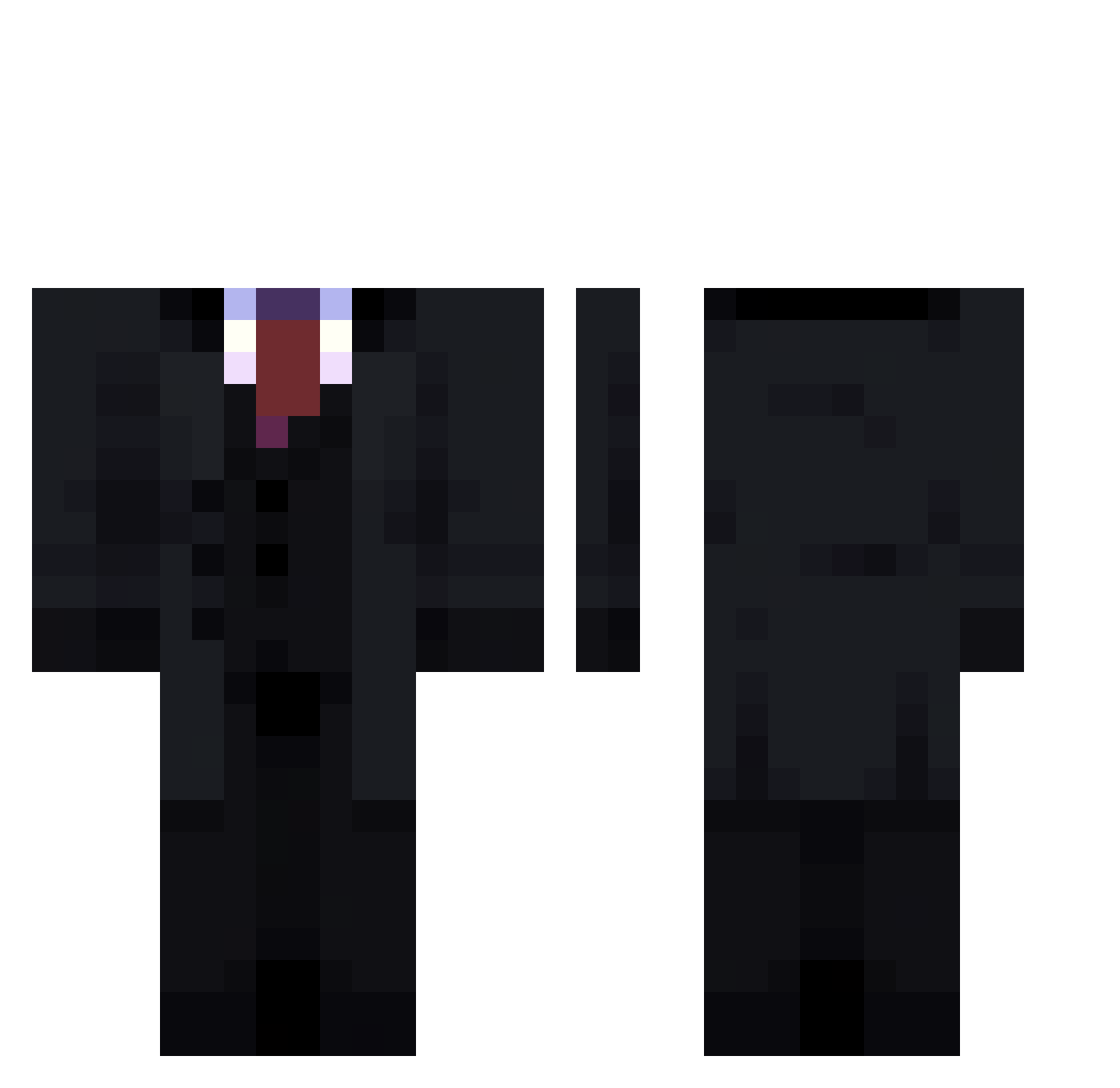
Current Minecraft skin of the player DeadRider89, loaded from the official Mojang API. Rotate the 3D model with your mouse or finger, then download the skin as a PNG file and use it in Minecraft: Bedrock Edition or Java Edition for free. When DeadRider89 changes their skin, this page updates automatically and the old skin stays in the history below.
Other players with this skin (73)
DeadRider89 was the 35th player we have seen with this skin, first spotted on 16.09.2026. The same skin was seen on these players. Open a nickname to see their current skin and skin history.
 GussZ SamuKelvin GhostkillerJXX Celqi Bagata12 akmalB_ ItsAethel_ Juanpee09 Zauroczenie_ L3vavan zasacka Tatufritto crackedbyabel A1WESOMENESSS casra_king rgrfs1 ByBlvck SanZer00 ABCWasTaken AndrxL pikathu123 Unlucky_lord wiryhen9813 oka08 marq1212 666_TURZER_666 Vexsean_1 Victor_Aqz marcell884 who_iShadow sak211 FurySight Pnutt1 Ock0 Niksyluksy Kidotre Only3bod WillTrem_ coledafivenine Dajden KabadyRR7 to2a1na Yesgood
 matumolas Re_Huma kenanbay SlenderCoast_867 Swifterzzzz apple23579 raglr ASacricialLamb thurzinm btbuu WooThin TOATOO Timbasco KidSloth Voltey_ Timurziev11
 Ketko
KetkoMore Creepypasta Minecraft skins
How to install the DeadRider89 skin
- Press the Download button above to save the skin as a PNG file.
- Minecraft: Bedrock Edition (PE): open the Dressing Room from the main menu (or tap your character → Edit Character), go to Classic Skins → Owned, press the + (new skin) button, choose the downloaded PNG and pick the Classic (Steve) model. Works on PC and mobile; consoles cannot import custom skins.
- Minecraft: Java Edition: open the Minecraft Launcher, go to the Skins tab, click New Skin, load the PNG, pick the Classic (Steve) model and press Save & Use. You can also upload it at minecraft.net → Profile → Change Skin.
The skin does not show up after import - what should I do?
Restart Minecraft and open the Dressing Room again - imported skins sometimes appear only after a restart. Also make sure you selected the imported skin and picked the Classic (Steve) model.
Which model should I choose, Classic or Slim?
This skin is designed for the Classic (Steve) model. If you pick the wrong model, the arms of the skin will look stretched or squeezed.
Is the skin of DeadRider89 free to download?
Yes. Press Download, save the PNG file and use it in Minecraft: Bedrock Edition or Java Edition - no payment or registration needed. The skin also works on multiplayer servers and Realms.
More skins
Looking for more? Go back to all Minecraft skins and check the top skins of the week, month and all time, or find any player's skin by nickname.