
DayLight84 - Minecraft Skins & Skin History
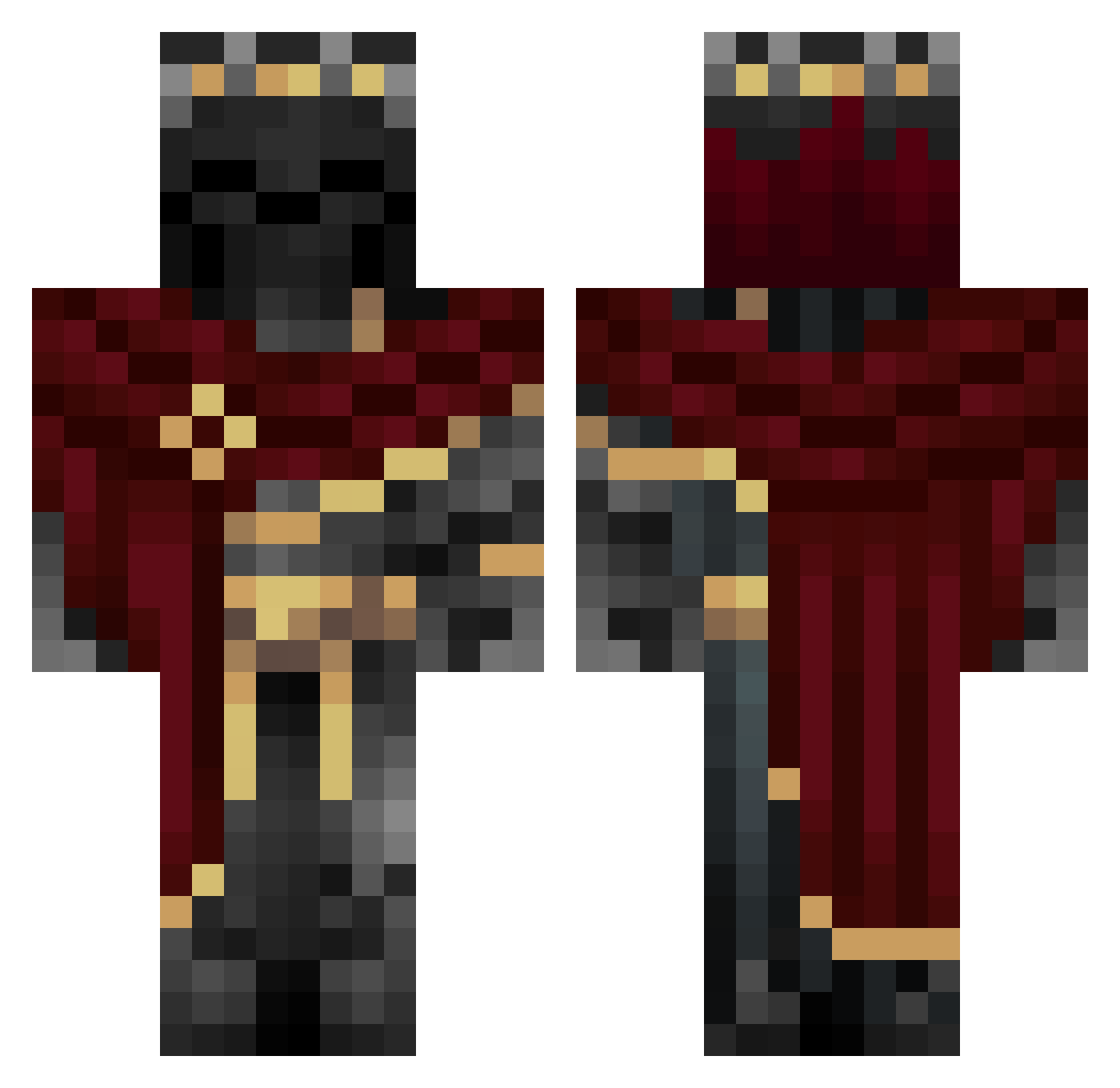
Current Minecraft skin of the player DayLight84, loaded from the official Mojang API. Rotate the 3D model with your mouse or finger, then download the skin as a PNG file and use it in Minecraft: Bedrock Edition or Java Edition for free. When DayLight84 changes their skin, this page updates automatically and the old skin stays in the history below.
Other players with this skin (1224)
DayLight84 was the 1120th player we have seen with this skin, first spotted on 10.11.2026. The same skin was seen on these players. Open a nickname to see their current skin and skin history.
 Ramzar11k DaroMoeLester Milkoo122 frenchy9976 ario_hmd Jeremiah93 Enzoga018 Torik007 Tiger_Cox WHYButterMan Player9854 Isaac_m912 Dark62 Tony_187 EvilDeadINK Varger12 jklmum SilentCryptic Ethan789987 A_FLY123 megatron0609 Ghostniko003 JJroddy1 synfil STRokmr X9_Nine_9X MikeBoberguard Myth345 Lordblackjack88 DoofieFiX Peki1203 MrKrisy2345 nahuelalejoe07 HONDA1990EF feeltheexit WishIwasBigIQ NobleAddiction KvikkO_o lostomatix Dzikas originalgalaxy B2pho Moskes Jack_347 SonicEagle246 Jaymango Harshiv_Mahida Scorfel Fizzy_Loe dino8074 LogabNates paytonk423 CTDrainyy zthunderbolt NeoArchangelYT Kt1_96 _Nitsuga Salphon Ringoshi HeIIh0und
More King Minecraft skins
How to install the DayLight84 skin
- Press the Download button above to save the skin as a PNG file.
- Minecraft: Bedrock Edition (PE): open the Dressing Room from the main menu (or tap your character → Edit Character), go to Classic Skins → Owned, press the + (new skin) button, choose the downloaded PNG and pick the Classic (Steve) model. Works on PC and mobile; consoles cannot import custom skins.
- Minecraft: Java Edition: open the Minecraft Launcher, go to the Skins tab, click New Skin, load the PNG, pick the Classic (Steve) model and press Save & Use. You can also upload it at minecraft.net → Profile → Change Skin.
The skin does not show up after import - what should I do?
Restart Minecraft and open the Dressing Room again - imported skins sometimes appear only after a restart. Also make sure you selected the imported skin and picked the Classic (Steve) model.
Which model should I choose, Classic or Slim?
This skin is designed for the Classic (Steve) model. If you pick the wrong model, the arms of the skin will look stretched or squeezed.
Is the skin of DayLight84 free to download?
Yes. Press Download, save the PNG file and use it in Minecraft: Bedrock Edition or Java Edition - no payment or registration needed. The skin also works on multiplayer servers and Realms.
More skins
Looking for more? Go back to all Minecraft skins and check the top skins of the week, month and all time, or find any player's skin by nickname.