
Darknight13445 - Minecraft Skins & Skin History
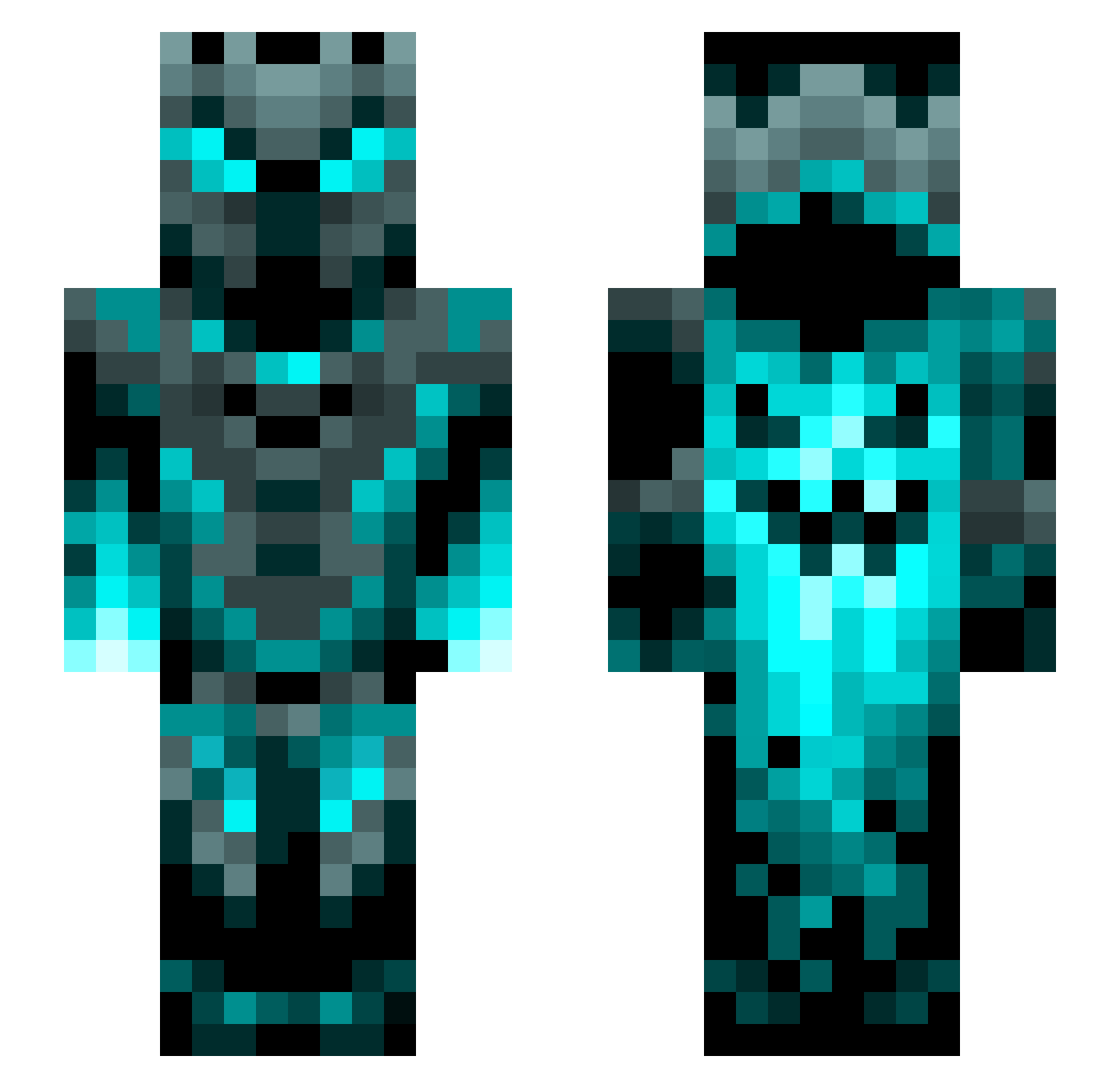
Current Minecraft skin of the player Darknight13445, loaded from the official Mojang API. Rotate the 3D model with your mouse or finger, then download the skin as a PNG file and use it in Minecraft: Bedrock Edition or Java Edition for free. When Darknight13445 changes their skin, this page updates automatically and the old skin stays in the history below.
Other players with this skin (1272)
Darknight13445 was the 452nd player we have seen with this skin, first spotted on 02.09.2026. The same skin was seen on these players. Open a nickname to see their current skin and skin history.
 Daedrya Snakeeye221
 Dazaras Foxtrox_ MrKn1ght97 Flipp8 philham17 SouthpawBardoff Konsti_789 Loki2906 redassassin1127 AS_Aimbot Mariano1756 DoughnutLord21 Waysorr Sleej12 CRANN_MAN jspike397 Lempreur Jack_Gamer32 ErLing9 semihgenc Telepierd doube_dada Zxb1202 KuyaBoBo72 ash10ash10zzz TheurgicDwarf8 Lxffee v__q Quantum_92 trdlomen zRxyalZ TargetBenny UltraDogeMan deathrow520 Epicdeath100 GackelGaxter1 Joppetje2 R_H_24 GaulDRilla LegacySmudge Anchasa77 willyum293 Lassi123 Xklusiv Nuchinator05 Ncgen Duebala FlexBroO Skywolf200720 FluffyTDM Mantos1 MillsyM26 mr_Watermellon2 yunooo__ WestBeans CCHIM4 xv56 Deus_vult93
More Phantom Minecraft skins
How to install the Darknight13445 skin
- Press the Download button above to save the skin as a PNG file.
- Minecraft: Bedrock Edition (PE): open the Dressing Room from the main menu (or tap your character → Edit Character), go to Classic Skins → Owned, press the + (new skin) button, choose the downloaded PNG and pick the Slim (Alex) model. Works on PC and mobile; consoles cannot import custom skins.
- Minecraft: Java Edition: open the Minecraft Launcher, go to the Skins tab, click New Skin, load the PNG, pick the Slim (Alex) model and press Save & Use. You can also upload it at minecraft.net → Profile → Change Skin.
The skin does not show up after import - what should I do?
Restart Minecraft and open the Dressing Room again - imported skins sometimes appear only after a restart. Also make sure you selected the imported skin and picked the Slim (Alex) model.
Which model should I choose, Classic or Slim?
This skin is designed for the Slim (Alex) model. If you pick the wrong model, the arms of the skin will look stretched or squeezed.
Is the skin of Darknight13445 free to download?
Yes. Press Download, save the PNG file and use it in Minecraft: Bedrock Edition or Java Edition - no payment or registration needed. The skin also works on multiplayer servers and Realms.
More skins
Looking for more? Go back to all Minecraft skins and check the top skins of the week, month and all time, or find any player's skin by nickname.