
Dark_Blasteur - Minecraft Skins & Skin History
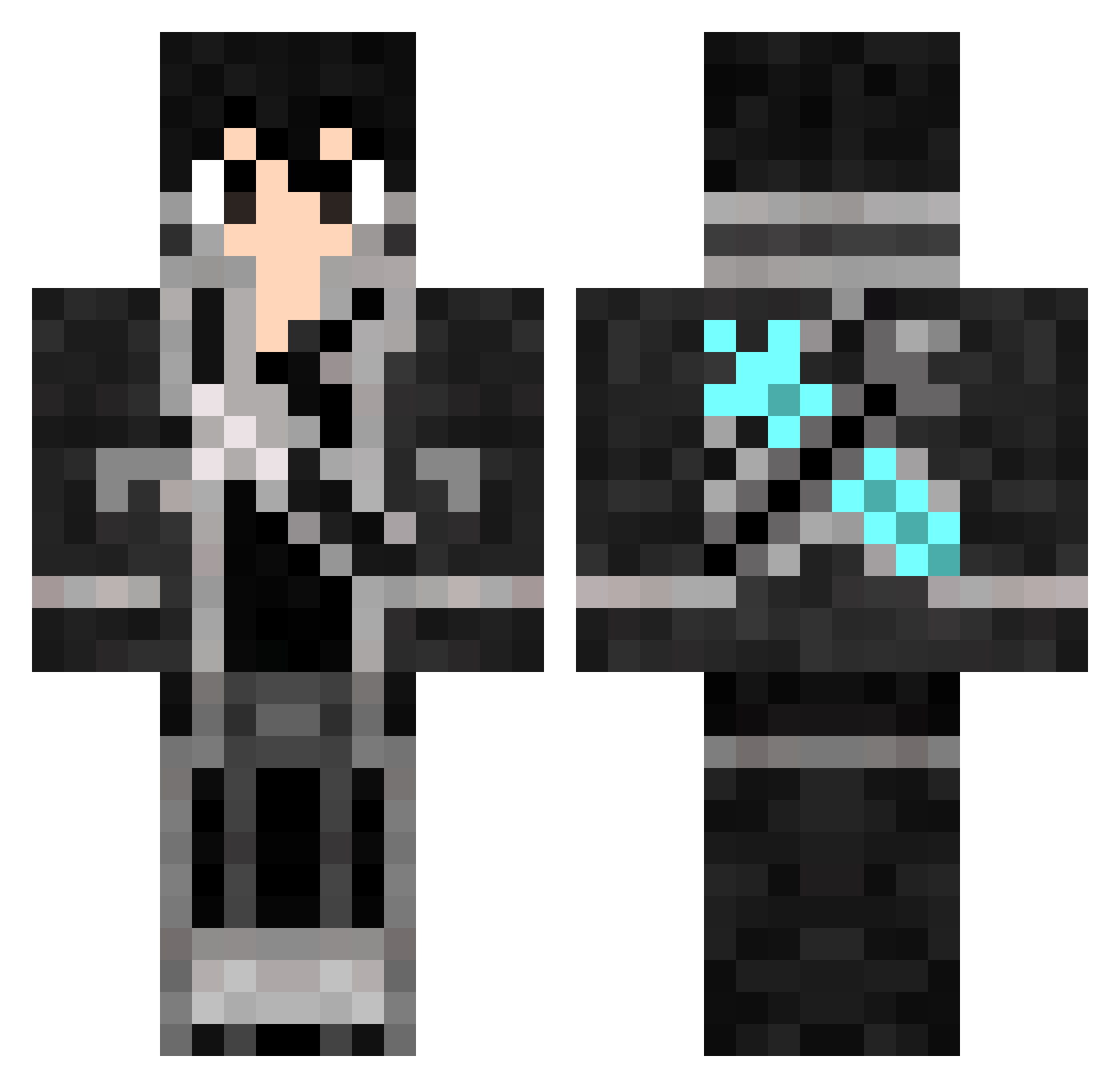
Current Minecraft skin of the player Dark_Blasteur, loaded from the official Mojang API. Rotate the 3D model with your mouse or finger, then download the skin as a PNG file and use it in Minecraft: Bedrock Edition or Java Edition for free. When Dark_Blasteur changes their skin, this page updates automatically and the old skin stays in the history below.
Other players with this skin (863)
Dark_Blasteur was the 641st player we have seen with this skin, first spotted on 16.10.2026. The same skin was seen on these players. Open a nickname to see their current skin and skin history.
 Ryonryon1231 Da4nlck FakeKing02 princeclf TEDDYBUNDY2 Noa_v10 Curtain__ Caius999 skycraft_hehe AznTimmy123 Midnight_36 Liwuu xim93 K_KIRITO_ lemonade_bo xiaomao22 hyourou_0325 kavin0216 Alberic1325 swimloser RINEDOG_ Conducing sgthawk500 Aliposya Friskyyyyyyy t_hide44 Osito_Vip Taraskyy Kirito_Cc MotaReal asephe Juanjox10 Bazey17 wilzodic Struz0 GlennMG small__sky _KaitoRyu destroido Kakki_46 Allelujah_L ByRobXD_99 finedesu CCBND nayZaZa Nov111 Skyrimbaby L_donghan zhengjc866 Tang_ya Janosch067 Eman58840 Aerfons Agnarsh Chenchen0321 Ecook02 diidou73 chinitaprime MashuKurai Matthew00345
More Kirito Minecraft skins
How to install the Dark_Blasteur skin
- Press the Download button above to save the skin as a PNG file.
- Minecraft: Bedrock Edition (PE): open the Dressing Room from the main menu (or tap your character → Edit Character), go to Classic Skins → Owned, press the + (new skin) button, choose the downloaded PNG and pick the Classic (Steve) model. Works on PC and mobile; consoles cannot import custom skins.
- Minecraft: Java Edition: open the Minecraft Launcher, go to the Skins tab, click New Skin, load the PNG, pick the Classic (Steve) model and press Save & Use. You can also upload it at minecraft.net → Profile → Change Skin.
The skin does not show up after import - what should I do?
Restart Minecraft and open the Dressing Room again - imported skins sometimes appear only after a restart. Also make sure you selected the imported skin and picked the Classic (Steve) model.
Which model should I choose, Classic or Slim?
This skin is designed for the Classic (Steve) model. If you pick the wrong model, the arms of the skin will look stretched or squeezed.
Is the skin of Dark_Blasteur free to download?
Yes. Press Download, save the PNG file and use it in Minecraft: Bedrock Edition or Java Edition - no payment or registration needed. The skin also works on multiplayer servers and Realms.
More skins
Looking for more? Go back to all Minecraft skins and check the top skins of the week, month and all time, or find any player's skin by nickname.