
DarkShark23 - Minecraft Skins & Skin History
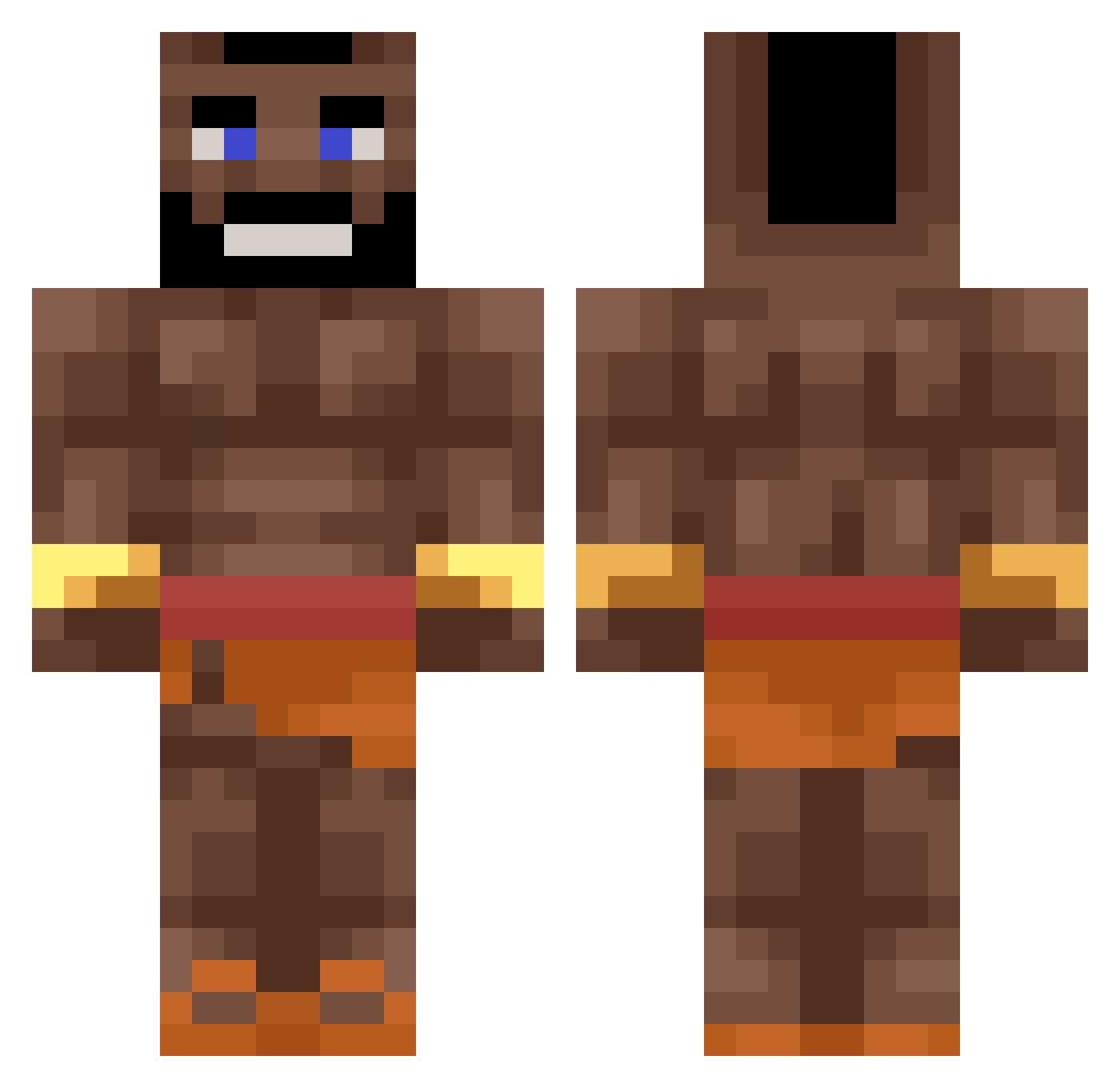
Current Minecraft skin of the player DarkShark23, loaded from the official Mojang API. Rotate the 3D model with your mouse or finger, then download the skin as a PNG file and use it in Minecraft: Bedrock Edition or Java Edition for free. When DarkShark23 changes their skin, this page updates automatically and the old skin stays in the history below.
Other players with this skin (370)
DarkShark23 was the 198th player we have seen with this skin, first spotted on 15.09.2026. The same skin was seen on these players. Open a nickname to see their current skin and skin history.
 Zobiah toxicenderzombie W1zar7 Henry_Clay_ Matijasz NyanCligi34 drypuZzle sirGeorge_ MORGESHTERN 6Charlie_kirk7 Rugedpotato12 Knoxray Luka_TRP zandi123 Sully04 RomanTS Xx_Fred_LRTLV_xX llamacookie23 pro100GuLL Kukorach SHIRYU725 Shons ItsMeMinister Hectorrr_10 kanqurur McBungus69 Vardamyr HOG_RIDEEEEEEEER zedkawj Xoxylja charly215 Zionthelion773 xbyog Chevtackle Mardu SpicyDumpling07 iloveurcoc Santyfm Alejanderpou st4nley_ dot_cheeselover wapewpoepje NightWolF1346 TR1GGZ OneSloth23 Niblif sniggers3 Jorik_D M22move LilChanJr Ginsolera JOELUWU BACON06 yves_ Nezikx_ unicornpoposu31 Draxling AfricaJemal Ineedhyperion PoolPartyCheck
More Mr T Minecraft skins
How to install the DarkShark23 skin
- Press the Download button above to save the skin as a PNG file.
- Minecraft: Bedrock Edition (PE): open the Dressing Room from the main menu (or tap your character → Edit Character), go to Classic Skins → Owned, press the + (new skin) button, choose the downloaded PNG and pick the Classic (Steve) model. Works on PC and mobile; consoles cannot import custom skins.
- Minecraft: Java Edition: open the Minecraft Launcher, go to the Skins tab, click New Skin, load the PNG, pick the Classic (Steve) model and press Save & Use. You can also upload it at minecraft.net → Profile → Change Skin.
The skin does not show up after import - what should I do?
Restart Minecraft and open the Dressing Room again - imported skins sometimes appear only after a restart. Also make sure you selected the imported skin and picked the Classic (Steve) model.
Which model should I choose, Classic or Slim?
This skin is designed for the Classic (Steve) model. If you pick the wrong model, the arms of the skin will look stretched or squeezed.
Is the skin of DarkShark23 free to download?
Yes. Press Download, save the PNG file and use it in Minecraft: Bedrock Edition or Java Edition - no payment or registration needed. The skin also works on multiplayer servers and Realms.
More skins
Looking for more? Go back to all Minecraft skins and check the top skins of the week, month and all time, or find any player's skin by nickname.