
Danielcito9500 - Minecraft Skins & Skin History
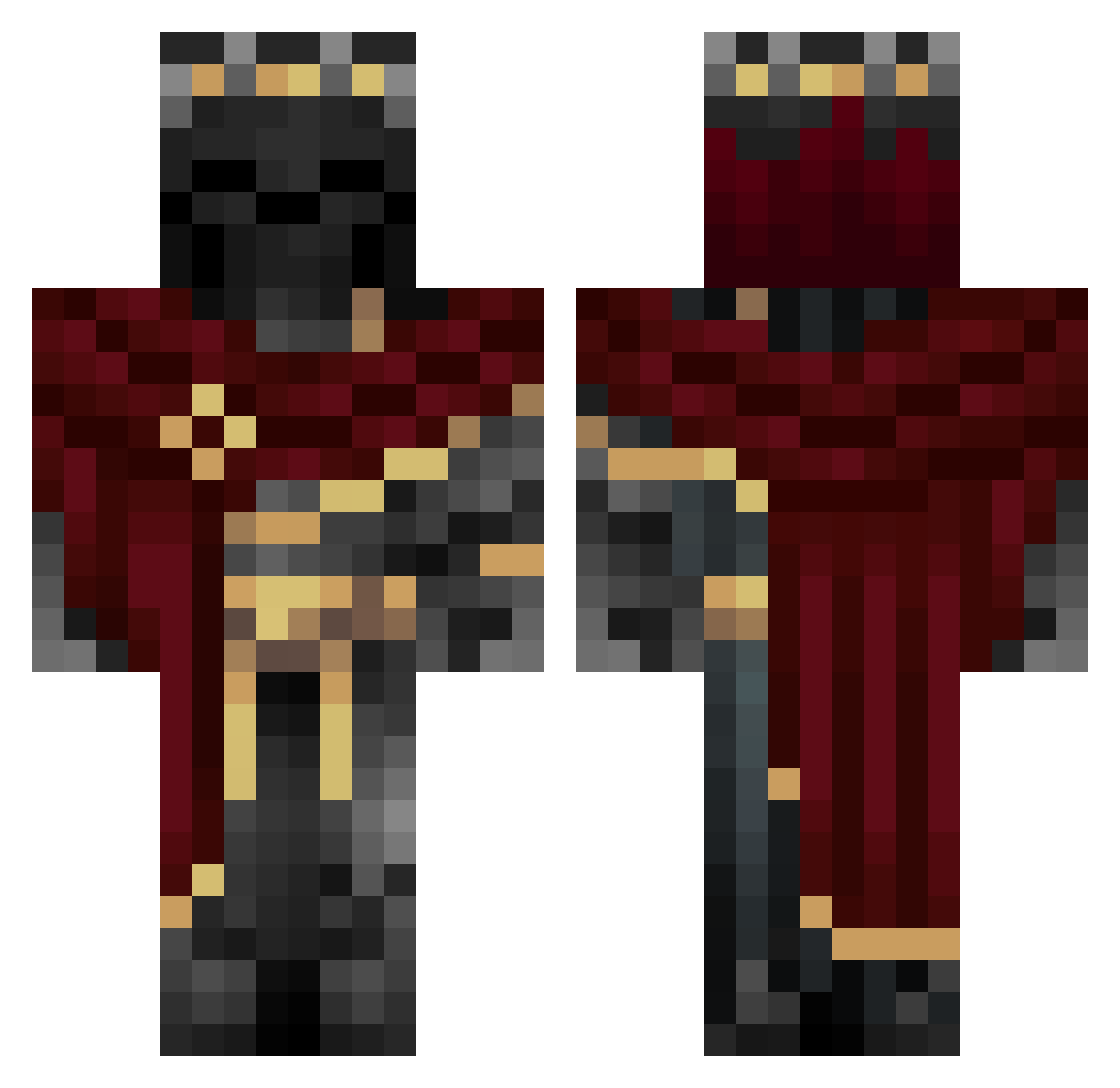
Current Minecraft skin of the player Danielcito9500, loaded from the official Mojang API. Rotate the 3D model with your mouse or finger, then download the skin as a PNG file and use it in Minecraft: Bedrock Edition or Java Edition for free. When Danielcito9500 changes their skin, this page updates automatically and the old skin stays in the history below.
Other players with this skin (981)
Danielcito9500 was the 958th player we have seen with this skin, first spotted on 27.10.2026. The same skin was seen on these players. Open a nickname to see their current skin and skin history.
 ISuKg EnrikoMortoriko ZawardoKun YOYOYO8157 Warlord190982 Kaloroth Chopperdu35 ApoIlo1 athenaq _Ormrystic_ Abby_is_a_Muffin ububl KaeZiks grandsmokii Gazty123 KingKarmaAce Tommy_Boom Stojc21 noe0073159t SparklesDudley Tadenito Drax_Demise O_22 Lurthhh JULESMO k0rkmaz00 Brey_D linm2024 chaosCh1ld ThisDog1 ZZ9902 fiuvhea R_mandcrack Grimmoro alfredo20254 VALENT522 xan15der ToasterWeed fkczt MAPTbIH Anwen2323 RivalTitan223 Copeeix Dawso23fo Psychowiggle NickCastilho Gunduros MrRedVoid JakobowskaSigma BestiaDorada30 TacoBako MeinKampf666 Stemi_Nguyen RuinOfGods wifi232 AymanK55 wg_PJJRZ_06_16 Xretrosiren meiyo31 sokkensnuiver300
More King Minecraft skins
How to install the Danielcito9500 skin
- Press the Download button above to save the skin as a PNG file.
- Minecraft: Bedrock Edition (PE): open the Dressing Room from the main menu (or tap your character → Edit Character), go to Classic Skins → Owned, press the + (new skin) button, choose the downloaded PNG and pick the Classic (Steve) model. Works on PC and mobile; consoles cannot import custom skins.
- Minecraft: Java Edition: open the Minecraft Launcher, go to the Skins tab, click New Skin, load the PNG, pick the Classic (Steve) model and press Save & Use. You can also upload it at minecraft.net → Profile → Change Skin.
The skin does not show up after import - what should I do?
Restart Minecraft and open the Dressing Room again - imported skins sometimes appear only after a restart. Also make sure you selected the imported skin and picked the Classic (Steve) model.
Which model should I choose, Classic or Slim?
This skin is designed for the Classic (Steve) model. If you pick the wrong model, the arms of the skin will look stretched or squeezed.
Is the skin of Danielcito9500 free to download?
Yes. Press Download, save the PNG file and use it in Minecraft: Bedrock Edition or Java Edition - no payment or registration needed. The skin also works on multiplayer servers and Realms.
More skins
Looking for more? Go back to all Minecraft skins and check the top skins of the week, month and all time, or find any player's skin by nickname.