
DanielR1201 - Minecraft Skins & Skin History
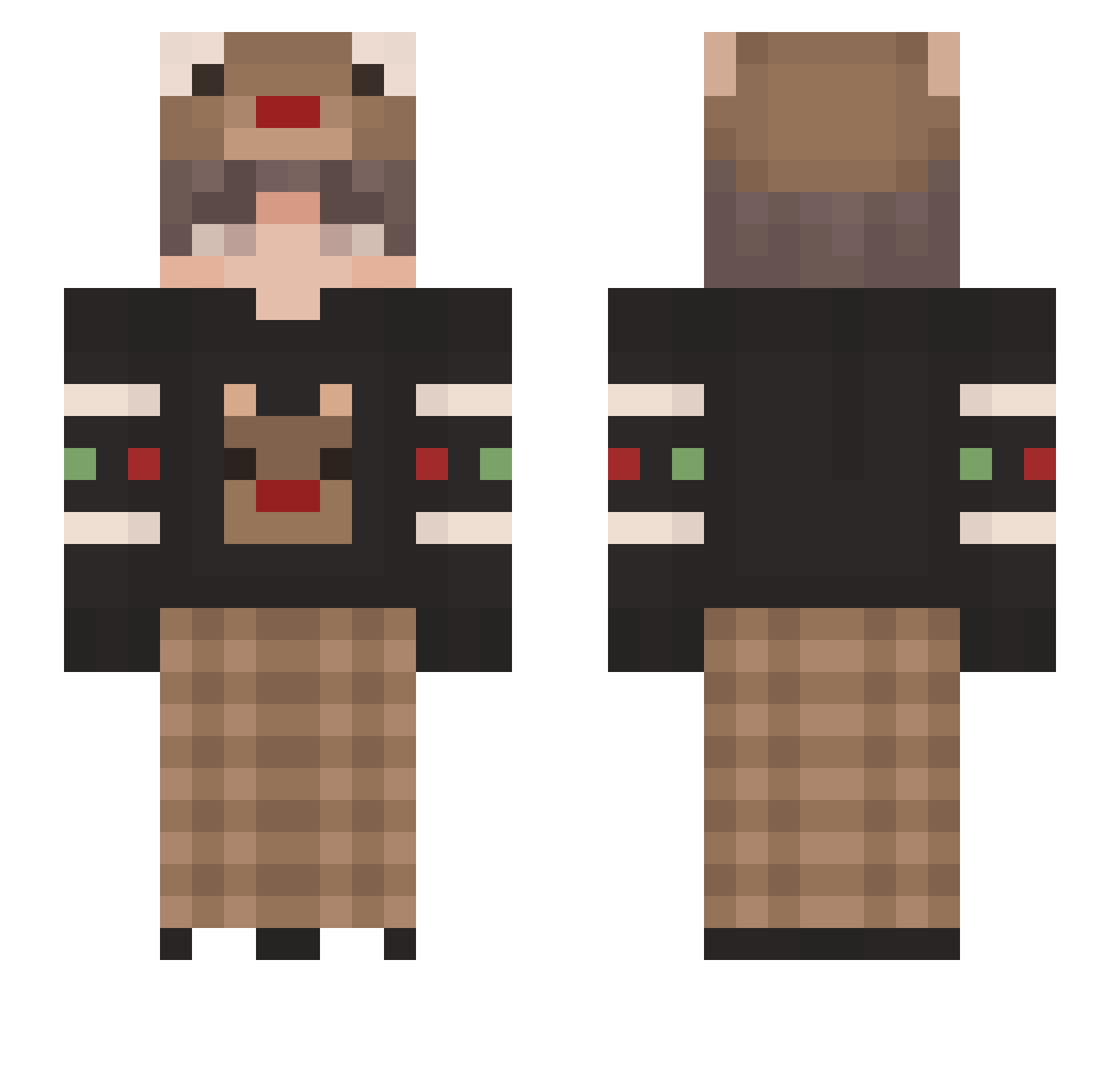
Current Minecraft skin of the player DanielR1201, loaded from the official Mojang API. Rotate the 3D model with your mouse or finger, then download the skin as a PNG file and use it in Minecraft: Bedrock Edition or Java Edition for free. When DanielR1201 changes their skin, this page updates automatically and the old skin stays in the history below.
Other players with this skin (124)
DanielR1201 was the 32nd player we have seen with this skin, first spotted on 19.08.2026. The same skin was seen on these players. Open a nickname to see their current skin and skin history.
 Ojiojii Katya_SMT zohmbie ChalkOne Limoes Stardewww SageBacon123 MinDylan1007 TCs_baby_girl M5732 shunshun25 IAmNotAFurry552 lllllll6918 EmreWinchester xTiwlyx_02xo3o aPPlZnUtZ74K bilibili2539 iWannaHugYou_ GorillaMajor yirenzhixia Garfilexx JSOGaming Browneee Fuuko_UwU Davidsan9896 chegd Reflxtion SlowedPlanet66 recrentov SVETAANANAS Discord_Haru mintchoco14 MatchingCrown43 CuzImKaan sunich01 ByAndrex34 mifangg enanoazul Pandoushh _youngsniper_ ShadowOfDoge Ojciec_Szymon SunlessYawn AHan_7 AnjSalHan02 31Aydin31 DarkHero499 xoWickz Goldenzzz Cookie275 milce Neqptune MollyWater67 BurkiXR UrUleu picksomenumbers mowwel tupadreelroto DerDiaGrinder drew6411
More Reindeer Minecraft skins
How to install the DanielR1201 skin
- Press the Download button above to save the skin as a PNG file.
- Minecraft: Bedrock Edition (PE): open the Dressing Room from the main menu (or tap your character → Edit Character), go to Classic Skins → Owned, press the + (new skin) button, choose the downloaded PNG and pick the Slim (Alex) model. Works on PC and mobile; consoles cannot import custom skins.
- Minecraft: Java Edition: open the Minecraft Launcher, go to the Skins tab, click New Skin, load the PNG, pick the Slim (Alex) model and press Save & Use. You can also upload it at minecraft.net → Profile → Change Skin.
The skin does not show up after import - what should I do?
Restart Minecraft and open the Dressing Room again - imported skins sometimes appear only after a restart. Also make sure you selected the imported skin and picked the Slim (Alex) model.
Which model should I choose, Classic or Slim?
This skin is designed for the Slim (Alex) model. If you pick the wrong model, the arms of the skin will look stretched or squeezed.
Is the skin of DanielR1201 free to download?
Yes. Press Download, save the PNG file and use it in Minecraft: Bedrock Edition or Java Edition - no payment or registration needed. The skin also works on multiplayer servers and Realms.
More skins
Looking for more? Go back to all Minecraft skins and check the top skins of the week, month and all time, or find any player's skin by nickname.